There’s a myth in the church world that you need a big budget and a big congregation to have a great website. It’s not true. Some of the best church websites we’ve seen belong to churches with fewer than 200 people — churches that use simplicity, authenticity, and smart design to punch well above their weight online.
In fact, small churches have a built-in advantage: you can be personal in a way megachurches can’t. A website that says “We’re a small community of 80 people who genuinely know each other” is more compelling to many visitors than a polished production from a 5,000-member church. You just have to lean into that.
In This Guide
This guide showcases real small church websites that get it right, explains what makes them work, and gives you practical tips for building your own — on a small church budget.
What Makes Small Church Websites Different
Small church websites face unique challenges that large churches don’t. Understanding these differences is the key to building a site that works for your context.
Personal Feel Over Production Value
Large churches can get away with a corporate, polished feel because they are large operations. For a church of 75 people, that same polish feels inauthentic. Small church websites work best when they feel warm, personal, and real — like a friend inviting you over, not a corporation pitching a product.
Honesty About Size
Don’t try to look bigger than you are. When visitors show up expecting a 500-person production and find 60 people in a rented school gym, the mismatch breeds distrust. The best small church websites are upfront: “We’re a small, growing community…” This sets realistic expectations and attracts people who want a smaller church experience — which is a lot of people.
Simplicity as a Feature
You don’t need 30 pages. You don’t need a member portal. You don’t need a custom app. Five well-crafted pages will outperform a sprawling website with outdated content every time. Small church websites should be simple because that’s genuinely what serves visitors best — and because you probably don’t have the bandwidth to maintain anything complex.
Maintainability
At a large church, there’s a communications director and a web developer keeping the site updated. At a small church, it’s probably the pastor’s spouse or a busy volunteer. Your website needs to be easy for a non-technical person to update with basic information — service time changes, event announcements, new sermon uploads. If it takes a developer to make simple changes, you’ll fall behind.
Small Church Website Examples
Here are real small church websites that demonstrate what’s possible when you focus on clarity, authenticity, and good design — regardless of congregation size.
1. Anchor Church — Tacoma, WA
URL: anchortacoma.org
Platform: Squarespace
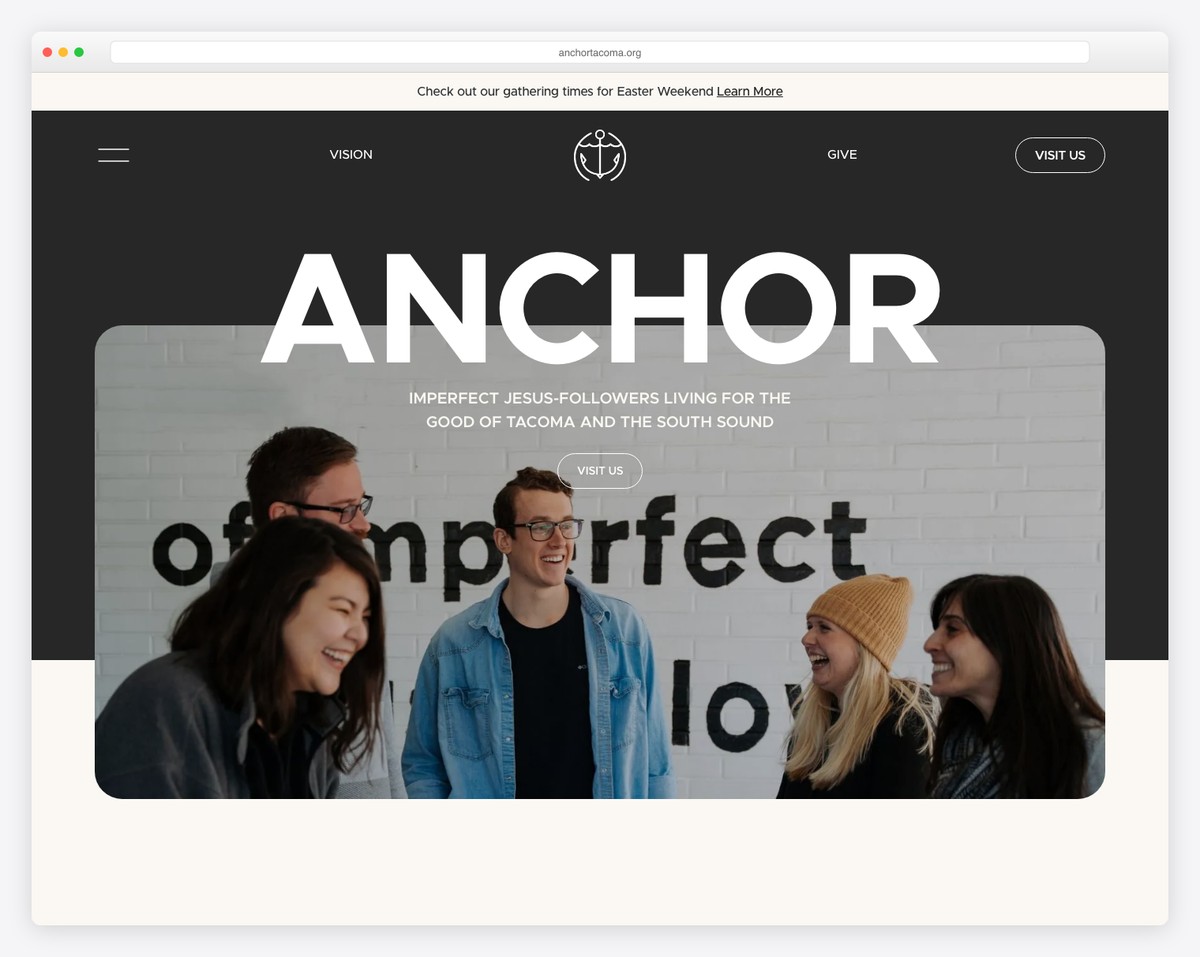
What makes it great: Clean, modern design with a warm color palette that feels inviting without being overproduced. Service times and location are immediately visible. The “Plan a Visit” page is thorough and personal, with real photos of their space. The navigation is beautifully simple — five items — and the whole site loads fast on mobile. This is what a small church website should feel like.
2. Brooklake Church — Federal Way, WA
URL: brooklake.org
Platform: Squarespace
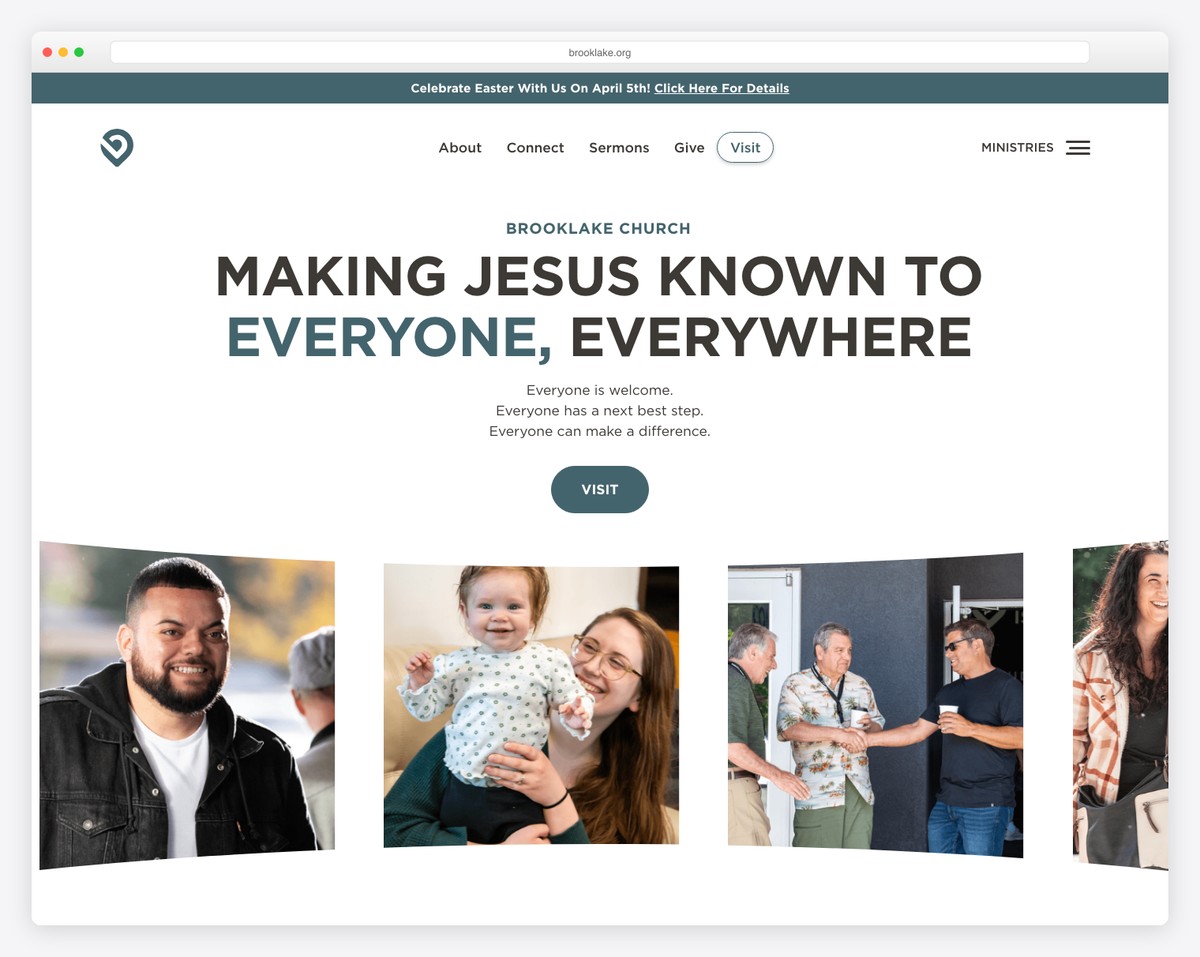
What makes it great: Brooklake uses stunning photography of their community to create an emotional connection before you read a word. The homepage flows naturally from “Welcome” to “What to Expect” to “Get Connected.” Their sermon archive is organized by series with custom artwork for each one. The overall feeling is professional but approachable.
3. Reality LA — Los Angeles, CA
URL: realityla.com
Platform: Squarespace
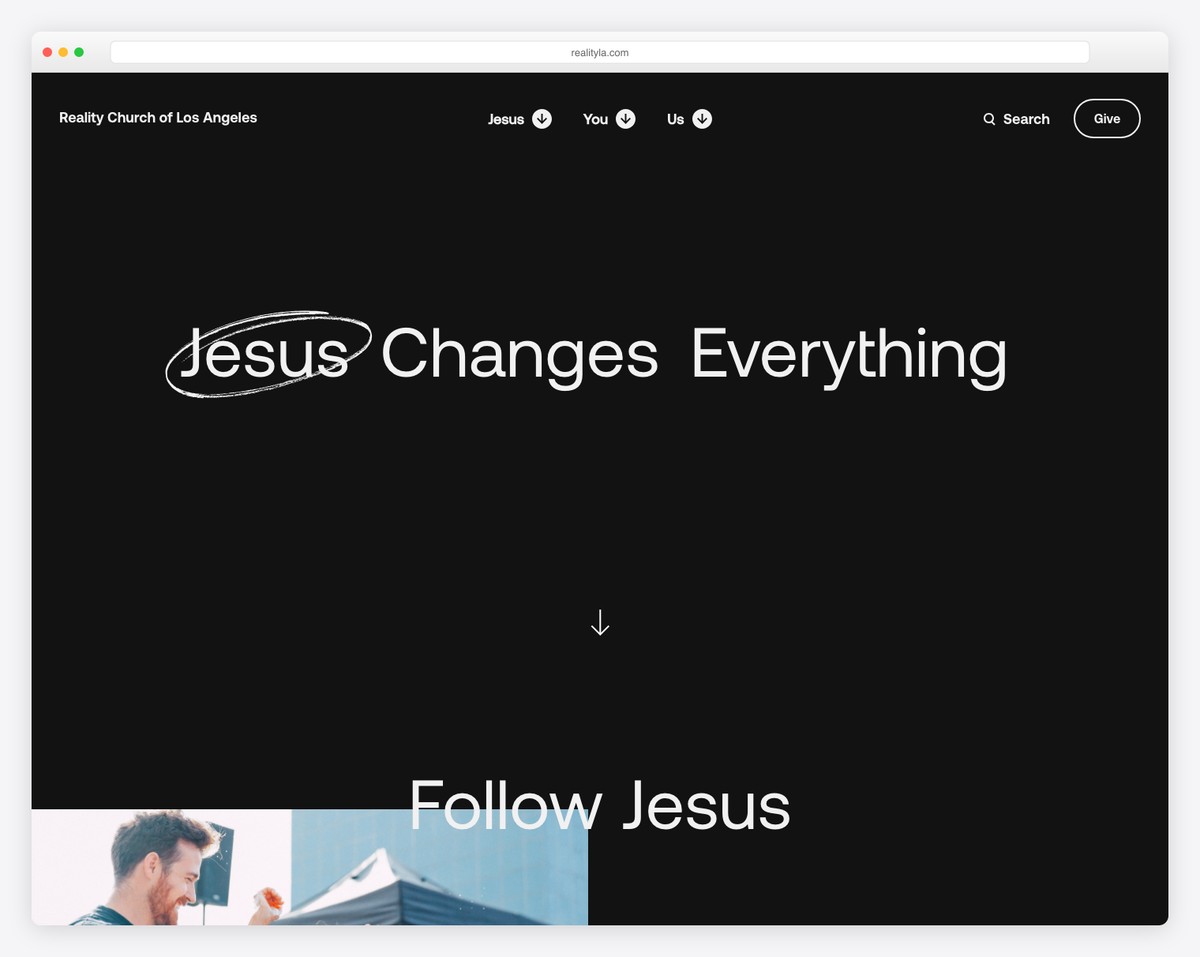
What makes it great: Reality LA proves that minimalism works. The site is mostly black and white with bold typography, letting their content speak for itself. Their sermon archive is Netflix-style with series artwork, and their “Visit” page eliminates every possible barrier to showing up. The design feels intentional and confident — not like they couldn’t afford more, but like they chose restraint.
4. Providence Church — Austin, TX
URL: provchurch.com
Platform: Squarespace
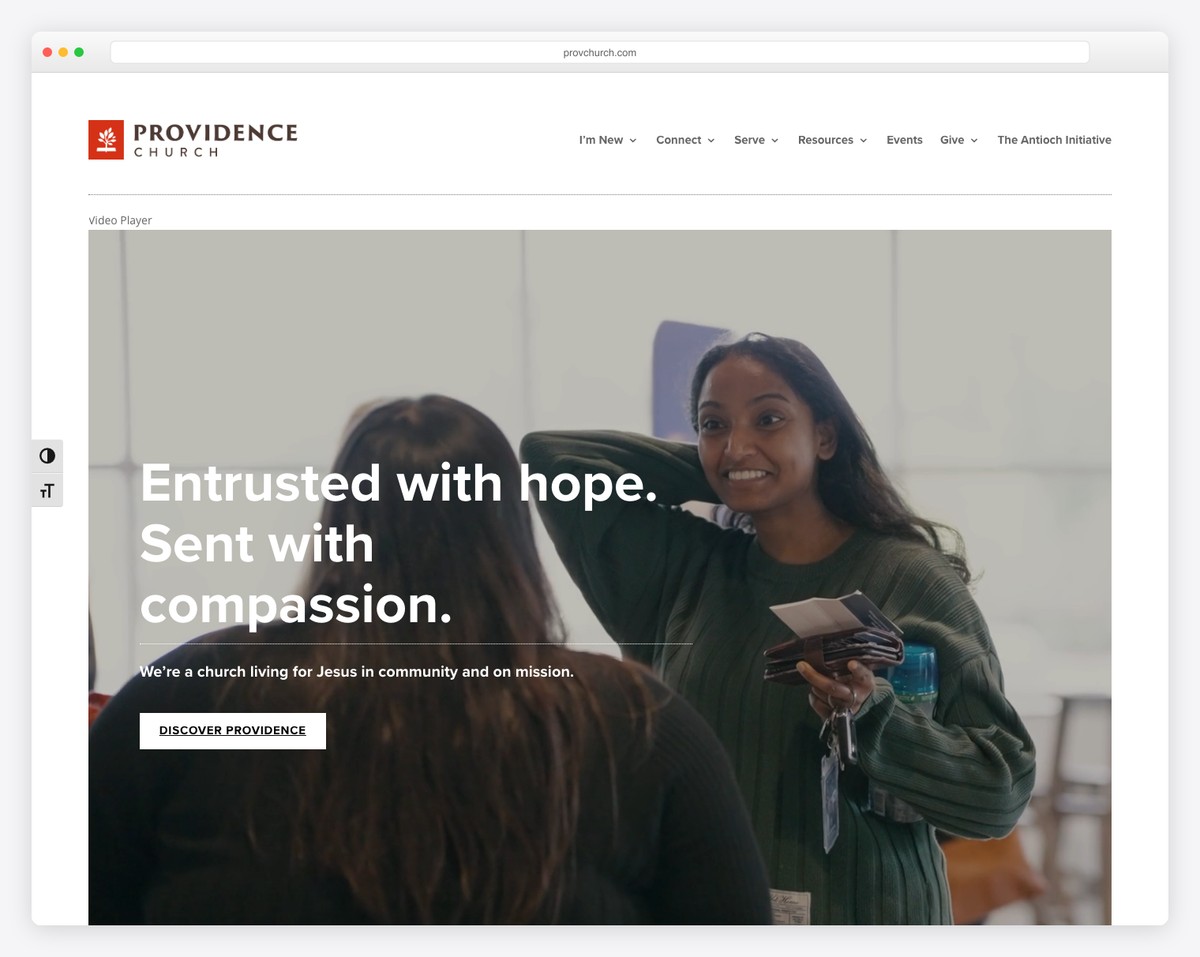
What makes it great: Providence combines warm, earthy tones with authentic photography to create a site that feels like the community it represents. The homepage does a great job balancing visitor-focused content (service times, Plan Your Visit) with congregational content (sermons, events, groups). Navigation is clean with just five items.
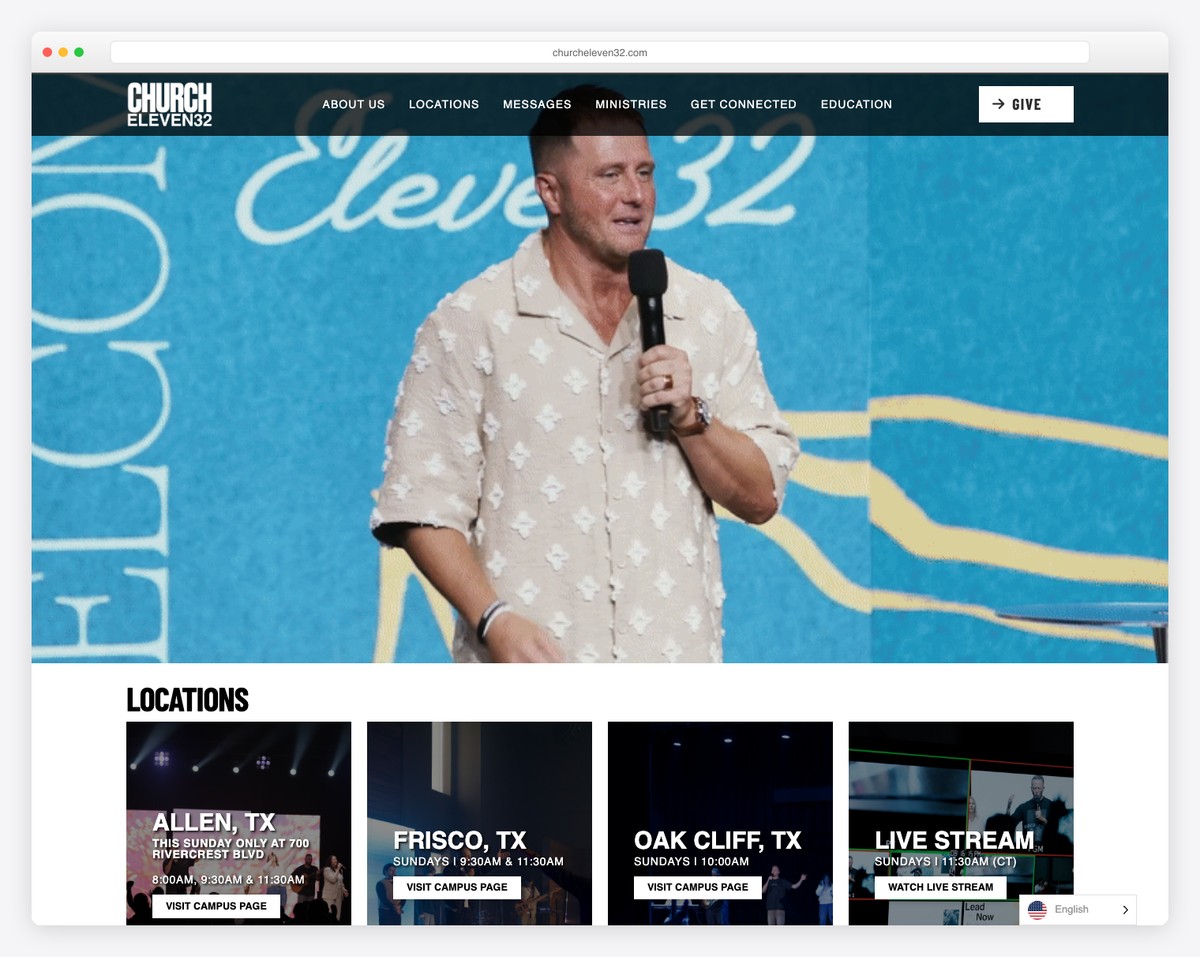
5. Church Eleven32 — Dallas, TX
URL: churcheleven32.com
Platform: Squarespace
What makes it great: Bold, energetic design that reflects their young, diverse congregation. The site uses dark backgrounds with vibrant accent colors and big, impactful photography. Their “I’m New” page is excellent — it feels like a personal welcome, not a form to fill out. Proves that small churches can look cutting-edge.
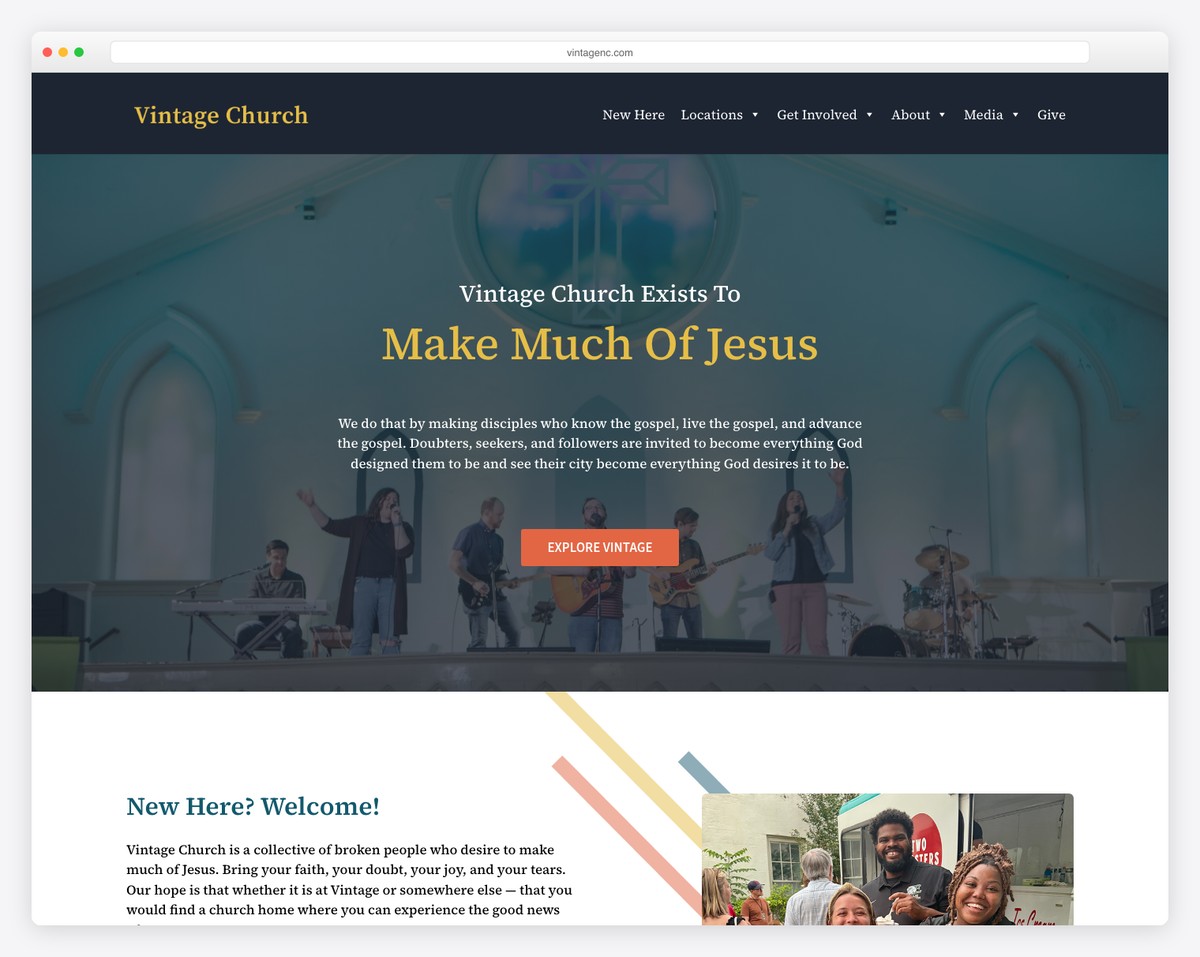
6. Vintage Church — Raleigh, NC
URL: vintagenc.com
Platform: Squarespace
What makes it great: Vintage Church has a distinctive brand identity — the name, the logo, the muted color palette all feel cohesive. The site is simple but every detail is polished. Their “What to Expect” section on the homepage gives visitors all the information they need without requiring a separate page. A masterclass in doing more with less.
7. Soma Church — Tacoma, WA
URL: somachurch.com
Platform: Squarespace
What makes it great: Soma is a network of small missional communities, and their website reflects that decentralized model perfectly. Instead of pretending to be a typical big-box church, they lean into what makes them different — small gatherings, neighborhood focus, communal living. The design is clean and the messaging is honest.
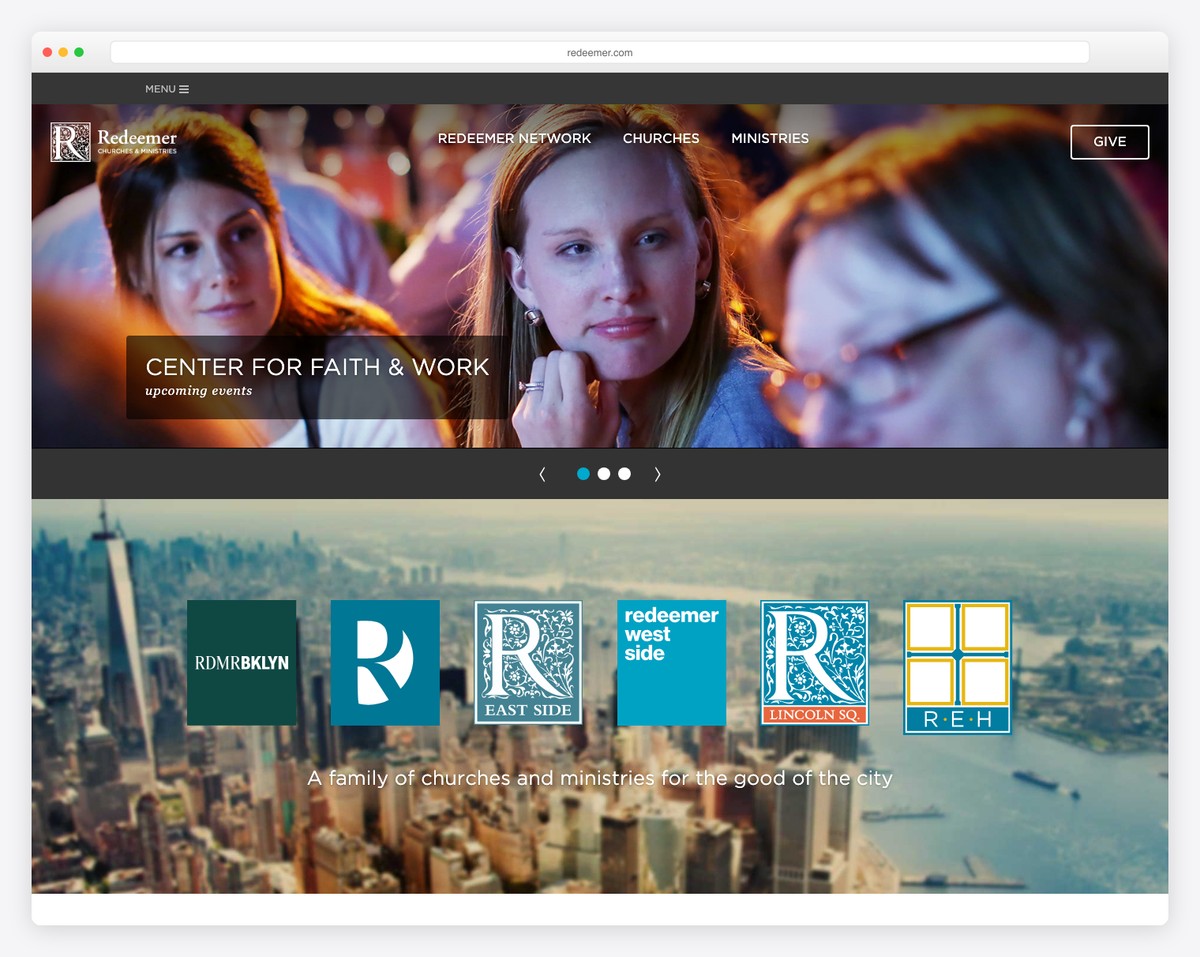
8. Redeemer Church — various locations
URL: redeemer.com
Platform: WordPress
What makes it great: A classic example of WordPress done well. Clean design, clear navigation, and a strong emphasis on the sermon library. The site proves that WordPress can produce results on par with Squarespace when you choose the right theme and invest in design. Their resources section is particularly strong.
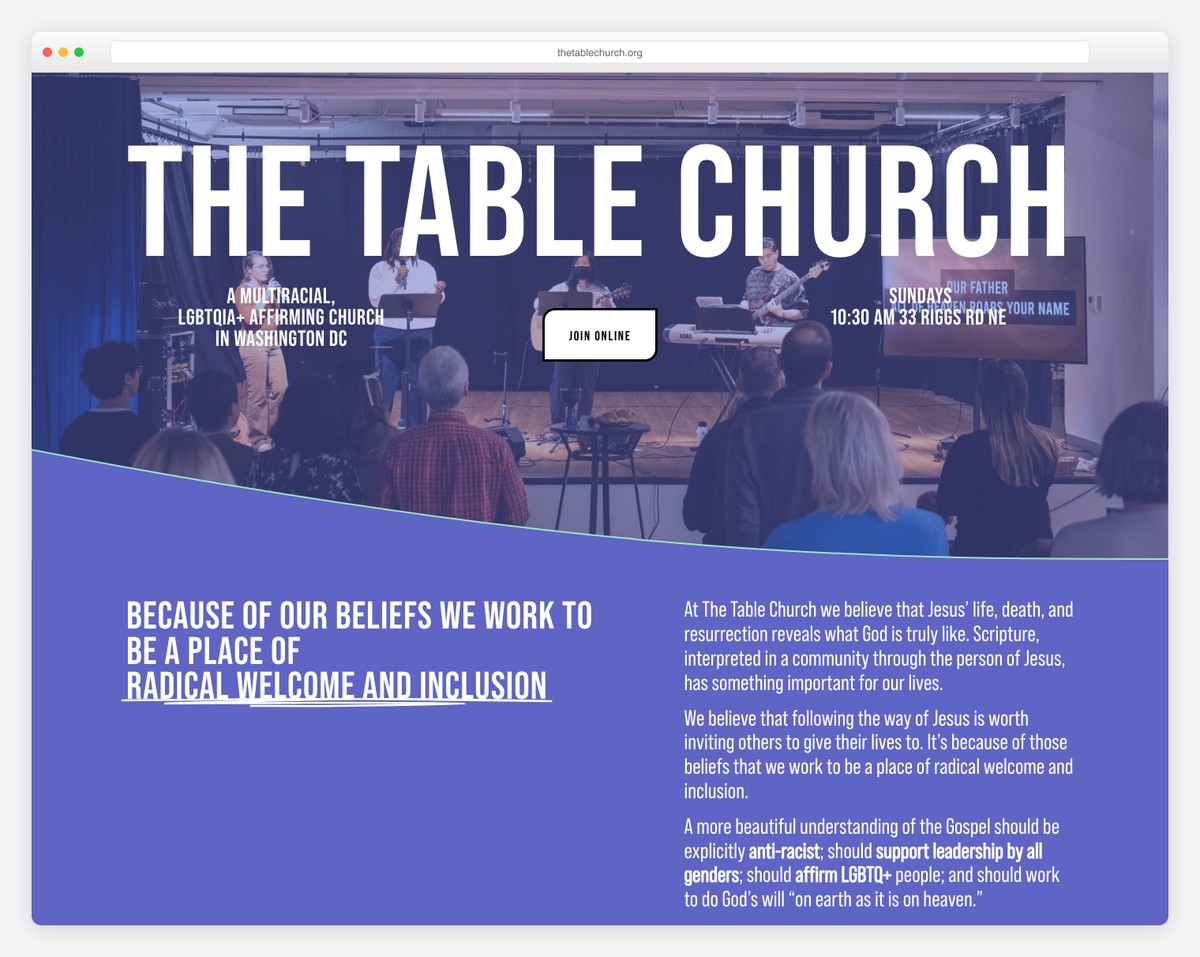
9. The Table Church — various locations
URL: thetablechurch.org
Platform: WordPress
What makes it great: Simple, clean WordPress site with a focus on community and gathering. The name and brand reflect the church’s identity — intimate, relational, centered around shared meals and life. The site doesn’t try to do too much, and that restraint makes it effective.
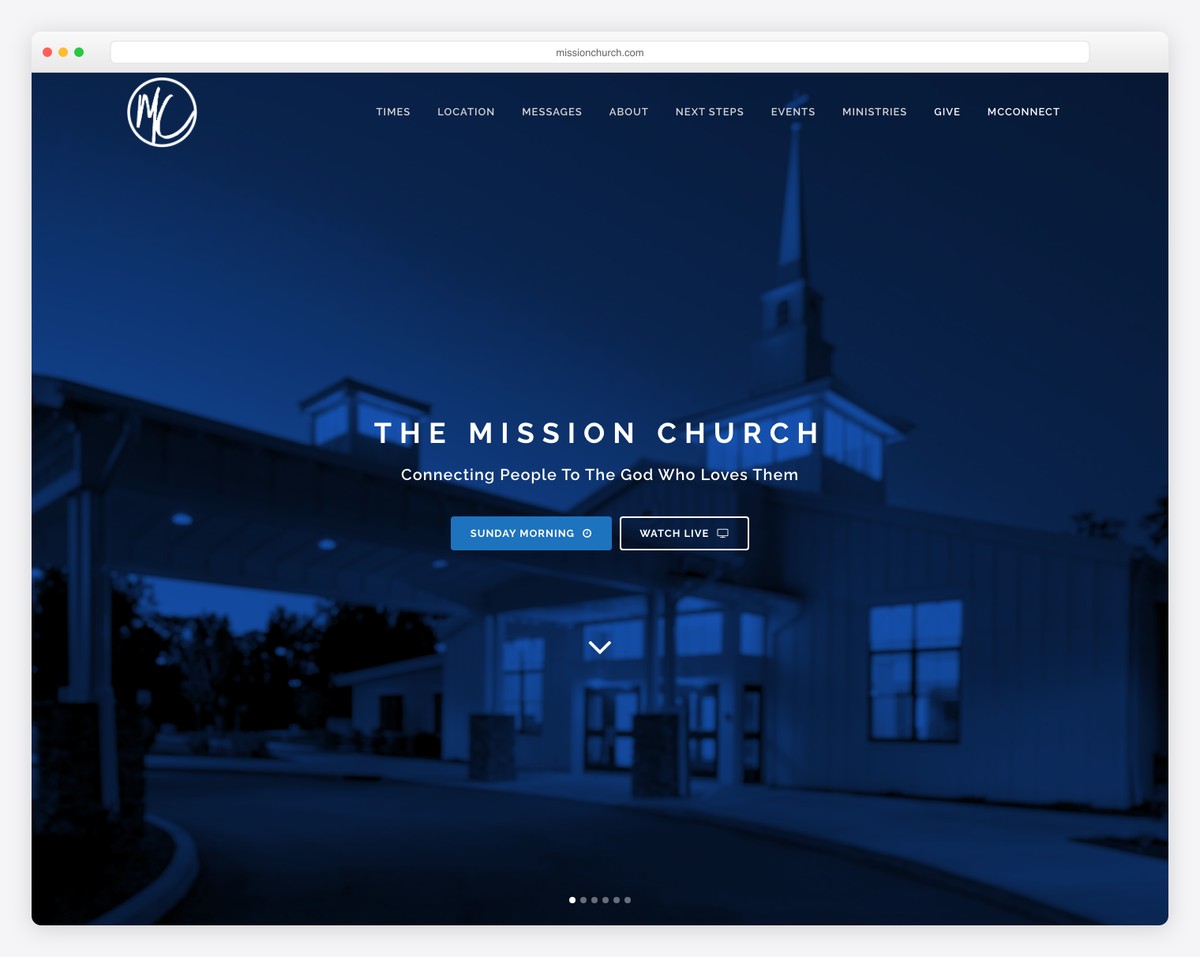
10. Mission Church — multiple cities
URL: missionchurch.com
Platform: WordPress
What makes it great: Strong branding with a consistent visual identity across the site. The sermon archive is well-organized with series graphics, and the site does a good job serving both visitors and members. Shows what’s possible with WordPress when you invest in good design.
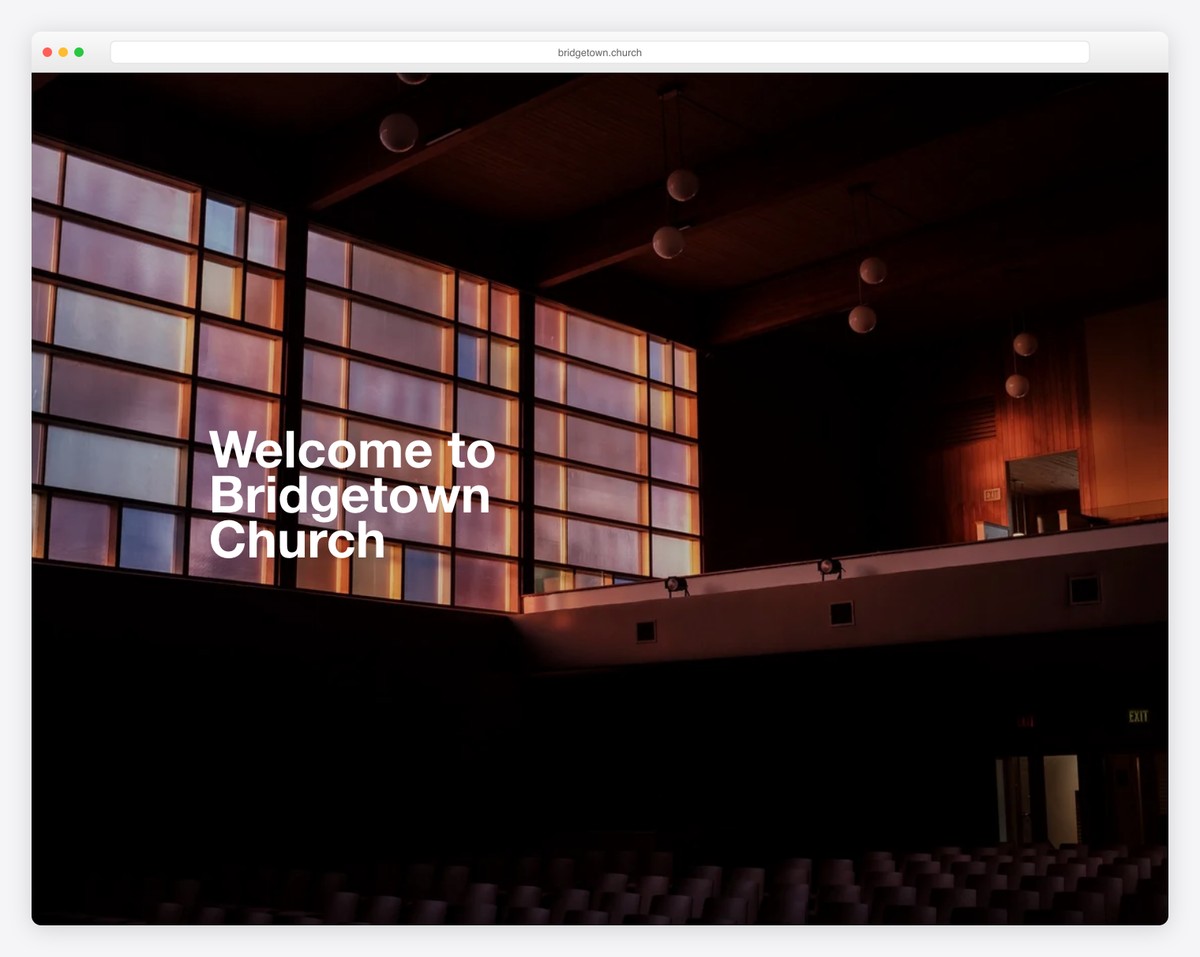
11. Bridgetown Church — Portland, OR
URL: bridgetown.church
Platform: WordPress
What makes it great: Bridgetown has built a strong content platform around their sermon library and podcast. The site balances a visually rich design with practical functionality. Their “Practicing the Way” branding is distinctive and extends across the entire digital experience. Great example of content-driven church marketing.
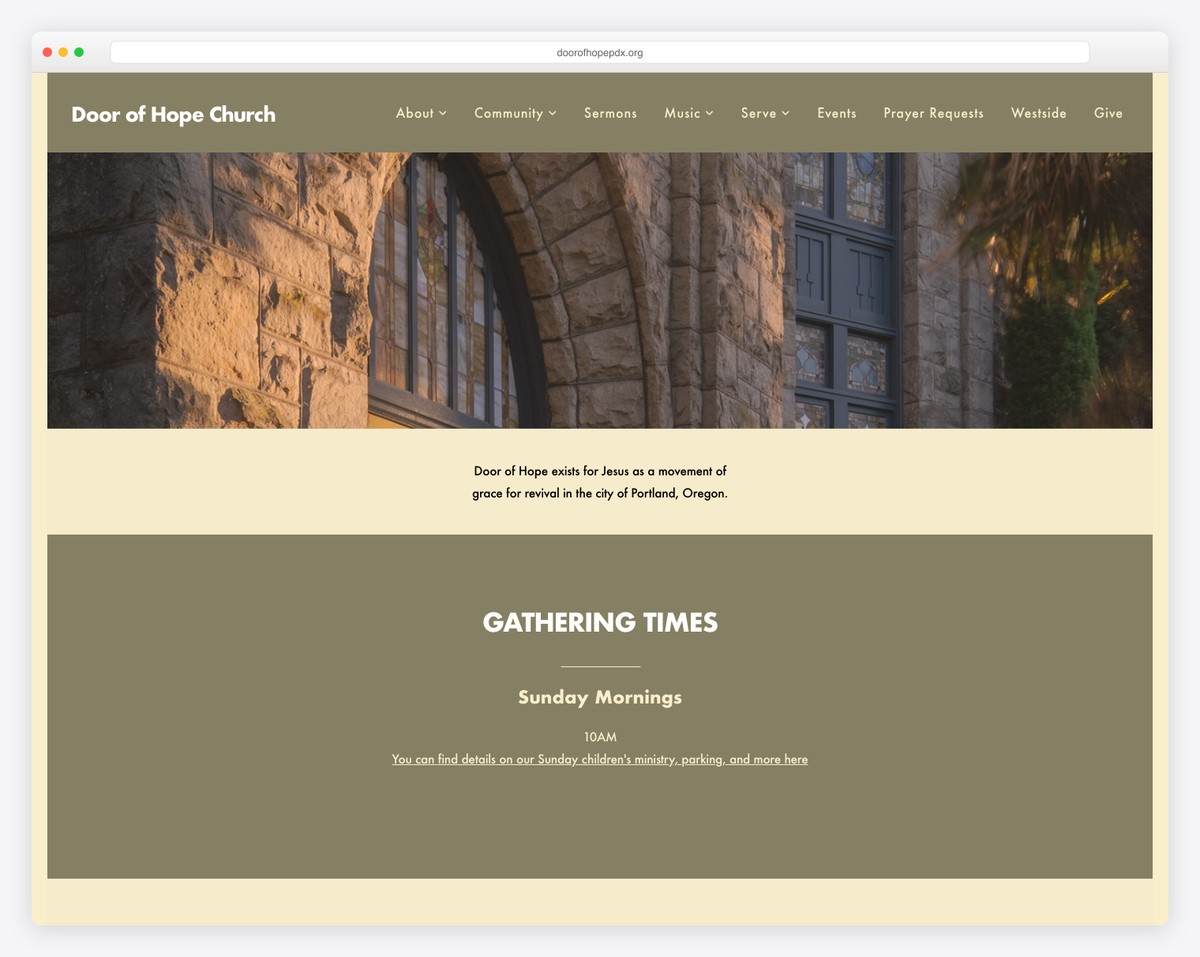
12. Door of Hope — Portland, OR
URL: doorofhopepdx.org
Platform: Squarespace
What makes it great: Understated and authentic. Door of Hope doesn’t try to look flashy — just honest and inviting. Real photos of real people, clear information about what to expect, and a simple structure that’s easy to navigate. A great model for churches that want to feel genuine rather than produced.
Tips for Building a Great Small Church Website
5 Pages, Not 50
A small church website should have 5-7 pages: Home, About, Plan Your Visit, Sermons (or a YouTube embed), Give, and Contact. That’s it. Every additional page is a page you have to maintain. If you can’t commit to keeping it updated, don’t create it. For a detailed breakdown, see our essential church website pages guide.
Invest in Photos
The single biggest upgrade you can make to any church website — especially a small one — is replacing stock photos with real ones. Hire a photographer for one Sunday morning ($300-500) or ask a talented volunteer to shoot with a decent phone. Get photos of worship, community, your building, your kids’ area, and your lobby. These photos will transform your website from generic to authentic.
Use Squarespace or Tithe.ly
For small churches, we recommend Squarespace ($16-33/month) or Tithe.ly Sites (free with giving integration). Both platforms make good design easy and require zero technical knowledge to maintain. WordPress is more flexible but requires more ongoing maintenance — not ideal when the pastor is also the webmaster. Read our builder comparison for a full breakdown.
Write for Visitors, Not Members
Your website’s primary audience is people who have never been to your church. Write accordingly. Avoid insider language (“The Gathering,” “Life Groups,” “The Well”) without explaining what those things are. Use clear, simple language that an unchurched person would understand. “Sunday morning service at 10am” beats “Corporate worship experience every Lord’s Day.”
Update Weekly
A website that hasn’t been updated in months signals a church that’s inactive or doesn’t care about its online presence. Set a weekly rhythm: update the upcoming sermon topic, add any new events, and make sure service times are current. This takes 15 minutes per week and makes a huge difference in how current your site feels. Check our website maintenance guide for a full schedule.
Budget Breakdown: What a Small Church Website Costs
Here’s what you should expect to spend on a small church website in 2026:
| Item | DIY Cost | Professional Cost |
|---|---|---|
| Domain name (annual) | $12-20/year | $12-20/year |
| Website platform (monthly) | $0-33/month | $0-33/month |
| Professional photography (one-time) | $0 (volunteer) | $300-800 |
| Website design/setup | $0 (DIY) | $1,500-5,000 |
| Online giving platform | 2.9% + $0.30/transaction | 2.9% + $0.30/transaction |
| SSL certificate | Free (included) | Free (included) |
| Year 1 Total | $200-420 | $2,000-6,200 |
| Ongoing Annual Cost | $200-420 | $200-420 |
The DIY route is completely viable for small churches. Platforms like Squarespace and Tithe.ly are designed for non-technical users, and the examples above prove that beautiful websites don’t require big budgets. For a deeper dive into costs, see our church website cost guide.
Frequently Asked Questions
Does our small church really need a website?
Yes. Even if your church has 30 members, visitors are Googling you before they show up. Without a website, they find either nothing (and don’t visit) or outdated directory listings with wrong service times (and still don’t visit). A simple 5-page website costs less than $400/year and serves as your 24/7 welcome mat.
Should we try to look bigger than we are?
No. Honesty builds trust. Many people are specifically looking for a smaller church where they won’t get lost in the crowd. If you present yourself as something you’re not, the mismatch when they visit in person will drive them away. Lean into your strength: community, personal connection, and authenticity.
What platform do you recommend for small churches?
Squarespace is our top recommendation for most small churches — it’s affordable, beautiful by default, and easy to maintain without technical skills. If budget is extremely tight, Tithe.ly Sites is free and includes built-in giving integration. See our full platform comparison for details.
How do we get good photos on a budget?
Ask if anyone in your congregation does photography as a hobby — many churches have at least one person with a decent camera who’d be happy to serve. If not, a modern smartphone with good natural light (Sunday morning worship is usually well-lit) produces surprisingly good results. Shoot during the service, during fellowship time, and get a few exterior shots of your building. Authentic beats professional every time for small churches.
Can we build the website ourselves or should we hire someone?
Most small churches can build an excellent website themselves using Squarespace or Tithe.ly. Both platforms are designed for non-designers. If you have the budget, hiring a designer for the initial setup ($1,500-3,000) and then maintaining it yourself is a great hybrid approach. Read our how to build a church website guide for a step-by-step walkthrough.
Leave a Reply