Church Website Builders
Squarespace wasn’t built for churches. There’s no sermon manager, no built-in giving, no church-specific integrations. And yet, some of the most beautiful church websites we’ve seen — sites that rival $10,000+ custom designs — were built on Squarespace by volunteers with zero coding experience.
After building and reviewing Squarespace church websites for years, we believe it’s the single best platform for churches that prioritize visual quality and simplicity. But it’s not right for every church, and the workarounds for church-specific features aren’t always obvious.
Squarespace doesn’t have a dedicated “church” category, which is the #1 thing people get stuck on. But several templates — both purpose-built by church designers and a handful of official ones — are an excellent starting point for a ministry. Here’s where we’d start.
These are designed specifically for churches, with the right page set already built — watch, give, sermons, plan-your-visit, kids check-in:
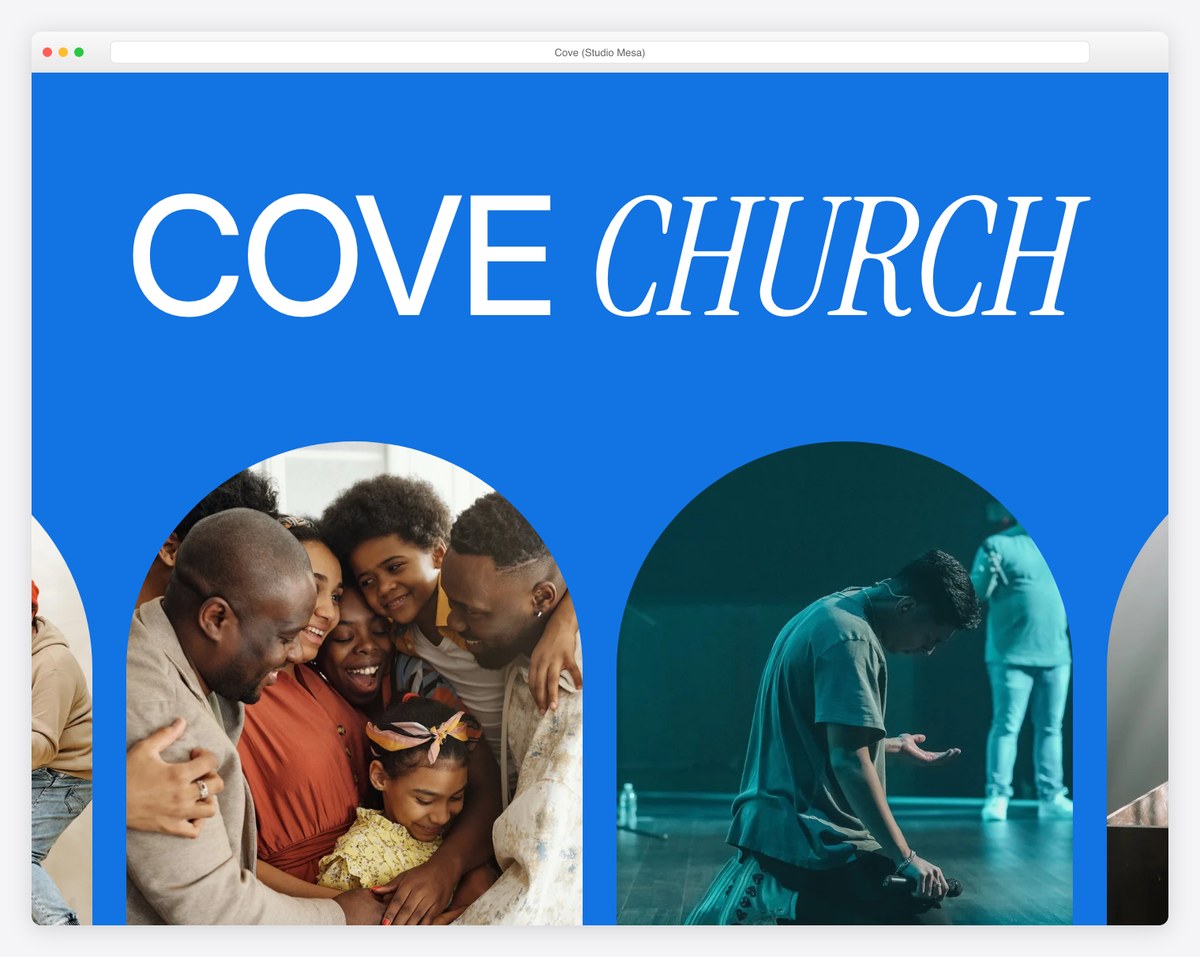
Cove (Studio Mesa, ~$395–495) is the most complete church template on Squarespace — 15 pre-built pages including watch, give, sermon notes, groups, and kids check-in. Best for full-operation, modern churches that want everything ready out of the box.
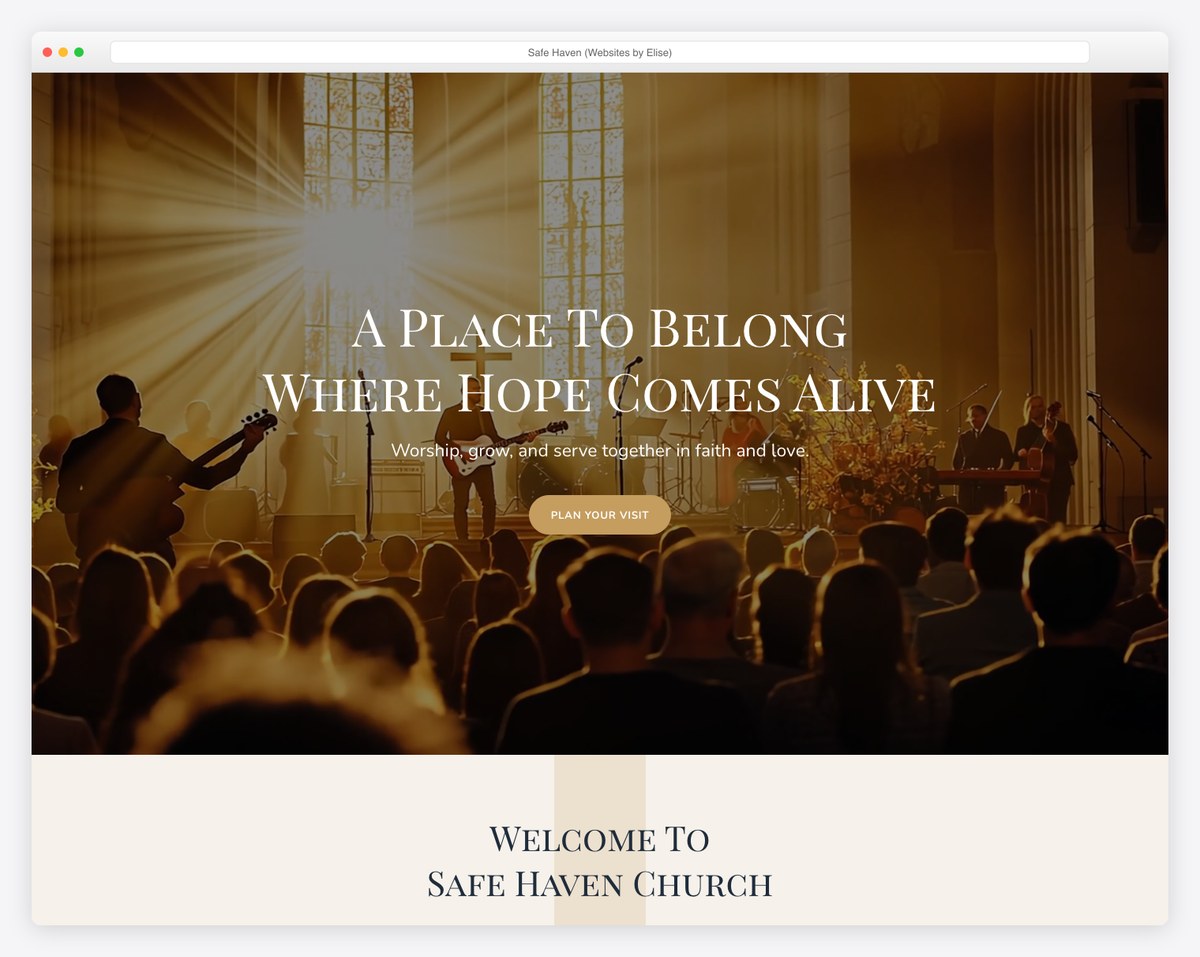
Safe Haven (Websites by Elise, ~$297) is a warm, welcoming 12-page layout with sermons, events, ministries, and a strong plan-your-visit flow. Best for churches that want an inviting, community-first feel.
These ship free with any Squarespace plan. They aren’t church-specific out of the box, but their layouts adapt beautifully with your own photos and copy:
This is the most thorough Squarespace review for churches you’ll find anywhere. We cover what it does well, where it falls short, exactly how to handle giving and sermons, real pricing, real church examples, and honest guidance on whether it’s right for your ministry.
Who it’s for: Small to mid-size churches (under 500 members) that want a professional, modern website without hiring a designer or dealing with technical maintenance. Especially strong for church plants, creative churches, and any ministry that wants to make a great first impression online.
Who should skip it: Large churches with complex needs (multi-campus, extensive ChMS integration, 500+ sermon library), churches that need everything in one platform (giving + app + website), or churches with zero budget.
Our rating: 4.2 out of 5 for churches
Pricing: $19–$29/month for most churches (annual billing) · 14-day free trial
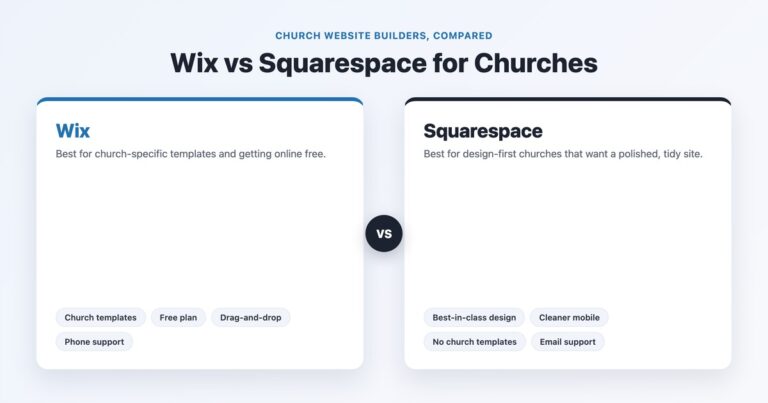
Best comparable alternatives: Tithe.ly Sites (better church features), WordPress (more flexibility) · or see the head-to-head: Wix vs Squarespace for churches
This is the reason churches choose Squarespace over everything else. The Fluid Engine editor produces websites that look custom-designed — full-bleed hero images, layered sections, thoughtful typography, and layouts that feel intentionally crafted rather than template-generated.
Several of the churches in our top 50 church website designs are built on Squarespace, and you would never guess they’re using a template builder. Anchor Church in Tacoma achieves a premium navy-and-gold aesthetic. Brooklake Church in Federal Way has a distinctive teal brand identity. Reality LA looks like it was designed by a Silicon Valley agency. Providence Church in Frisco has a clean five-link navigation that rivals mega-church sites.
The design gap between Squarespace and church-specific builders like Tithe.ly Sites or Subsplash is significant. Those platforms produce functional, decent-looking websites. Squarespace produces websites that make visitors feel something — and that first impression matters when someone is deciding whether to give your church a chance.
No hosting to manage. No plugins to update. No security patches to install. No PHP version conflicts. No database backups to worry about. Squarespace handles everything: SSL certificates, CDN (content delivery network for fast global loading), automatic backups, and 24/7 monitoring.
For churches where the website is managed by a volunteer pastor or a part-time communications director, this matters enormously. Every hour not spent on technical maintenance is an hour available for actual ministry. Compare this to WordPress, where a missed update can break your site or expose it to hackers.
Over 60% of church website traffic comes from mobile devices — and that number is higher on Sundays when people are looking up your service times from their car. Every Squarespace template is automatically responsive across phones, tablets, and desktops. You don’t need to build a separate mobile version or test breakpoints. The system handles it.
Squarespace also lets you preview and customize the mobile layout independently. If something looks great on desktop but cramped on mobile, you can adjust the mobile version without affecting the desktop design.
While Squarespace isn’t church-specific, several built-in features serve churches well:
Let’s be honest about the gaps. Squarespace wasn’t designed for churches, and there are real limitations you need to know before committing.
This used to be the #1 limitation, and it has softened: Squarespace now ships a native Donation block on every current plan, with one-time and recurring gifts (plan transaction fees apply — 2% on Basic, 0% on Core and up, plus card processing). What it still lacks is church-specific giving: no giving statements, no text-to-give, no donor management. So most churches still pick one of three options:
✅ Our recommendation: Use Tithe.ly embedded form on the Core plan. It’s the best balance of functionality and cost. See our complete guide to setting up online giving for step-by-step instructions.
Squarespace doesn’t have a dedicated sermon archive feature. No way to organize sermons by series, speaker, scripture, and date out of the box. This is the feature churches miss most when choosing Squarespace over church-specific platforms.
The workaround that works: Use the Blog feature as a sermon archive. Create a “Sermons” blog, add each sermon as a post with an embedded YouTube/Vimeo video, and use categories for sermon series and tags for speakers and scripture references. The Blog Summary page becomes your sermon archive with search and filtering by category.
It’s not as elegant as a purpose-built sermon manager (like what you get with WordPress + the Church Content plugin), but it works surprisingly well. Create custom graphics for each sermon series (use Canva — it’s free) and the archive looks professional.
Advanced option: The Ghost Plugin by Squarewebsites ($8-$16/month) extends Squarespace’s blog functionality with better filtering, custom layouts, and podcast player integration. Worth it for churches with large sermon libraries.
If you use Planning Center, Church Community Builder, Breeze, or another ChMS, there’s no native integration with Squarespace. You can link to these tools (e.g., a “Groups” button that opens Planning Center Groups), but you can’t embed them seamlessly into your site or pull data dynamically.
Church-specific builders like Tithe.ly and Subsplash have deeper ChMS integration because they are the ChMS — everything lives in one ecosystem.
Squarespace doesn’t offer a companion mobile app for your church. Tithe.ly and Subsplash include custom-branded church apps with push notifications, in-app giving, and sermon browsing. If your church wants a dedicated app, you’ll need a separate service alongside Squarespace.
That said, most churches under 500 members don’t need a dedicated app. A well-built mobile-responsive website covers 90% of what a church app does.
If you ever want to leave Squarespace, exporting your content is limited. You can export blog posts in WordPress format, but pages, design elements, and images need to be manually recreated. This isn’t unique to Squarespace (most builders have this limitation), but it’s worth knowing: you’re somewhat locked in once you build.
All prices below are for annual billing (monthly billing runs up to about 36% more). Squarespace also offers a 14-day free trial with no credit card required.
| Plan | Monthly Cost (Annual) | Best For | Key Features for Churches |
|---|---|---|---|
| Basic | $19/mo | Tiny churches testing the platform | Custom domain, SSL, mobile-responsive, basic analytics — but a 2% fee applies to any Squarespace-native sales |
| Core ★ | $29/mo | Most churches | Everything in Basic with the 2% sales fee removed (0%), fuller analytics, and the room churches need for giving embeds and a growing team |
| Plus | $49/mo | Larger or growing churches | Lower payment-processing fees and more advanced features |
| Advanced | $99/mo | Big or ambitious ministries | The lowest processing fees and the most advanced tools — more than most churches need |
✅ Our recommendation: The Core plan at $29/month is the right choice for the vast majority of churches. Here’s why:
| Item | Cost | Notes |
|---|---|---|
| Squarespace Core plan | $348/year | $29/month billed annually |
| Custom domain | $0 first year | Included with annual plan; ~$20/yr after |
| Tithe.ly giving (embed) | $0/month | Free account; 2.9% + $0.30 per transaction |
| Ghost Plugin (optional) | $96-$192/year | For advanced sermon archive; not required |
| Photography | $0–$300 | One-time; volunteer photographer or hired |
| Total Year 1 | $348–$840 | Depending on optional add-ons |
Compare this to our full cost breakdown across all platforms.
Don’t just take our word for it. Here are real churches using Squarespace — each demonstrating what’s possible on the platform without custom development.
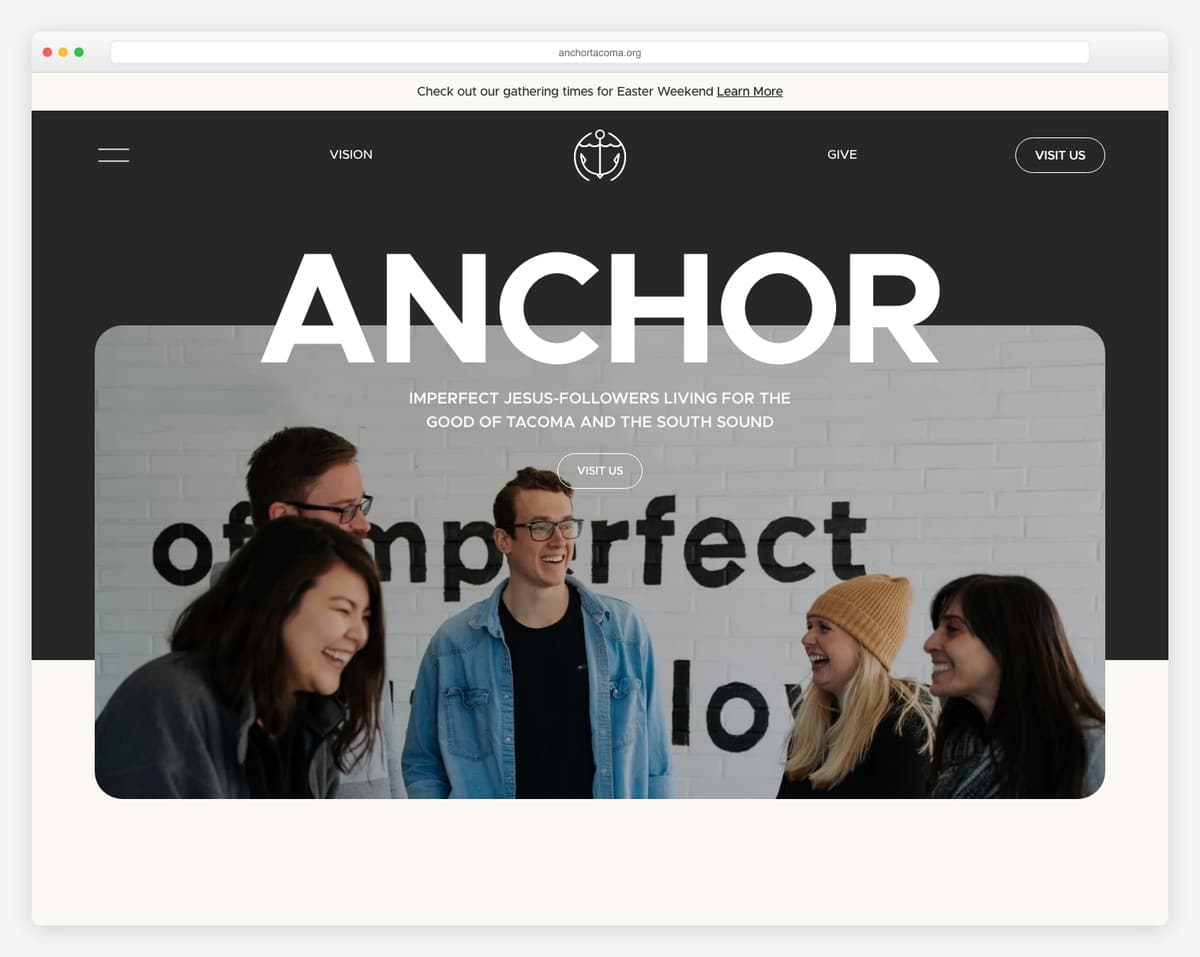
A textbook example of premium small-church design. The navy-and-gold color scheme creates instant sophistication. Overlapping section animations add visual interest without distraction. The “Plan Your Visit” page covers parking, childcare, dress code, and even mentions they have good coffee. This site proves a 200-person church can look as polished as a mega-church online.
What to steal: The restrained color palette (two colors + white) and the level of detail on the visitor page.
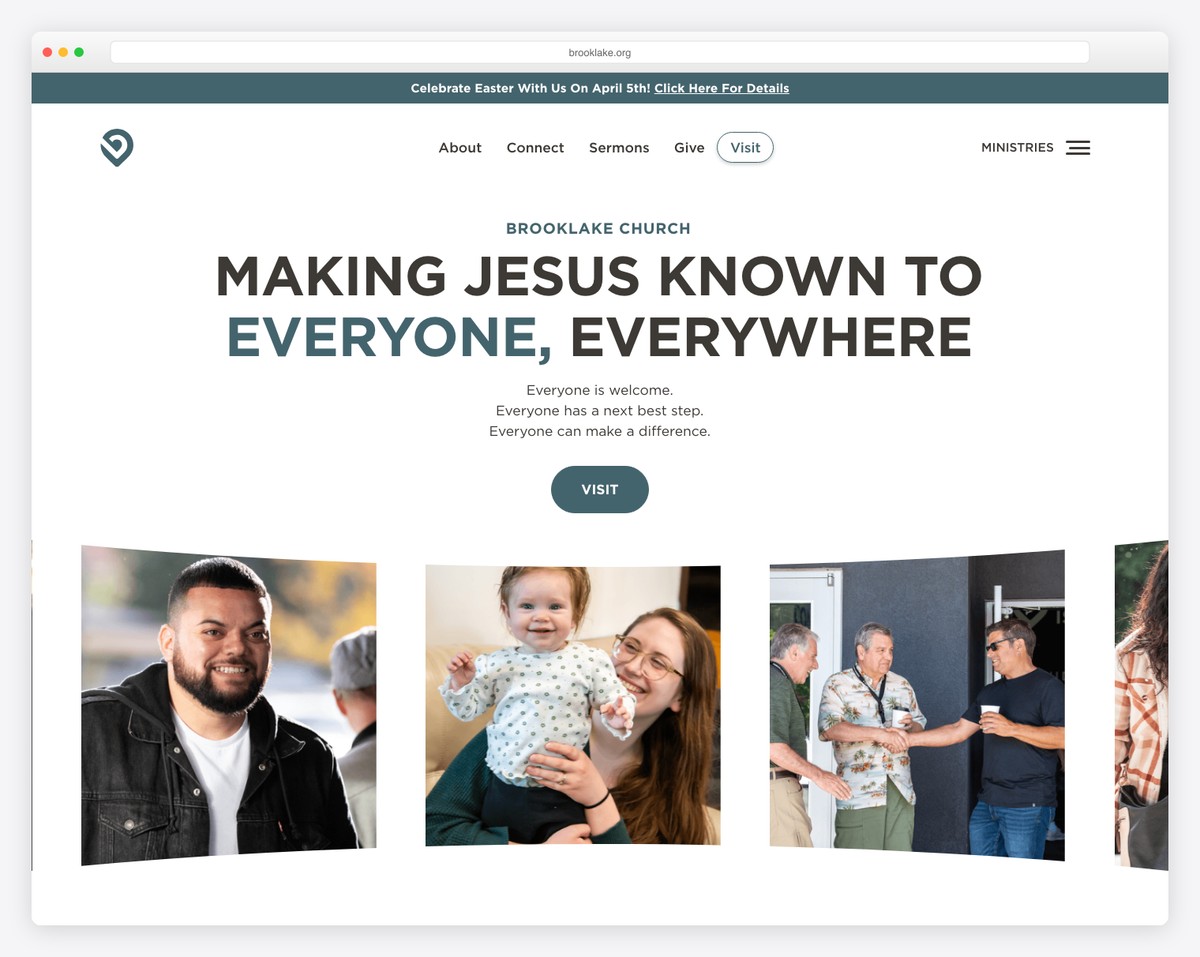
Distinctive teal branding that you’d recognize instantly — exactly what strong church branding should do. The rotating community photos on the homepage feel authentic (because they are). Clean layout with clear service times and a straightforward path to learn more.
What to steal: The commitment to a distinctive brand color. Most churches default to blue or gray — owning teal makes Brooklake instantly memorable.
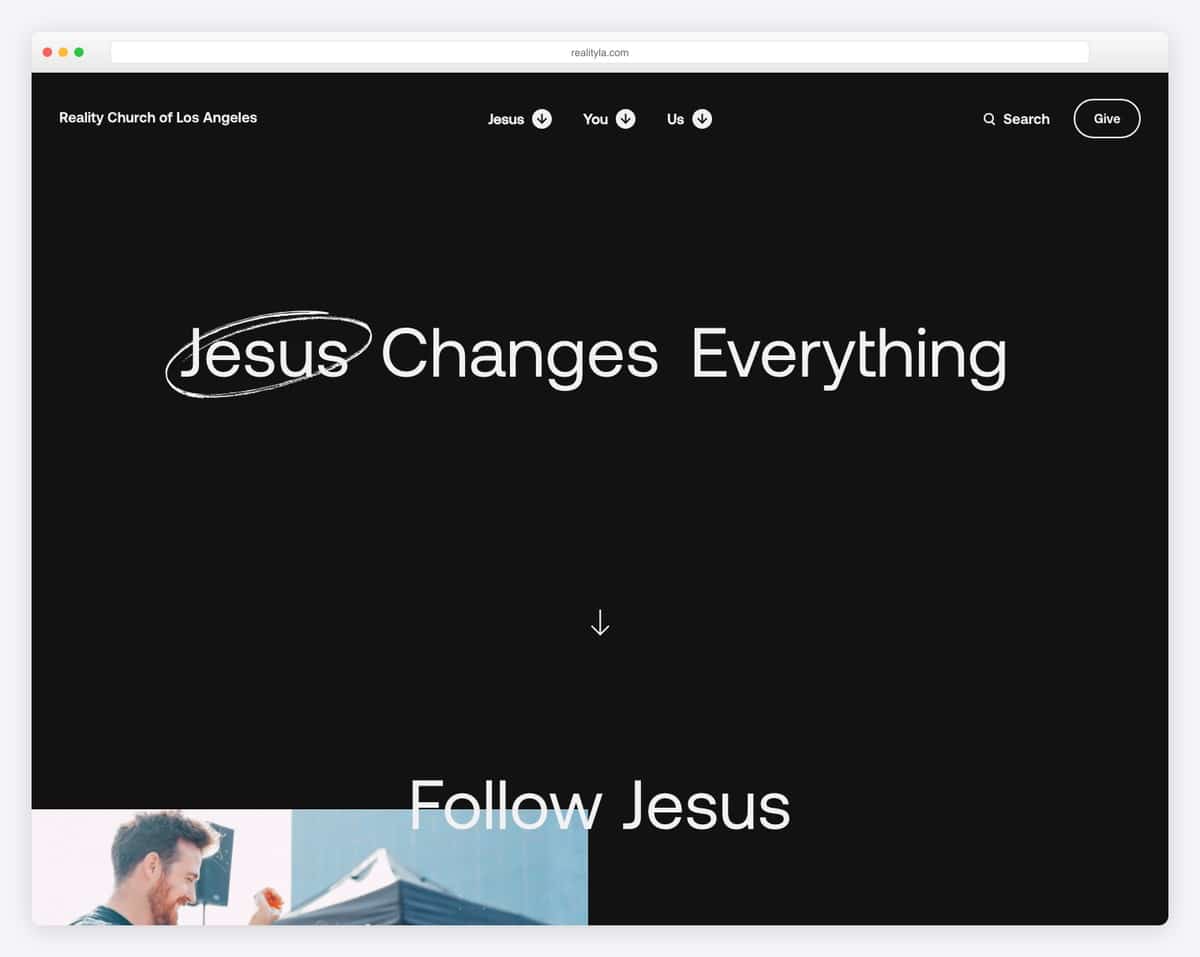
Urban, contemporary design that fits their LA context perfectly. The navigation is focused — it doesn’t try to do too much. The “Visit” page includes neighborhood context and transit directions, which is exactly right for an urban church. Resources section with podcast, blog, and study materials shows depth without clutter.
What to steal: The location-aware design. Reality LA feels like an LA church, not a generic church that happens to be in LA.
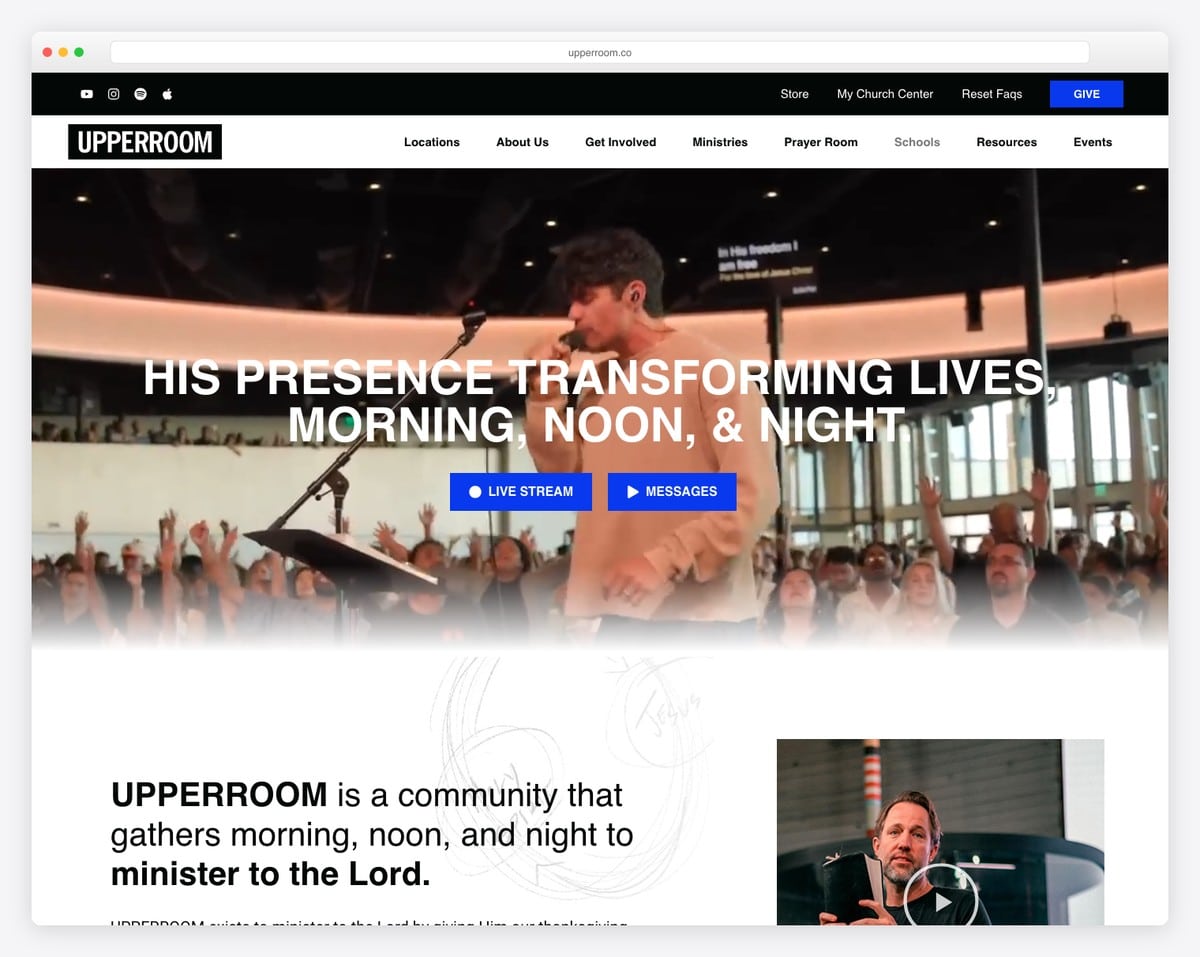
A worship-focused church with a design that matches — full-screen video backgrounds of actual worship sessions, a minimalist layout that lets the atmosphere speak, and seamless event registration integration. The music marketplace is integrated without feeling commercial.
What to steal: The immersive video approach. One well-chosen background video communicates more about your church’s atmosphere than pages of text.
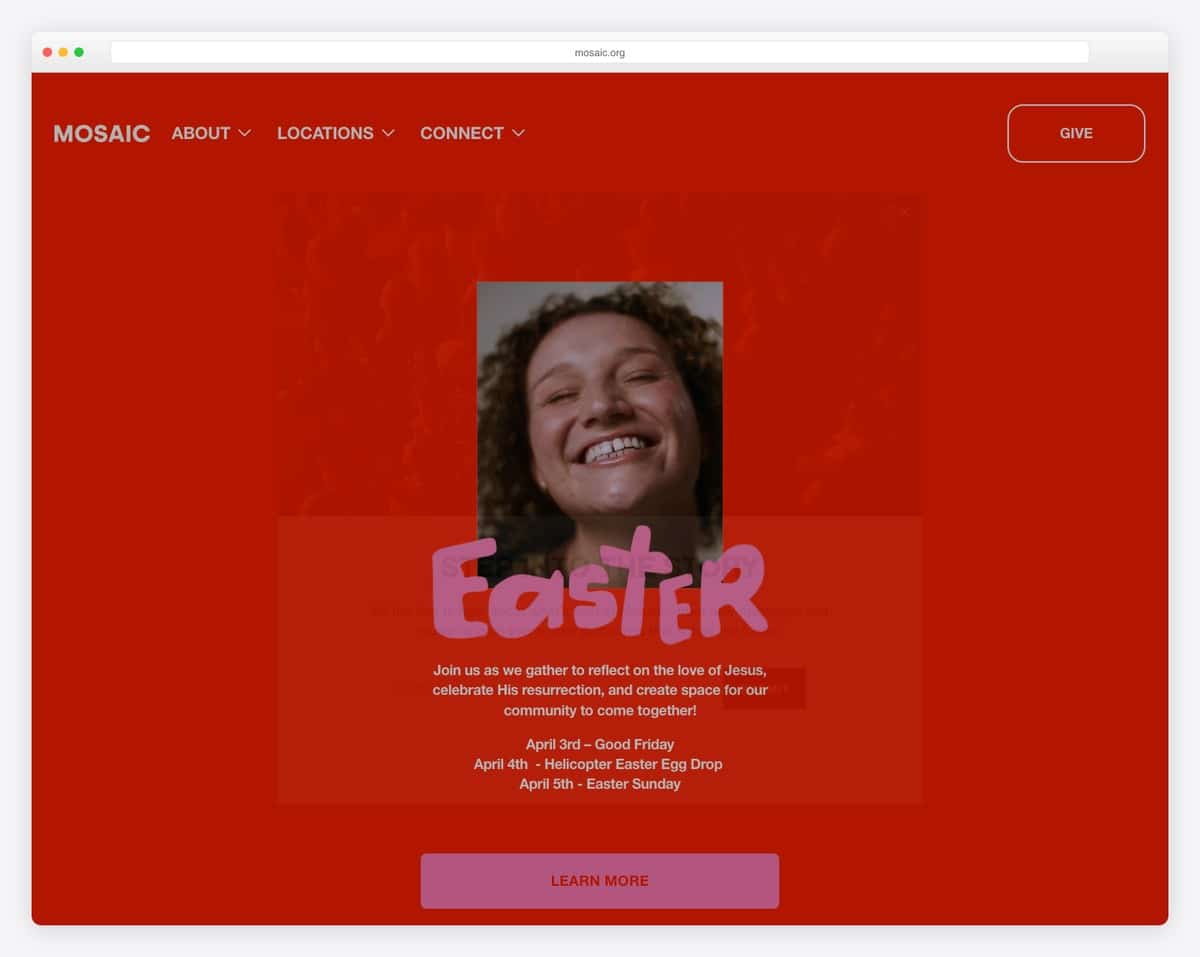
Artistic, colorful design that captures Mosaic’s creative community perfectly. The coffee-shop vibe translates to the web. Navigation is intentionally simple — they resist the temptation to link to everything. Strong event promotion above the fold drives attendance.
What to steal: The confidence to be visually unique. Most church websites look like church websites. Mosaic’s site looks like Mosaic.
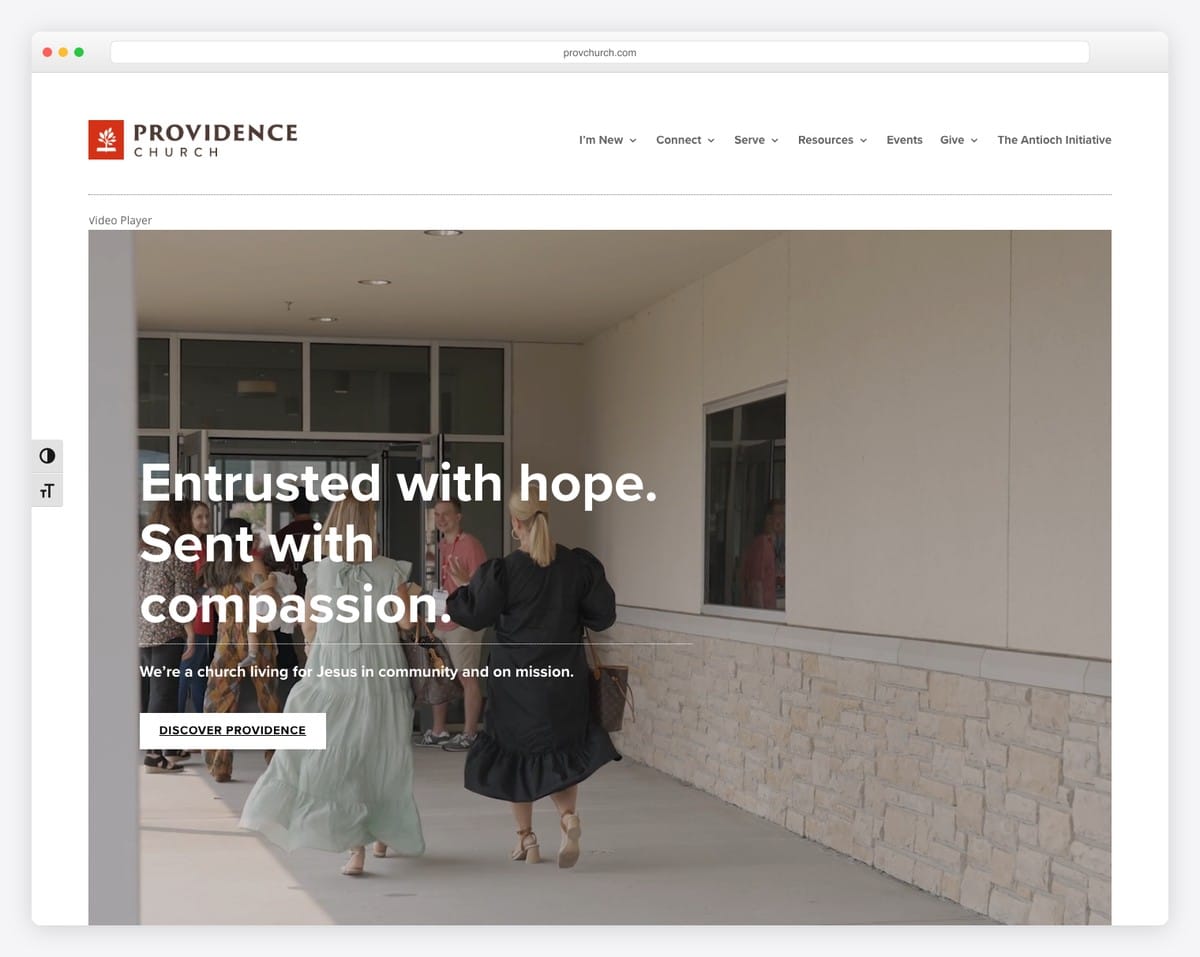
Five-link navigation that covers everything: Home, Visit, Watch, Give, Connect. Beautiful hero imagery of real community moments. Quick access to giving and sermon content. Proof that simplicity is a design philosophy, not a limitation.
What to steal: The five-link navigation. If Providence Church can organize their entire web presence into five top-level pages, your church can too.
Here’s the practical setup path we recommend for churches:
Sign up at squarespace.com (no credit card needed for the 14-day trial). For church websites, look for templates in the Community & Non-Profits category, or choose any template with a large hero section, clean navigation, and flexible content areas. Don’t choose based on the demo photos — they’ll be replaced. Choose based on layout and structure.
Good template picks for churches: Templates with large hero images, 5-7 navigation slots, event-friendly layouts, and blog functionality (for sermons). The Brine family, Bedford, and Pacific templates all work well as starting points.
Follow the church homepage formula and create these pages:
On the Core plan ($29/month):
Full instructions in our online giving setup guide.
For advanced sermon archive setups, see our sermon archive guide.
Squarespace includes a free custom domain for the first year with any annual plan. Choose a .com or .church domain (see our domain name tips). Run through our complete launch checklist before going live.
Pros
Cons
| Feature | Squarespace | Tithe.ly Sites | WordPress | Subsplash |
|---|---|---|---|---|
| Design quality | ★★★★★ | ★★★☆☆ | ★★★★☆ (theme-dependent) | ★★★☆☆ |
| Ease of use | ★★★★★ | ★★★★☆ | ★★★☆☆ | ★★★★☆ |
| Online giving | Via embed | Built-in | Via plugin | Built-in |
| Sermon management | Workaround (blog) | Built-in | Built-in (plugin) | Built-in |
| Church app | None | Available ($89/mo add-on) | None | Built-in (premium) |
| Technical maintenance | None | None | Regular updates needed | None |
| SEO capabilities | Good | Basic | Excellent | Basic |
| Starting price | $19/mo | $19/mo | $5/mo + theme | Custom quote |
| Best for | Design-focused churches | All-in-one simplicity | Large/complex churches | Premium app + website |
For a detailed comparison, see our best church website builders guide and our head-to-head: Squarespace vs. WordPress for churches.
These tips come from years of building and reviewing Squarespace church websites:
a { text-decoration: none; } for cleaner links throughout your site.Yes — Squarespace now has a native Donation block on all current plans, with one-time and recurring gifts (2% plan fee on Basic, 0% on Core and up, plus card processing). For church-specific features, many churches still embed a third-party platform (we recommend Tithe.ly — free to set up, 2.9% + $0.30 per transaction). We recommend the Core plan ($29/month) either way. Full setup instructions in our online giving guide.
Squarespace is especially good for small churches. The design quality means a 100-person church can have a website that looks as professional as a mega-church. Multiple small churches in our small church examples roundup are built on Squarespace. At $29/month, it’s affordable for most church budgets.
Use the Blog feature as a sermon archive. Each sermon becomes a blog post with an embedded video, series category, speaker tag, and sermon notes. It’s a workaround, not a native feature, but it works well for most churches. See our sermon archive guide for detailed setup instructions.
Short answer: Squarespace if you want beautiful design with zero maintenance. WordPress if you need maximum flexibility and have technical support. We wrote a detailed Squarespace vs. WordPress comparison specifically for churches.
Yes. Squarespace has a built-in WordPress importer that transfers blog posts, pages, and comments. Images need manual migration. Custom post types (like WordPress sermon plugins) won’t transfer automatically — you’ll need to recreate those as blog posts. Plan for 1-2 weeks of migration and testing.
Technically possible but not ideal. You can create pages for each campus, but there’s no location-aware content switching, no shared-content-with-local-overrides, and managing multiple locations in one Squarespace site gets unwieldy. Multi-campus churches should consider WordPress or Subsplash instead.
Squarespace is the best-looking church website builder available — period. If visual quality and ease of use are your top priorities, it’s the clear winner. The limitations around giving and sermon management are real but workable with the right third-party tools.
For the 80% of churches under 500 members that don’t need deep ChMS integration or a custom app, Squarespace at $29/month delivers a professional website that any church would be proud of. Start with the free 14-day trial and build out your essential pages — you’ll know within a week whether it’s the right fit.
If Squarespace isn’t right for your church, we’ve reviewed every major alternative: Tithe.ly Sites (best all-in-one), WordPress (most flexible), Wix (best free option), and Subsplash (best premium app). See our complete church website builders comparison for the full breakdown.
And if you’d rather have someone build your Squarespace church website for you, reach out to us — we design church websites on Squarespace every day and would love to help with yours.

Church Website Builders
Church Website Builders
Church Website Builders
10 complete church website templates, MIT licensed. Browse every demo freely; we will email you whichever folder you want.
All templates