Church Website Builders
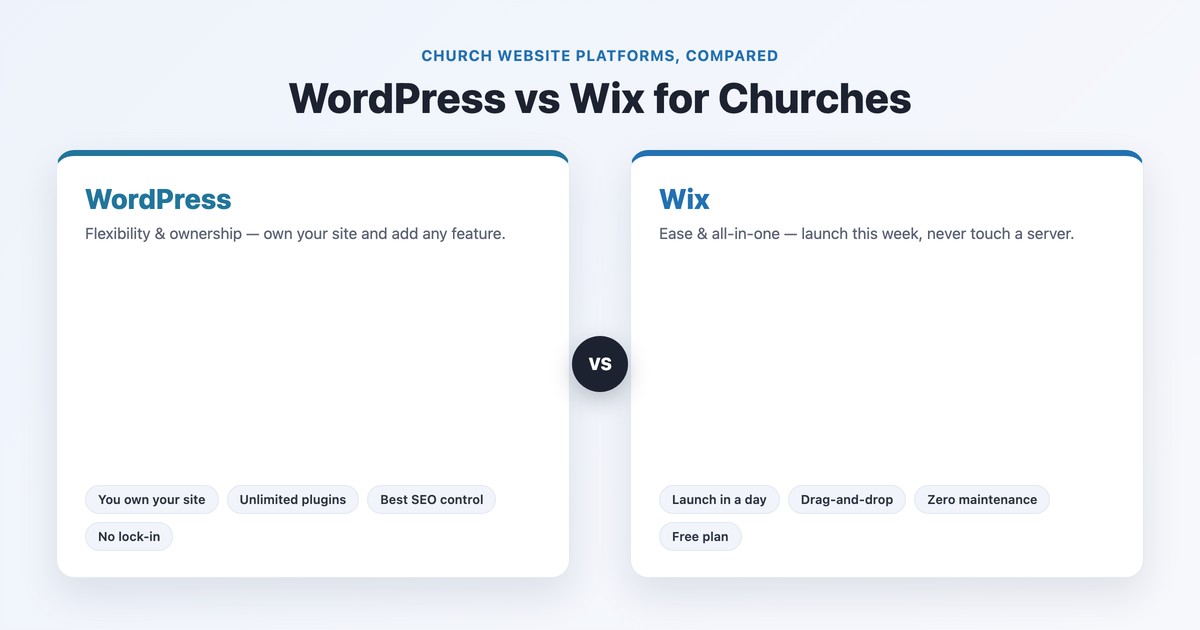
For a church choosing a website platform, WordPress and Wix represent two genuinely different philosophies. The short answer: Wix is better if you want to launch quickly with no technical work and never touch a server again; WordPress is better if you want to own your site, add any feature you’ll ever need, and not pay rent forever — as long as someone is willing to maintain it. It’s the classic trade-off of ease versus flexibility, and the right choice depends almost entirely on your church’s tech comfort and how much you expect to grow.
We publish full standalone reviews of WordPress for churches and Wix for churches; this guide puts them head-to-head with real costs, a church-feature breakdown, real screenshots of churches on both, and a decision matrix by church size and skill.
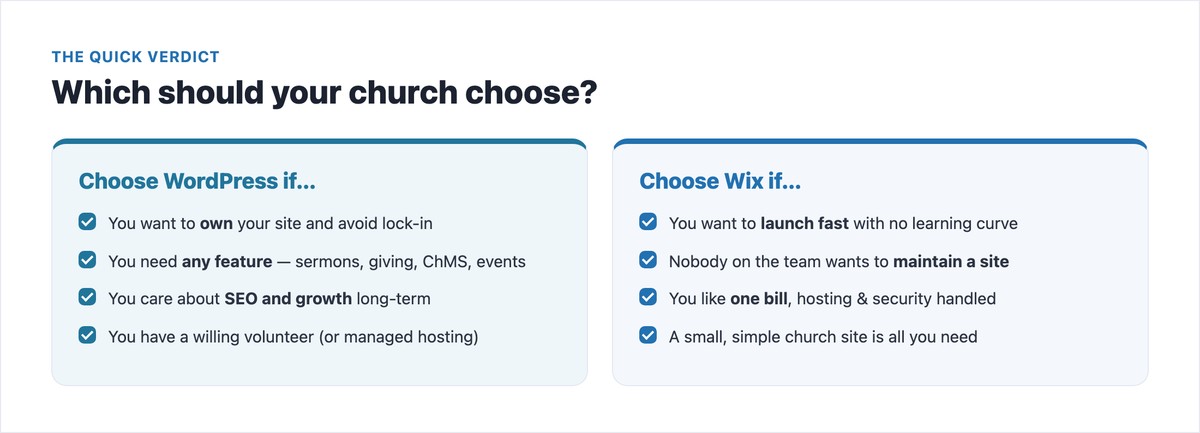
The quick verdict: Choose Wix if you’re a small or new church that values launching this week and zero maintenance over control. Choose WordPress if you want to own your website, add features like a sermon library or church management, rank well in search, and grow without limits — and you have a willing volunteer or budget for managed hosting. Wix wins on ease; WordPress wins on ownership, flexibility, and long-term value.
| WordPress (self-hosted) | Wix | |
|---|---|---|
| Best for | Ownership, flexibility, growth | Ease, speed, no maintenance |
| Ease of use | Learning curve | True drag-and-drop |
| Who maintains it | You (updates, security, backups) | Wix handles everything |
| Design control | Unlimited | Flexible, but template lock-in |
| Features | Any — 60,000+ plugins | Built-in tools + app market |
| You own the site | Yes — fully exportable | No — can’t fully export |
| SEO control | Full | Good, but more limited |
| Cost | ~$50–500/yr (hosting + domain) | $0–$159/mo |
| Free plan | Software free (hosting isn’t) | Yes (with Wix ads) |
This trips up almost everyone, and most comparisons blur it. There are two different things called “WordPress”:
When we say “WordPress” below, we mean self-hosted WordPress.org. If you’d compare WordPress.com against Wix, you’re really comparing two hosted builders — and Wix is the easier one.
Wix wins here, decisively. Its drag-and-drop editor lets a non-technical church secretary build and edit a site with no code and no setup — hosting, security, SSL, and updates are all handled for you. You can be live in a day.
WordPress has a real learning curve: you choose a host, install WordPress, pick a theme, add plugins, and you’re responsible for updates, security, and backups going forward. Modern block and page-builder editors have made day-to-day editing much easier, but the initial setup and ongoing upkeep need a willing volunteer — or managed hosting that handles the technical side for you. If nobody on your team wants to learn or maintain a website, that’s the single strongest argument for Wix.
“WordPress is free” is true of the software and misleading about the website. Here’s what each actually costs a church.
| Plan | Approx. price (annual) | Church relevance |
|---|---|---|
| Free | $0 | Wix ads + a wixsite.com address; no custom domain or online giving |
| Light | ~$17/mo | Custom domain, no ads — but can’t accept donations |
| Core | ~$29/mo | The first plan that accepts online giving — the realistic “church plan” |
| Business | ~$39/mo | More storage and full e-commerce |
| Business Elite | ~$159/mo | Priority support and the full feature set — overkill for most |
A donation-capable Wix church site is realistically $29/month (~$348/year), forever — and you never own the site.
| Item | Cost | Notes |
|---|---|---|
| WordPress software | Free | Open-source |
| Hosting | ~$3–8/mo budget · ~$15–40/mo managed | The real recurring cost; managed handles updates/security |
| Domain | ~$12–16/yr | Often free the first year |
| Theme | Free or one-time ~$50–100 | No recurring fee — including free church themes |
| Essential plugins | Free core (GiveWP, Events Calendar, Sermon Manager) | Premium add-ons optional |
| Realistic total | ~$50–100/yr DIY · ~$300–500/yr managed | Plus your time, or a one-time build if you hire |
The honest takeaway: WordPress is cheaper over the long run only if your church can self-manage (or uses budget hosting). If you’d need managed hosting to feel safe, the cost gap with Wix narrows a lot — and Wix’s “everything handled” may be worth the similar price. See our full church website cost guide for the complete breakdown.
This is where the flexibility gap shows up most. Wix is genuinely strong out of the box for events and “just works” giving; WordPress wins decisively the moment you need sermons, deep church-management integration, or anything beyond the defaults.
| Feature | WordPress | Wix |
|---|---|---|
| Online giving | GiveWP (free core) or embed Tithe.ly / Pushpay | Built-in donation form on Core ($29+), or a Tithe.ly embed |
| Sermon library | Sermon Manager — organize by series, speaker, topic, podcast feed | No native sermon system — blog posts or embedded YouTube |
| Events + registration | The Events Calendar (free; Pro adds tickets) | Wix Events — built-in RSVP, ticketing, recurring (strong) |
| Live-stream embed | Embed YouTube/Vimeo/Facebook anywhere | Wix Video or a YouTube/Vimeo embed |
| ChMS integration | Plugins/APIs for Planning Center, Breeze, ChurchTrac | Limited — mostly embeds, no deep integration |
| Multilingual | Polylang / WPML / TranslatePress | Wix Multilingual (built-in) |
| Blog / news | Native, best-in-class | Wix Blog (built-in, solid) |
For setting up donations specifically on either platform, see our guide to church online giving.
This is WordPress’s durable advantage. With self-hosted WordPress, you own your website — you can export it, move it to a different host, or hand it to a new volunteer or agency without starting over. With Wix, the site lives on Wix; you can’t fully export it, and you can’t even swap templates after launch without rebuilding. For a church planning to be around for decades, that lock-in matters.
WordPress also gives you deeper SEO control (full command of titles, schema, redirects, and page speed) and room to grow — from a single-page plant to a multi-campus site with members areas and complex integrations. Wix can rank a small church just fine and has closed much of its old SEO gap, but the ceiling is lower. If long-term search visibility and growth are priorities, our church SEO guide applies more fully to a WordPress site.
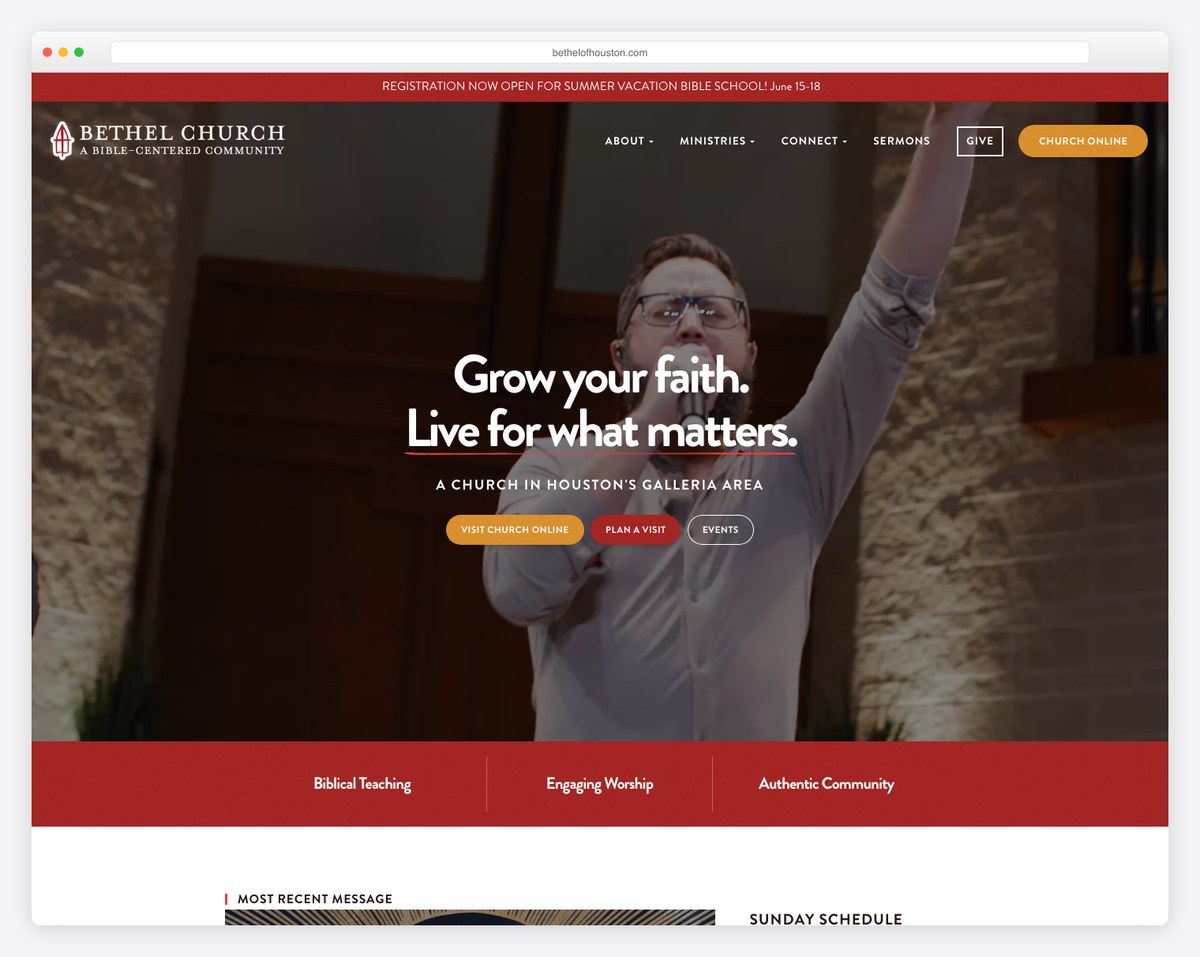
Bethel Church of Houston shows WordPress doesn’t have to look “technical” — a clean, warm, image-led design with clear calls to action, all on a self-hosted site the church fully controls.
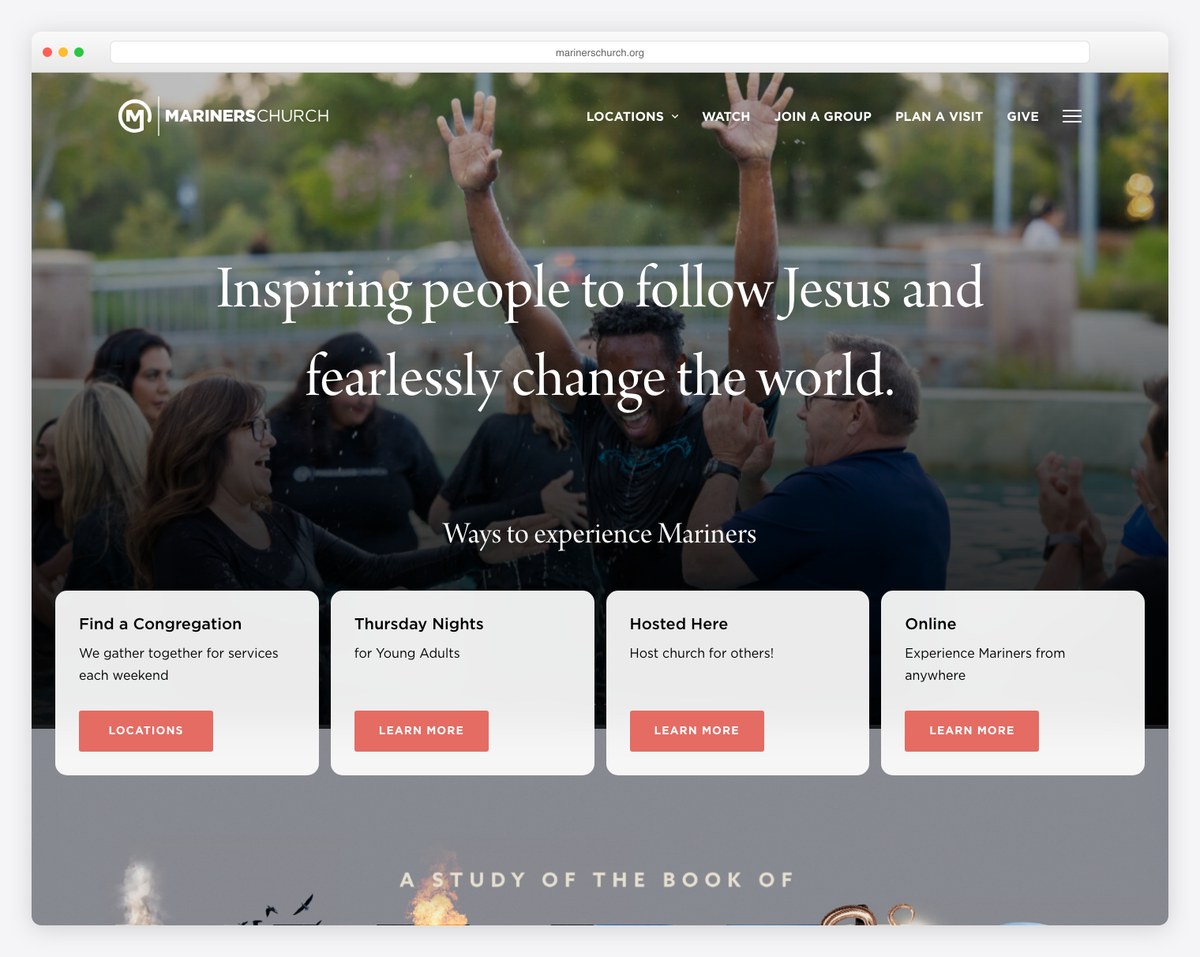
Mariners Church is the scalability argument in one screenshot — a large multi-campus church with livestream, online giving, and a full sermon library, all running on WordPress. This is the kind of growth Wix struggles to support.
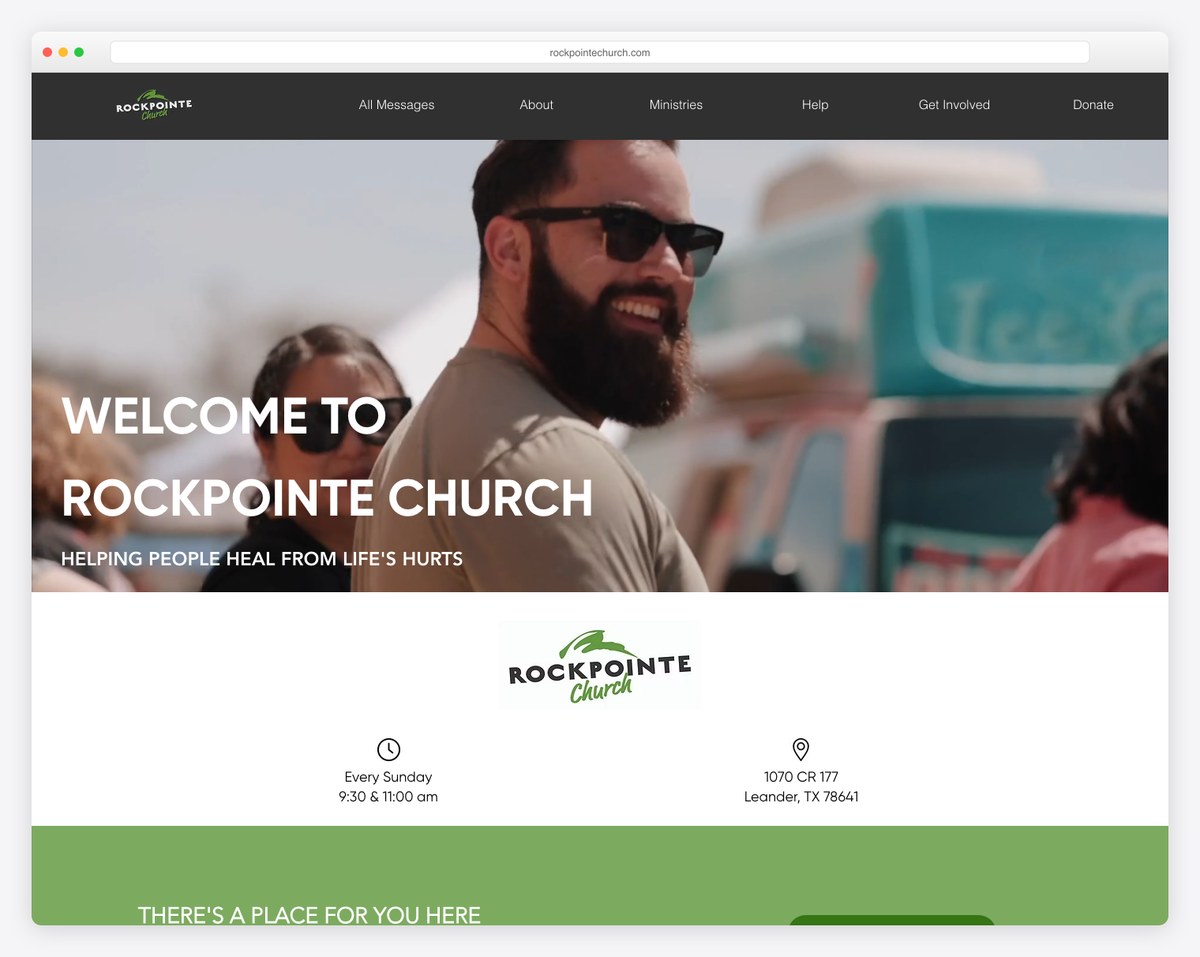
RockPointe Church proves Wix can look every bit as professional as a custom build — bold imagery, clear service info, and strong calls to action, on a custom domain with zero maintenance for the church.
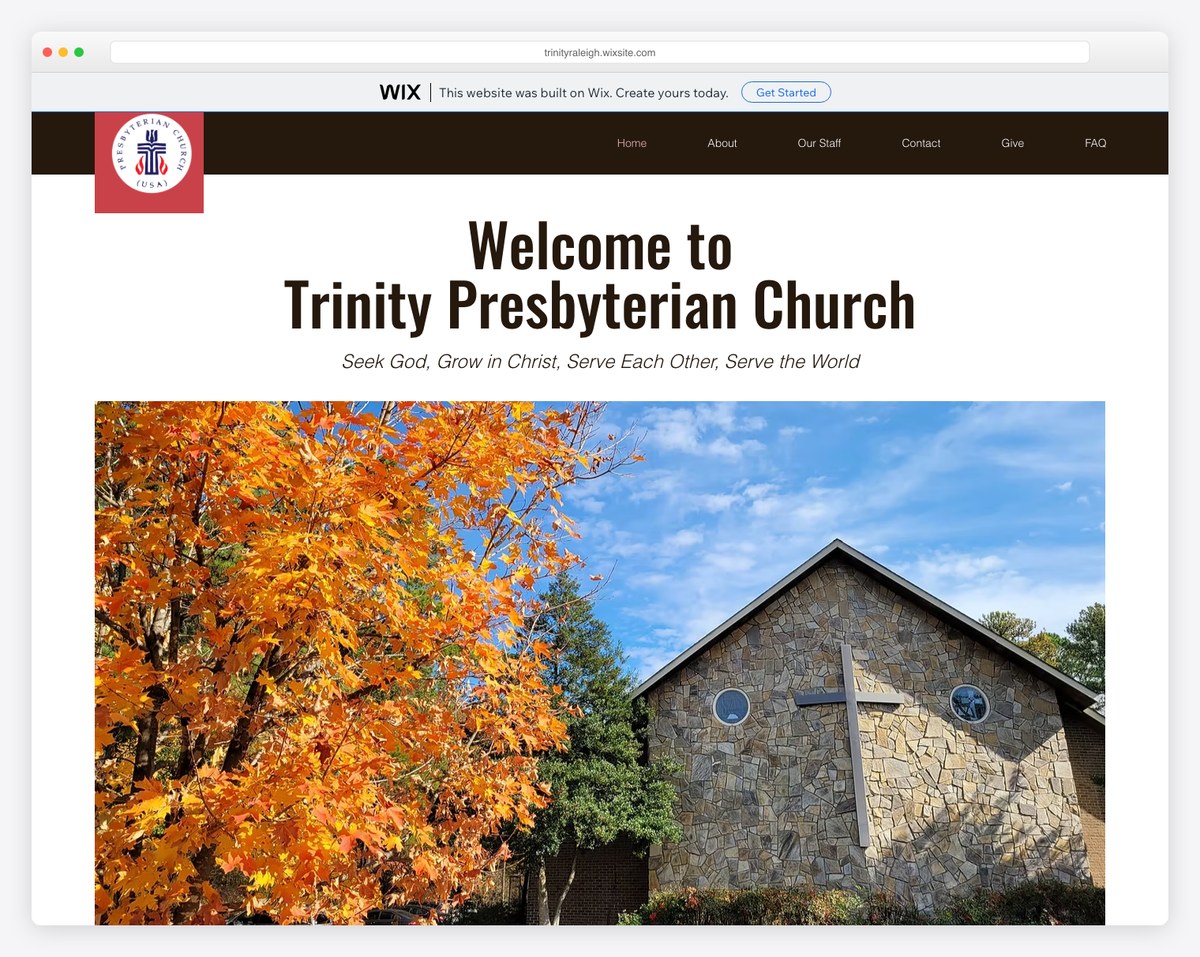
Trinity Presbyterian Church shows the free-Wix trade-off: a smaller church online for $0, but with the “built on Wix” banner and a wixsite.com address. It’s a legitimate free start — upgrading removes the banner and adds a custom domain.
| If your church is… | Lean toward |
|---|---|
| A brand-new plant that needs a simple site this week | Wix (even the free plan to start) |
| Small, with no one who wants to manage a website | Wix |
| Small but wants to own its site and grow, with a willing volunteer | WordPress |
| Mid-size, where sermons, events, and ChMS are central | WordPress |
| Large or multi-campus | WordPress |
| On a tight budget but willing to learn | WordPress (budget hosting) |
| On a tight budget with no time to learn | Wix (free or Light) |
Considering other platforms too? Compare these with Squarespace vs WordPress and Wix vs Squarespace, or see the full field in our best church website builders guide.
Plenty of churches start on Wix and outgrow it. It’s worth migrating to WordPress when you find yourself wanting features Wix can’t add (a real sermon library, ChMS integration, a custom members area), when you want to stop renting and own your site, or when SEO and growth become priorities. Because Wix sites can’t be fully exported, a move means rebuilding rather than transferring — so the best time is before you’ve invested years of content. If you’re on Wix now and hitting walls, that friction is the signal. Whichever way you go, browse our best church website designs for inspiration first.
Wix is better for a small or new church that wants to launch quickly with no technical work and no ongoing maintenance. WordPress is better for a church that wants to own its website, add any feature (sermon library, church management, advanced giving), rank well in search, and grow over time — provided it has a willing volunteer or managed hosting to handle upkeep. In short: Wix for ease, WordPress for flexibility and ownership.
A donation-capable Wix site is realistically about $29/month (~$348/year) on the Core plan, with everything handled for you. A self-hosted WordPress site costs roughly $50–100/year if you do it yourself on budget hosting (the software is free; you pay for hosting and a domain), or about $300–500/year on managed hosting. WordPress is cheaper long-term if you can self-manage; if you’d need managed hosting, the costs are closer.
Yes. Wix has a built-in donation form starting on its Core plan (~$29/month), and you can also embed a dedicated church-giving tool like Tithe.ly or Pushpay on any paid plan. The free and Light plans don’t support accepting payments, so budget for at least the Core plan if online giving matters.
Not a dedicated one. On Wix you’d post sermons as blog entries or embed your YouTube/Vimeo videos, but there’s no native system to organize sermons by series, speaker, topic, or scripture, or to generate a podcast feed. WordPress does this well with a free plugin like Sermon Manager — which is one of the most common reasons sermon-focused churches choose WordPress.
No, not in the way you own a self-hosted WordPress site. A Wix site lives on Wix’s platform — you can’t fully export it or move it elsewhere, and you can’t switch templates after launch without rebuilding. With self-hosted WordPress, you own everything and can export or migrate your site to any host. If avoiding lock-in matters to your church, that’s a point for WordPress.
You can move to WordPress, but it’s a rebuild rather than a transfer — Wix doesn’t allow a full export of your site, so you recreate the design and re-import your content (text and images can be moved manually, and there are tools that help with blog posts). It’s very doable, and many churches make the switch as they grow; the key is to migrate before you’ve built up years of content that would take a long time to recreate.

Church Website Builders
Church Website Builders
Church Website Builders
10 complete church website templates, MIT licensed. Browse every demo freely; we will email you whichever folder you want.
All templates