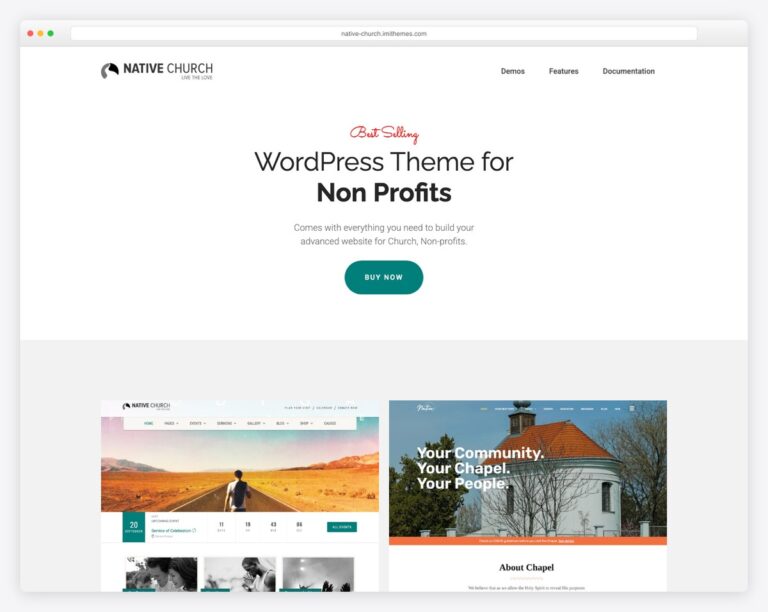
Church Website Templates
Searching for a free church website template is an exercise in disappointment. Most “free church templates” are either abandoned Bootstrap themes from years ago, barely functional WordPress themes with five-star self-reviews, or “free” templates that require a $99 plugin to actually work. But there are genuinely good free options — you just need to know where to look.
This guide covers 21 free church website templates and themes that are actually worth using — with real screenshots, live demos, and download links for each. It opens with the ten we designed and give away ourselves, then covers the best free WordPress themes, HTML templates, and website builders. We’ve previewed every option below so you can see exactly what you’re getting before you install anything, and we’ll help you decide whether free is the right choice for your church or if a small investment would serve you better.
Here’s a quick comparison of every free church website template and platform covered in this guide. Scroll down for full screenshots, details, and download links for each.
| Template | Type | Best for | Truly free? |
|---|---|---|---|
| ChurchCreation (10 templates) | HTML templates | Churches that want a design built for their tradition | Free under MIT; email to download |
| Church FSE | WordPress theme | Block-editor users | Theme free; needs hosting |
| Faith | WordPress theme | Page-builder fans | Theme free; needs hosting |
| Cathedral | WordPress theme | Bold, photo-led design | Theme free; needs hosting |
| Worship | WordPress theme | Traditional churches | Theme free; needs hosting |
| FSE Church | WordPress theme | Feature-rich layout | Theme free; needs hosting |
| Colorlib (6 templates) | HTML templates | Developers / coders | 100% free (self-host) |
| Tithe.ly Sites | Website builder | Non-technical teams | No — 30-day trial, then $19/mo |
| Wix | Website builder | Drag-and-drop editing | Free plan (shows ads) |
| Google Sites | Website builder | Simplest possible site | 100% free |
We got tired of writing this list. Most free church templates are the same generic idea of a church — a stock photo of raised hands at sunset, a countdown timer, three icon boxes — and they fit no tradition in particular. So we designed ten of our own and gave them away. Each one is built for a specific kind of church, and each does one thing no drag-and-drop builder will do for you.
All ten are plain HTML, CSS and JavaScript. There is no build step, no framework to install and no account to create: unzip it, put your church’s name, address, service times and giving link in one config file, and upload the folder to any host. They are released under the MIT license, so you can use them for anything — including a site you are paid to build for someone else — with no attribution required. Every page is written, so there is no lorem ipsum to clear out, and each template is built to WCAG 2.2 AA with self-hosted fonts and no third-party scripts.
That same config file also emits Church, Place and Event structured data, which is what lets a search engine answer “mass times near me” with your church rather than the one down the road. It is the part of a church website a volunteer webmaster almost never gets to, and here it is filled in for you.
One honest caveat before the list: the live demos are open to anyone and ask for nothing, but downloading a zip asks you to confirm an email address. Everything else about them is free, and there is no premium version to upgrade to.
| Template | Built for | Signature feature | Pages |
|---|---|---|---|
| Cornerstone | Episcopal, Anglican and Lutheran parishes | Liturgical season engine | 7 |
| Plainsong | Reformed and confessional congregations | Sermon archive by book and series | 7 |
| Threshold | Non-denominational and multi-site churches | Newcomer path and locations page | 6 |
| Commons | Churches whose building is busy all week | Weekday opening-hours timetable, in two languages | 8 |
| Lantern | Market-town parishes and retreat houses | Weddings, funerals and retreat pages | 8 |
| Circuit | Benefices, circuits and yoked charges | Rota engine, including the fifth-Sunday rule | 9 |
| Canterbury | Church of England parishes | Season-painted hero and a church-year page | 8 |
| Sanctus | Roman Catholic parishes | Movable feasts and a Confession timetable | 8 |
| Bethel | Baptist and independent evangelical churches | Teaching series archive and a baptism page | 8 |
| Chapter | Minsters, cathedrals and large historic churches | Broadsheet front page and a full-day horarium | 8 |
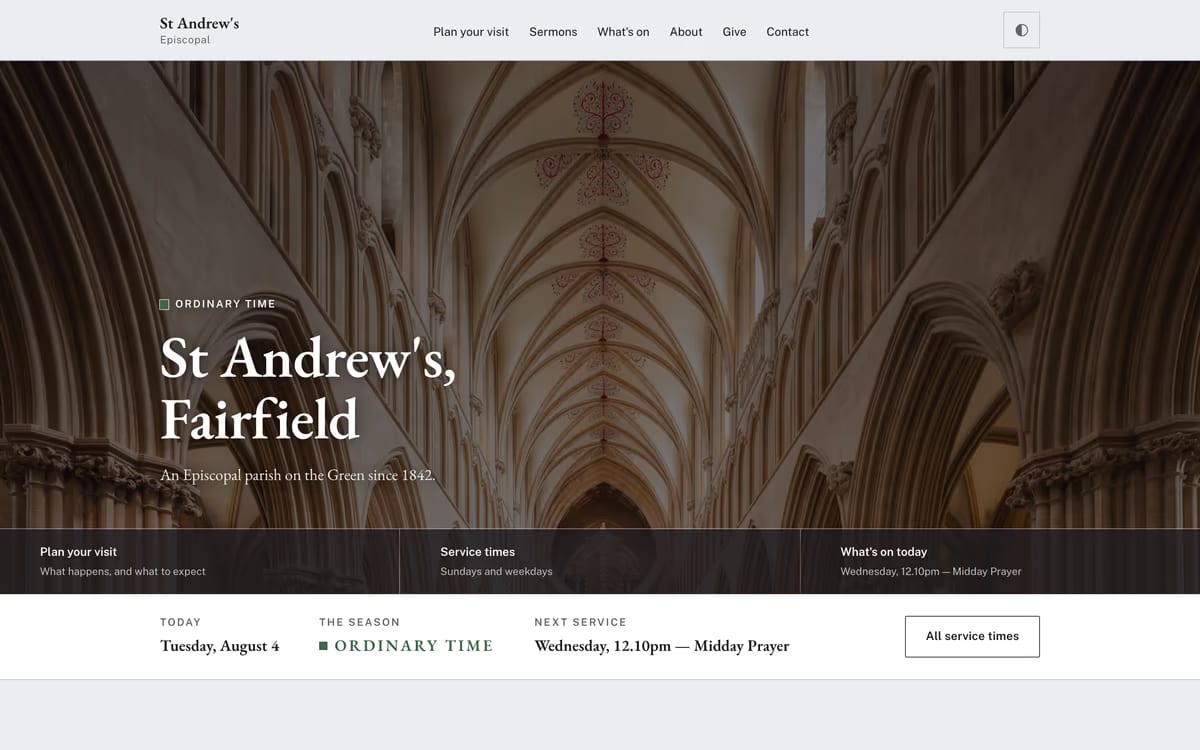
Cornerstone knows what season it is. The accent color follows the church calendar — violet in Advent and Lent, gold at Easter, green in Ordinary Time — computed in the browser from the date, so it stays right in a year nobody remembers to change it. Everything else is a conventional parish site: services, sermons, giving, and a plan-your-visit page written for someone who has never been to a liturgy.
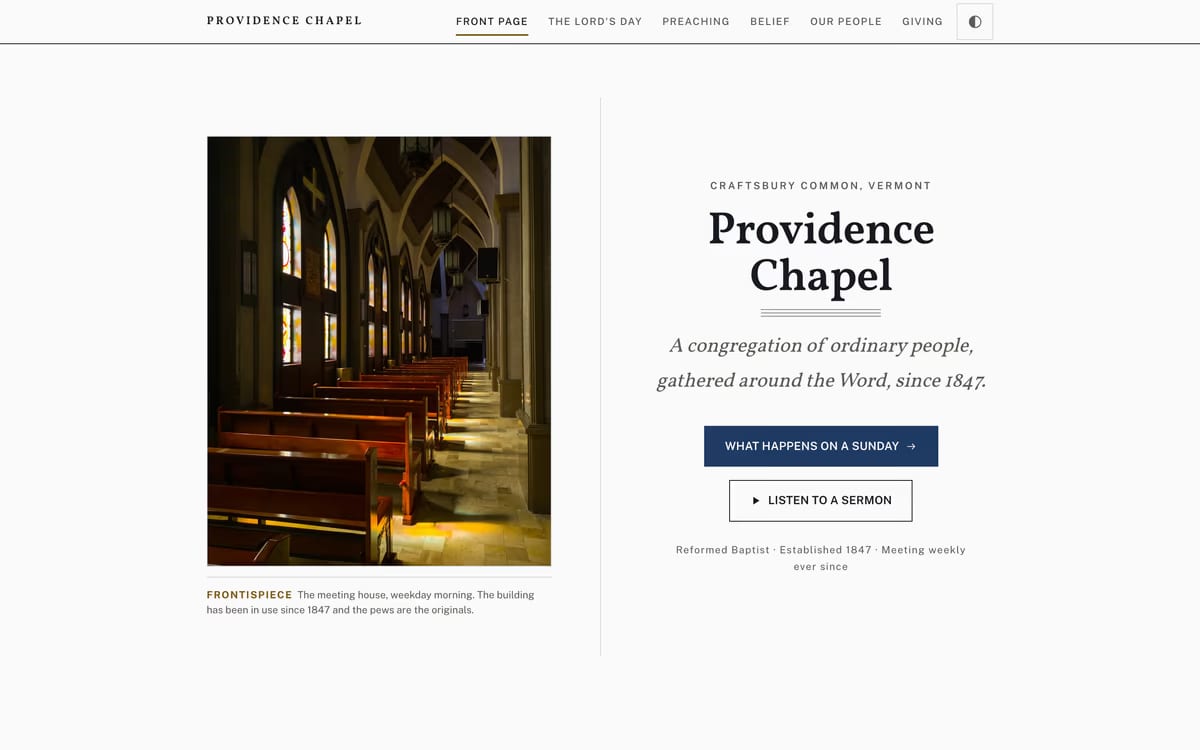
Plainsong is built around preaching rather than around events. The order of service is a page instead of a PDF, the sermon archive is organized by book of the Bible and by series, and the statement of faith is set to be read rather than filed. Quiet and typographic — it looks finished without a single photograph, which matters if your church has no good pictures of itself.
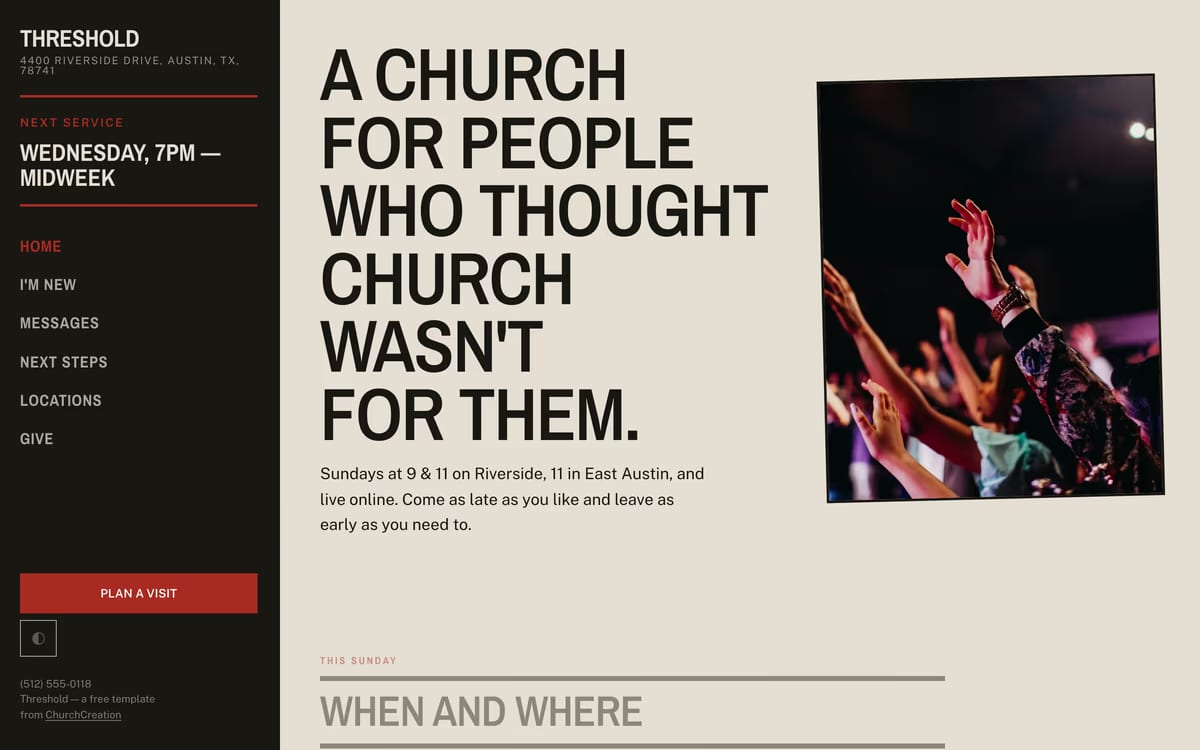
Every page in Threshold assumes the reader is a stranger. “I’m new” is the loudest link on the site, the locations page answers where and when before anything else, and next steps are a short numbered path rather than a menu of ministries. The artwork is typographic — a revival broadside set in wood type — so nothing waits on a photographer.
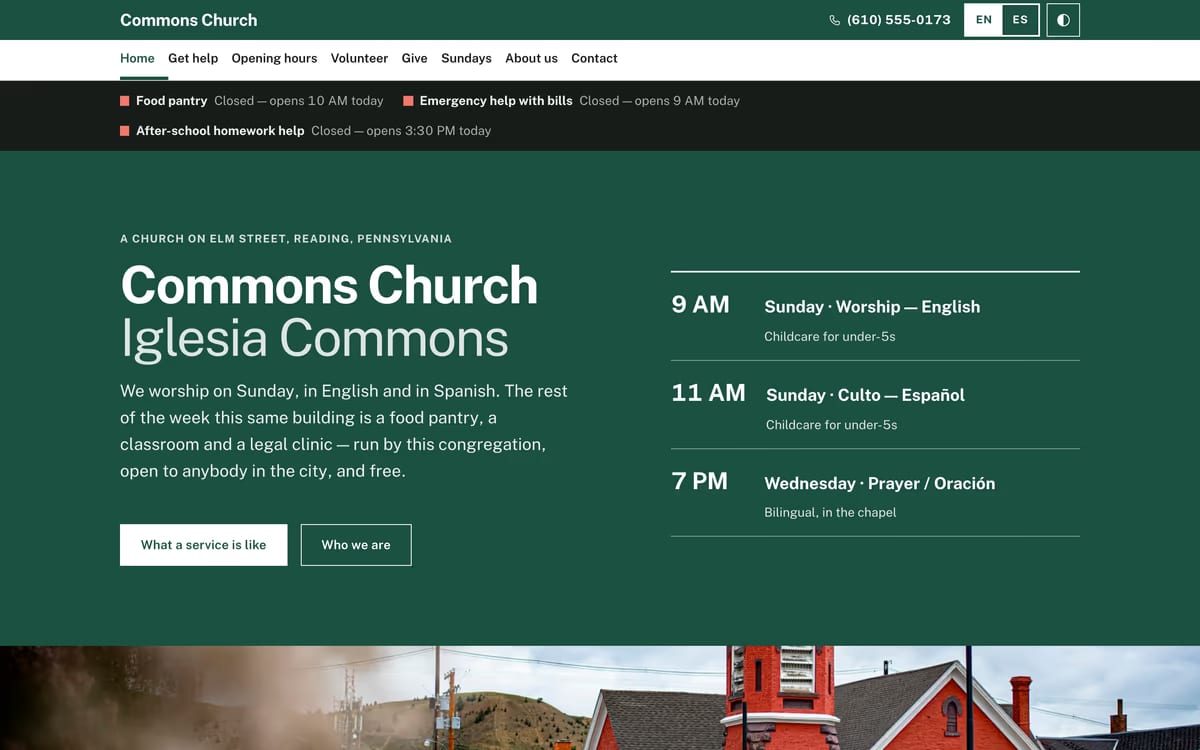
Commons is for a congregation whose public face is the food pantry, the toddler group and the warm room as much as Sunday. Opening hours are a live timetable that says what is open right now, getting help and volunteering are separate pages written for two very different readers, and the whole site switches between English and Spanish in place rather than sending you to a second site that goes stale.
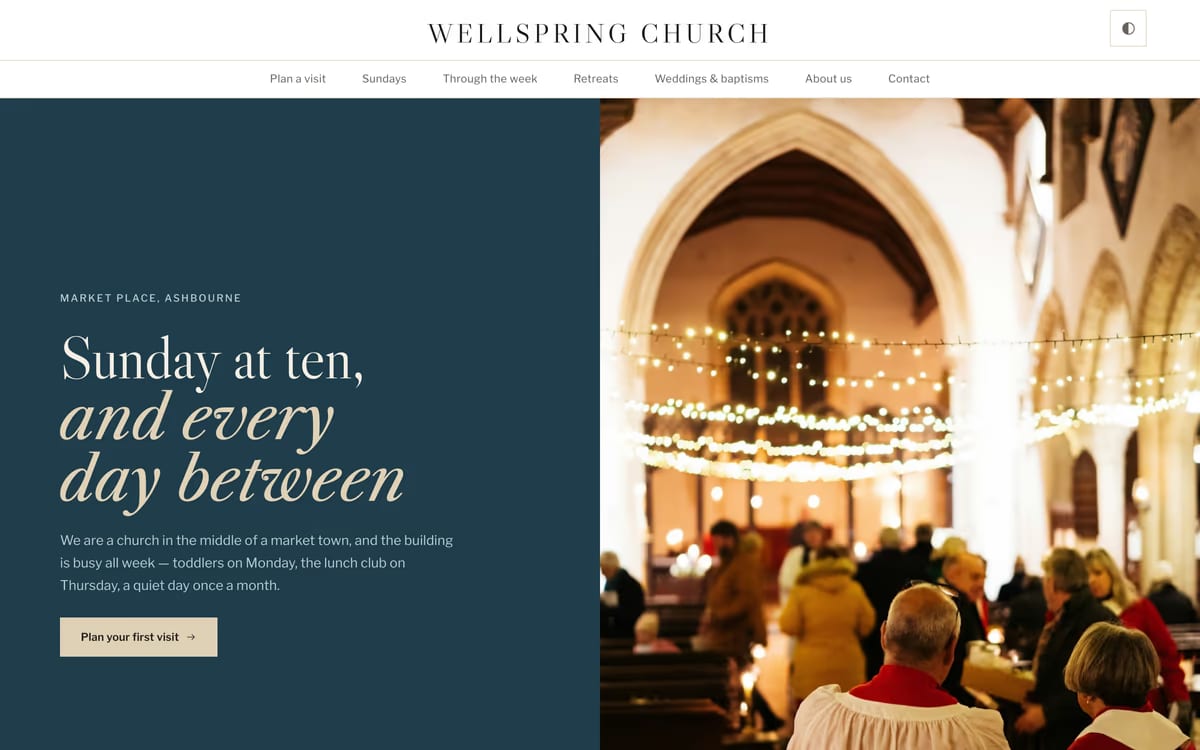
Lantern is the warmest of the set. A split hero puts a painted panel of type against a full-height photograph, and the ground tone changes from section to section as you scroll instead of running one flat color down the page. It has pages for the things people actually call about — weddings, baptisms, funerals, retreats and quiet days — which most church templates leave you to invent.
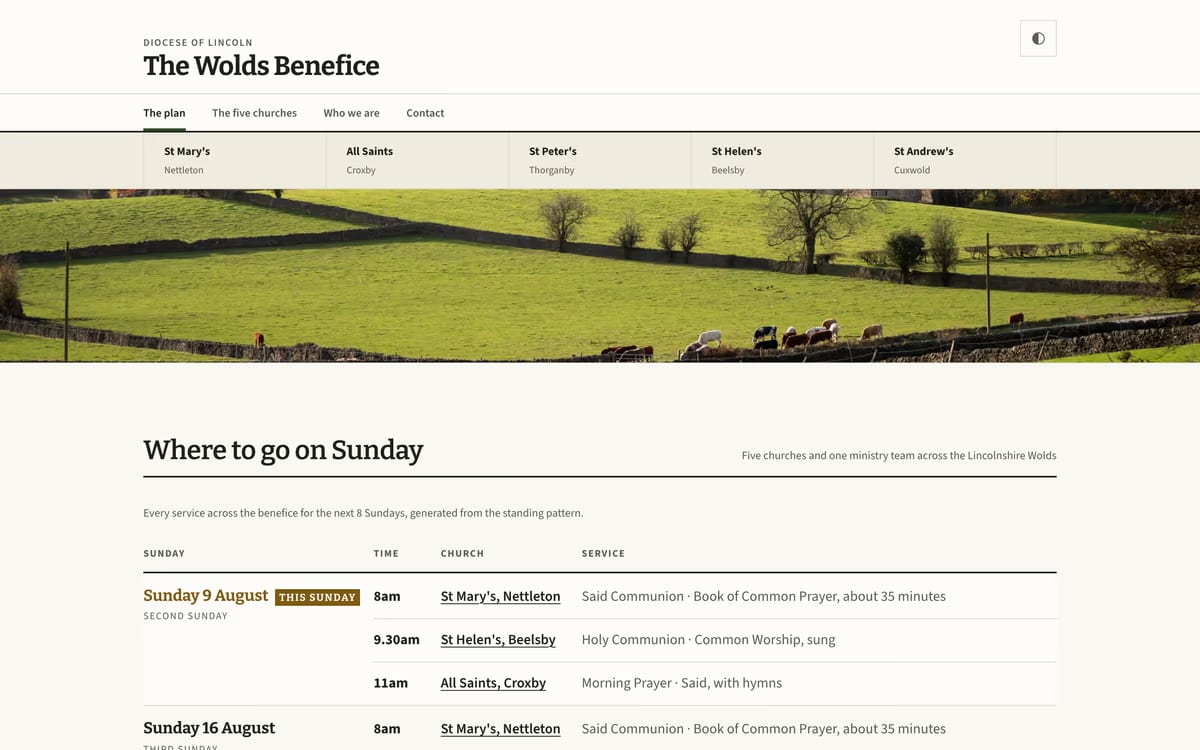
Circuit solves the problem every benefice, circuit and yoked charge has: which church has the service this Sunday. A rota engine works it out from the ordinal week — first and third here, second and fourth there, plus the fifth-Sunday rule that catches everyone out — and each church still gets its own page with its own history and its own address, so every church in the group can turn up in local search.
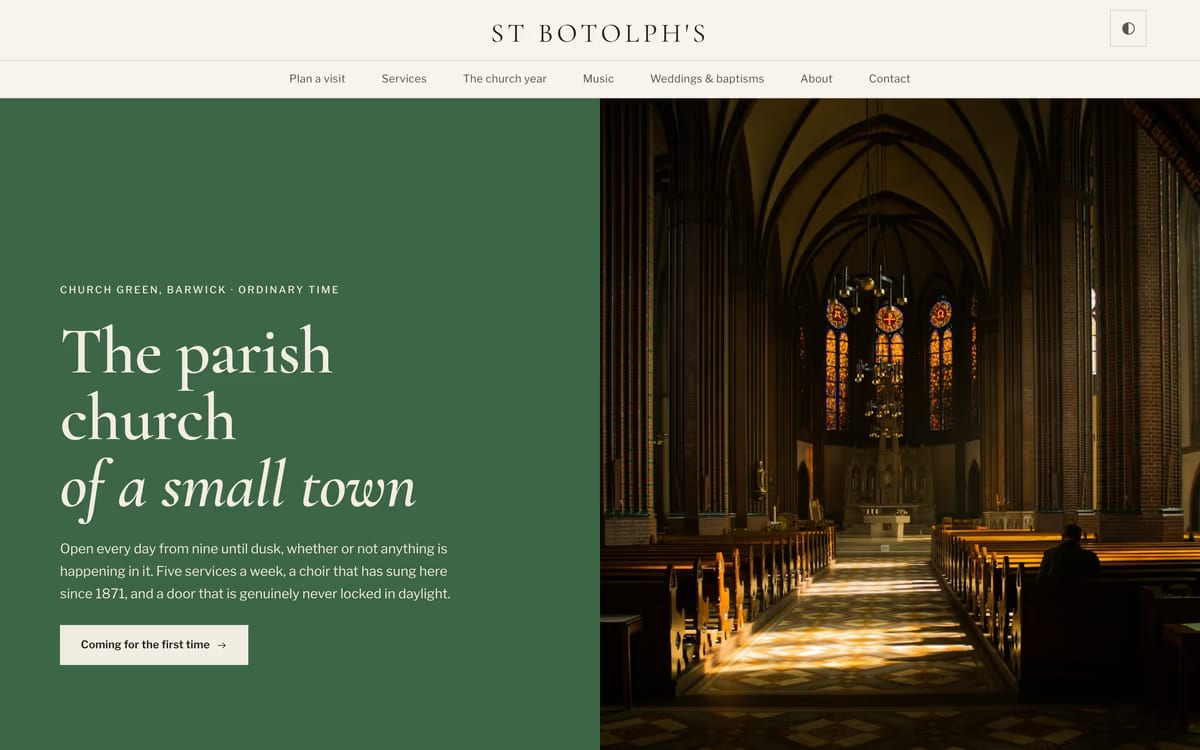
Canterbury puts the church calendar at the center of the design instead of in a sidebar. The hero itself is painted in the color of the season, so the front page in Lent is not the front page in Eastertide, and in Lent and Holy Week the photograph is veiled the way the images in the building are. Service times are set as a board rather than buried in a paragraph.
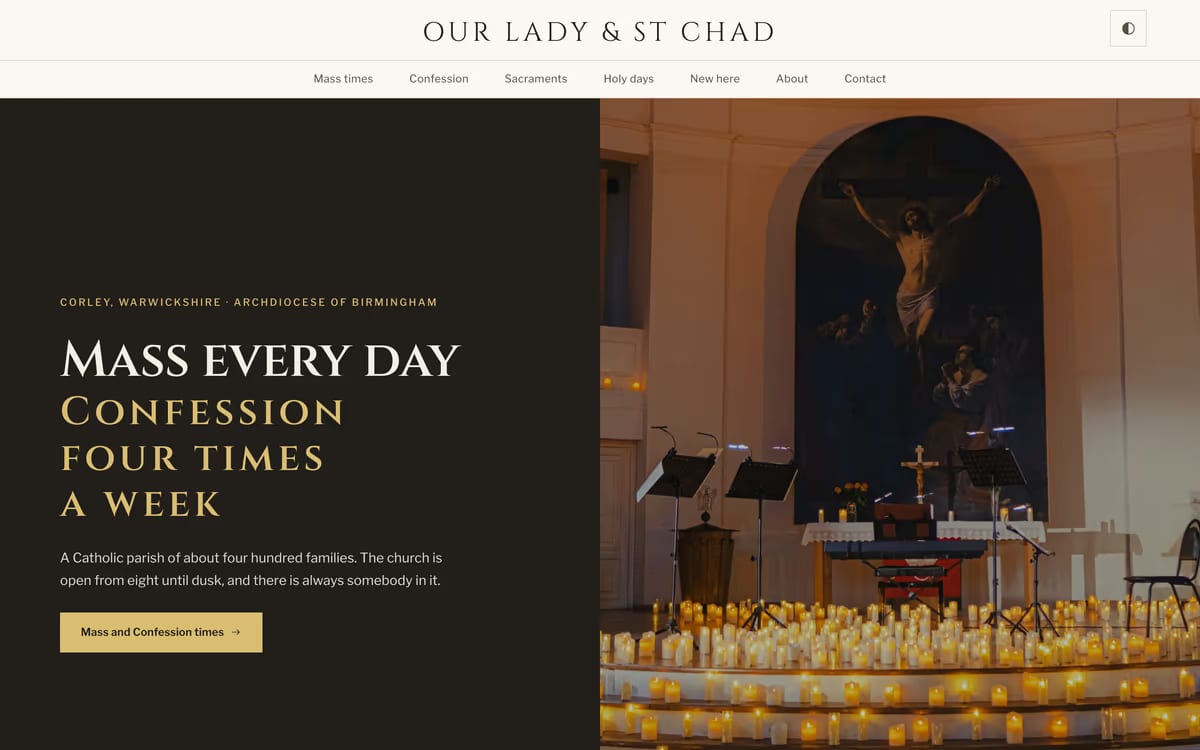
Sanctus gives the two things people actually search for — Mass times and Confession times — pages of their own, with Confession set as a proper timetable rather than a line of small print. Holy days of obligation, including the movable ones, are computed from the date, so the calendar page is still correct in a year nobody has updated it. Set in Roman inscriptional capitals.
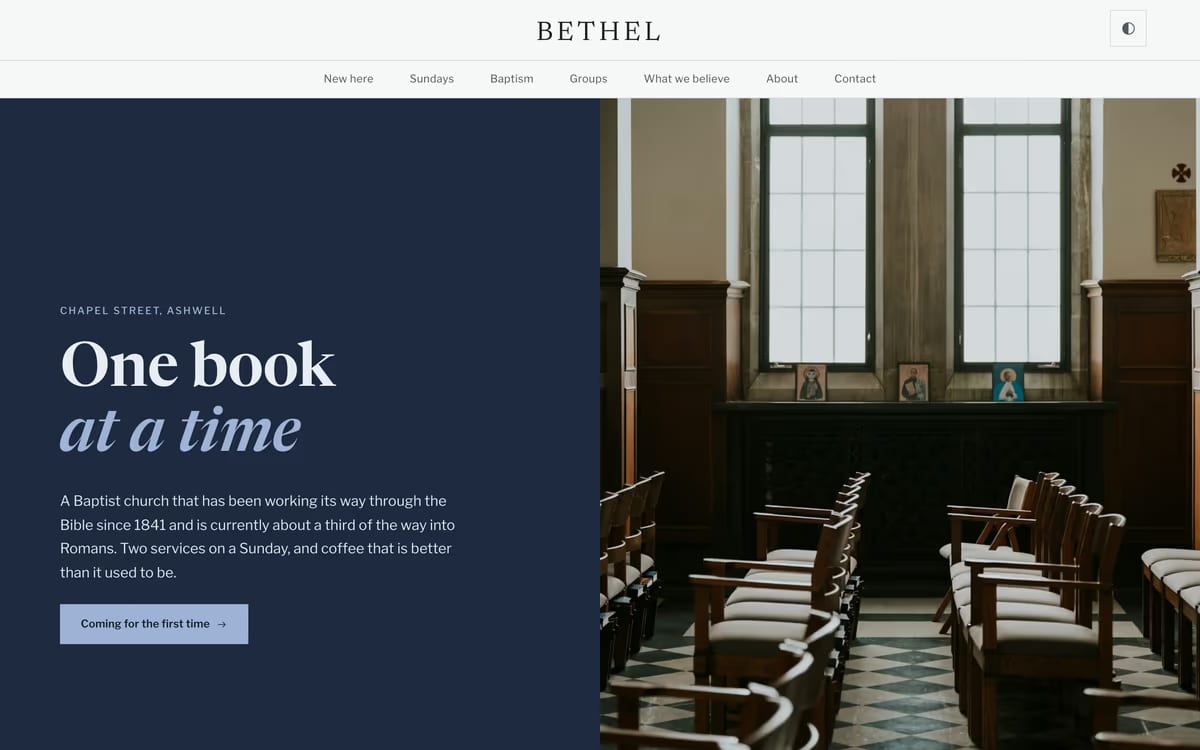
Bethel is for a church working through one book of the Bible at a time. The teaching series is the organizing idea of the whole site — the current series on the front page, past series archived by book — and baptism gets a page that explains what it is and how to ask, which is the question this tradition is asked most often and answers worst.
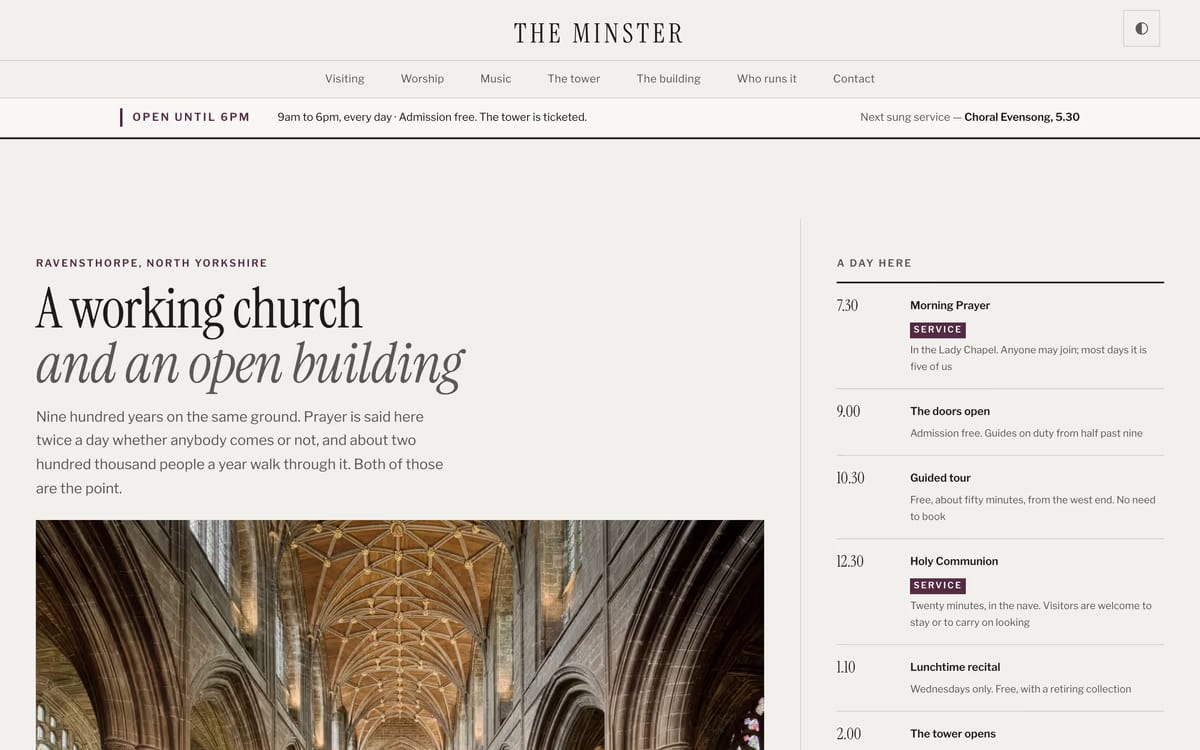
Chapter is the only one built for two audiences at once: a congregation and several hundred visitors a day. The front page is a ruled broadsheet — a lead, two briefs, and the whole of today down the right-hand side, services and opening hours in one timetable, because someone standing at the door does not care which of the two a thing is. There are pages for the building, the tower and who runs the place.
All ten live on our free church templates page, where you can filter by tradition and see every page of every template before you decide.
Three of them — Bethel, Canterbury and Threshold — are also packaged as real projects for Eleventy, Jekyll, Astro, Hugo and WordPress. Those editions are on GitHub under the MIT licence, so if your church has somebody who builds websites, they can clone one, change whatever they like, or open a pull request. Everything is there: the stylesheets, the typefaces and the small amount of JavaScript that runs the whole thing.
If the people updating your site need a login and a visual editor rather than a folder of files, a WordPress theme is the better answer. WordPress has the largest selection of free church themes, but quality varies wildly. These are the ones genuinely worth considering — every theme below is actively maintained, mobile-responsive, and built (or proven) for churches. The theme is free; you’ll need your own hosting and domain (usually $3–15/month) to run it.
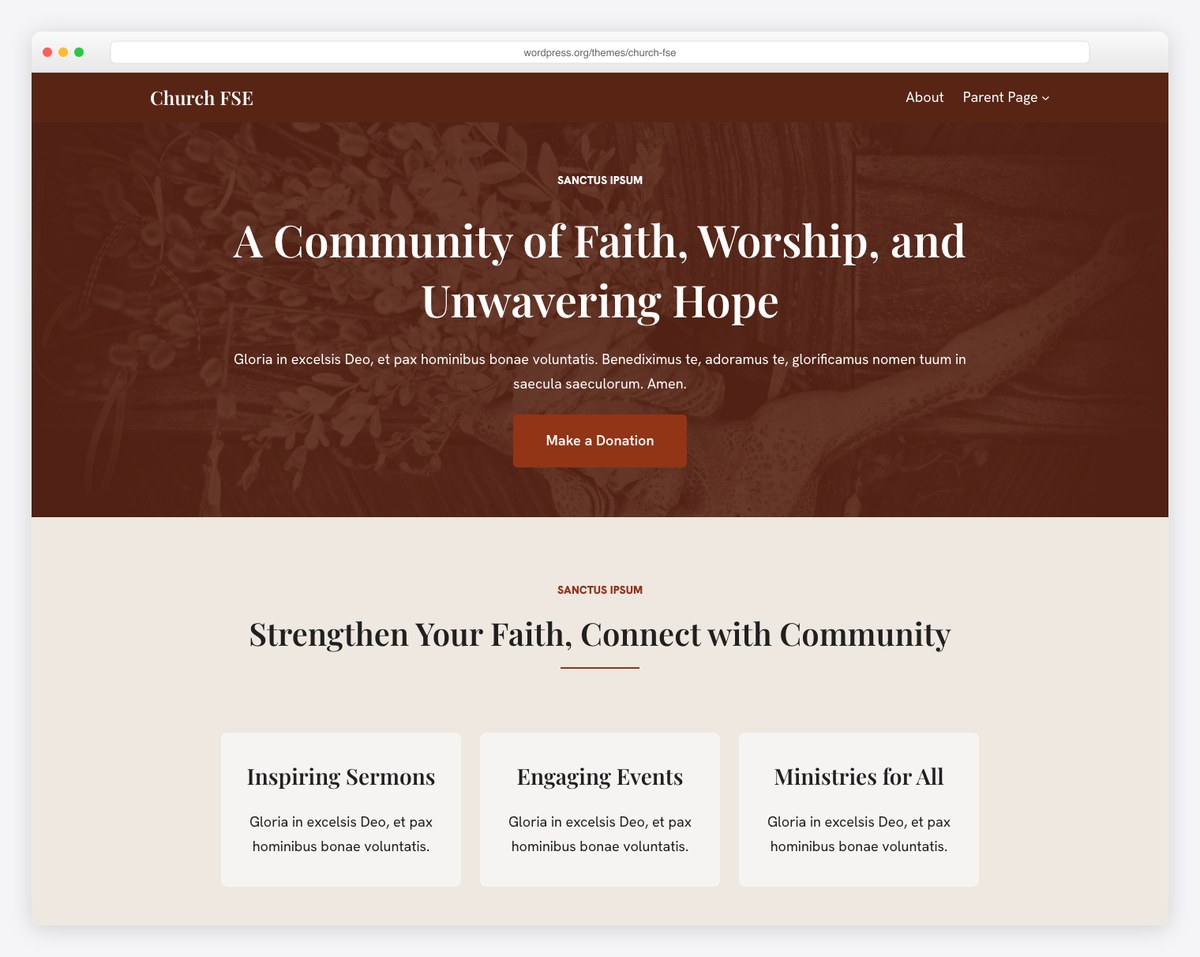
Built by Themeisle — one of the most respected WordPress theme companies — Church FSE uses the WordPress Full Site Editor, so you get visual control over every part of your site, including headers and footers. It ships with block patterns for sermons, events, donations, and livestreaming, so you can assemble church pages quickly without touching code. With 800+ active installs and a strong rating, it’s the best all-around free WordPress church theme for teams comfortable with the block editor.
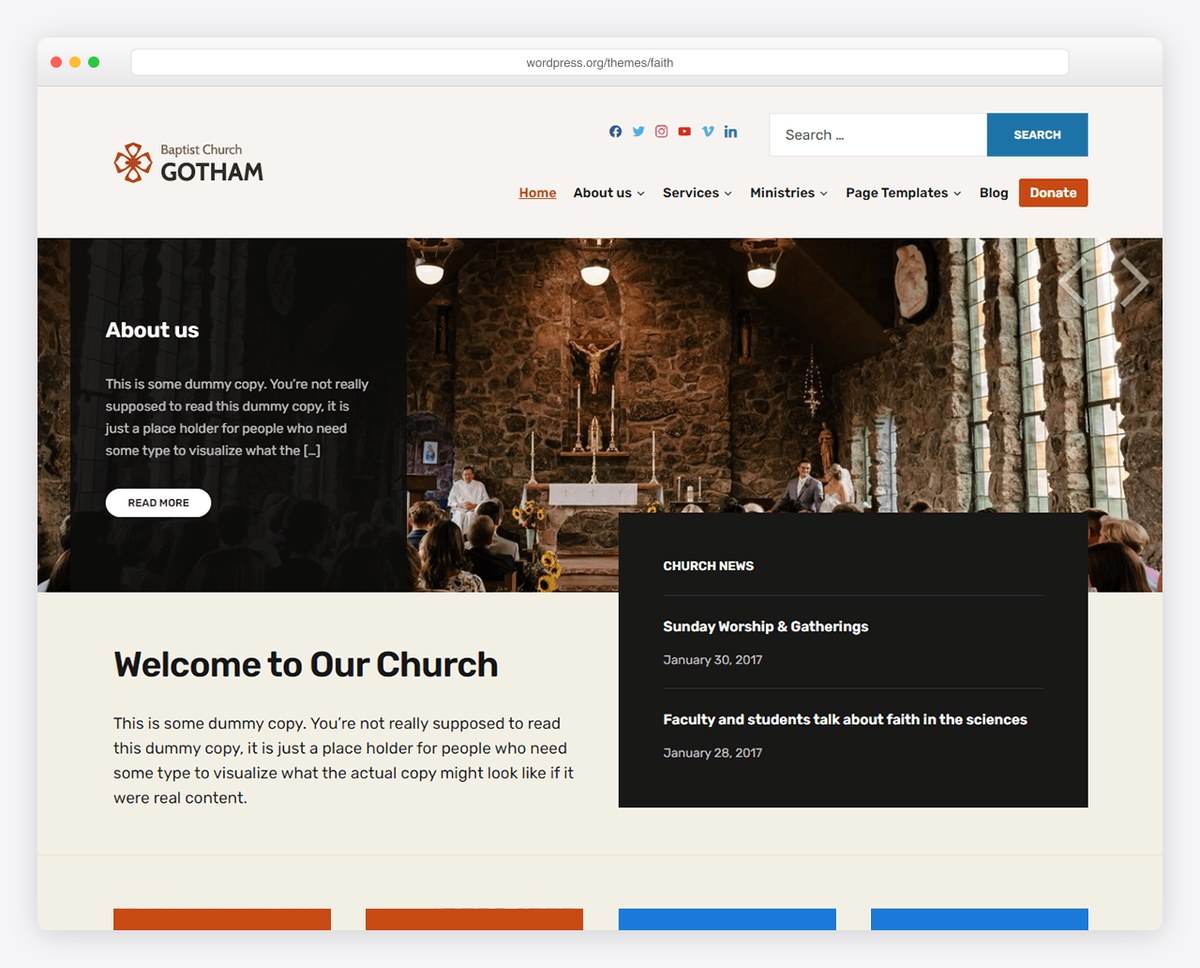
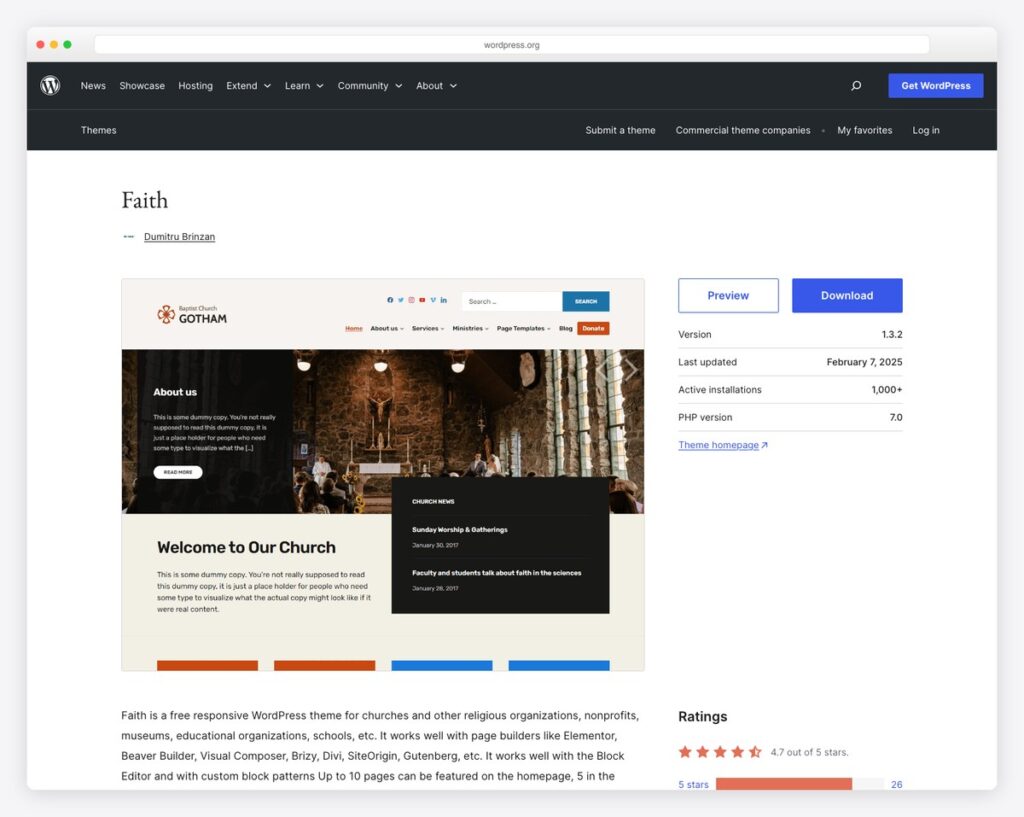
Faith is the most popular free church theme on WordPress.org — over 1,000 active installs and a 4.7-out-of-5 rating. Its homepage offers up to 10 content sections, including areas for service times, welcome messages, sermons, events, staff, and contact information. Best of all, Faith works with Elementor, Beaver Builder, Divi, and the block editor, so you’re never locked into one page builder. The design is warm and inviting without being ornate — it looks like a real church website, not a theme demo. For most churches starting on WordPress, this is the safest free foundation with the most room to grow.
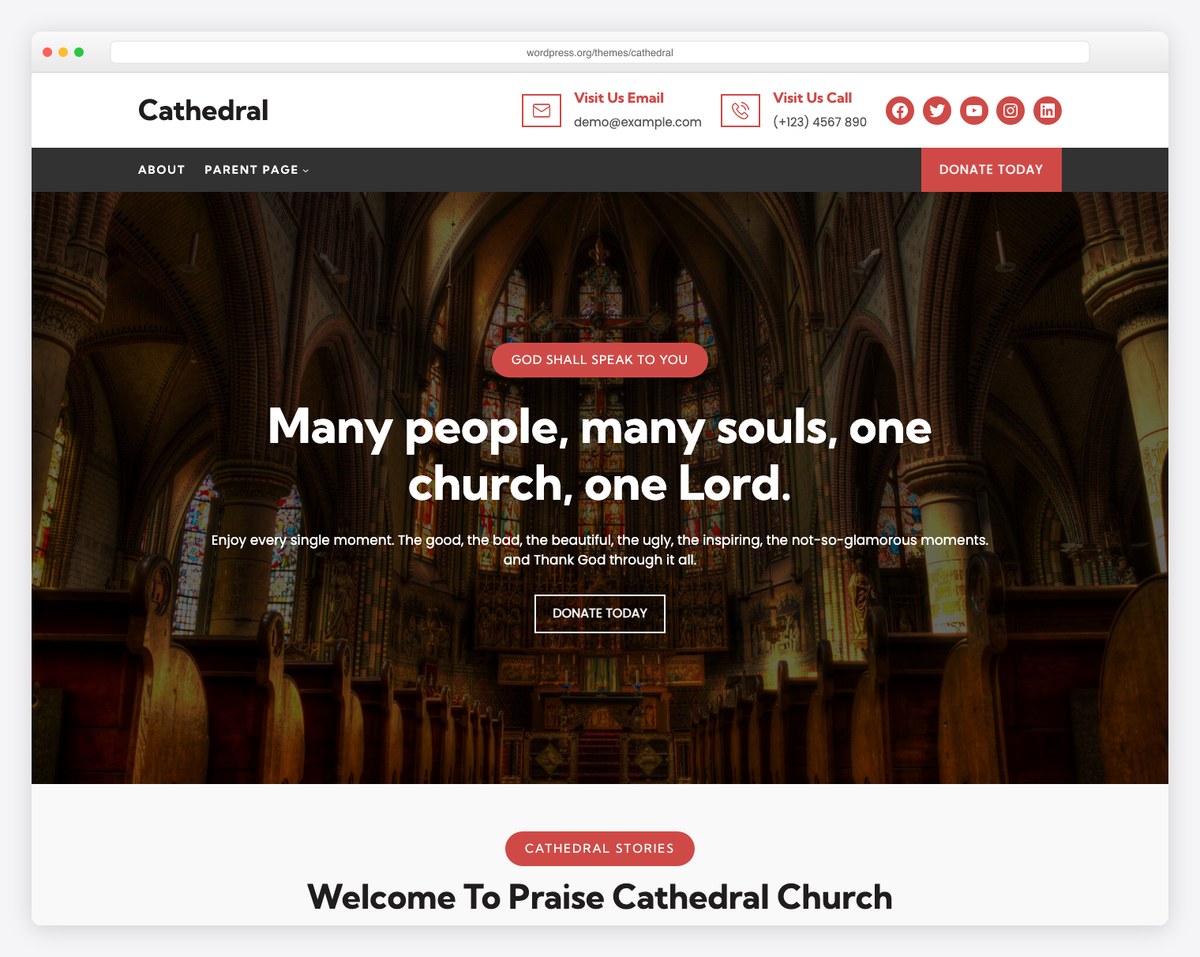
Cathedral is a bold, photography-led Full Site Editing theme with a prominent “Donate Today” button and a “Visit Us” contact bar built into the header. The full-width hero is designed to put a striking image of your sanctuary front and center. It’s a great fit for traditional or liturgical churches that want a dramatic, image-first homepage, and because it’s an FSE theme you can restyle every section visually.
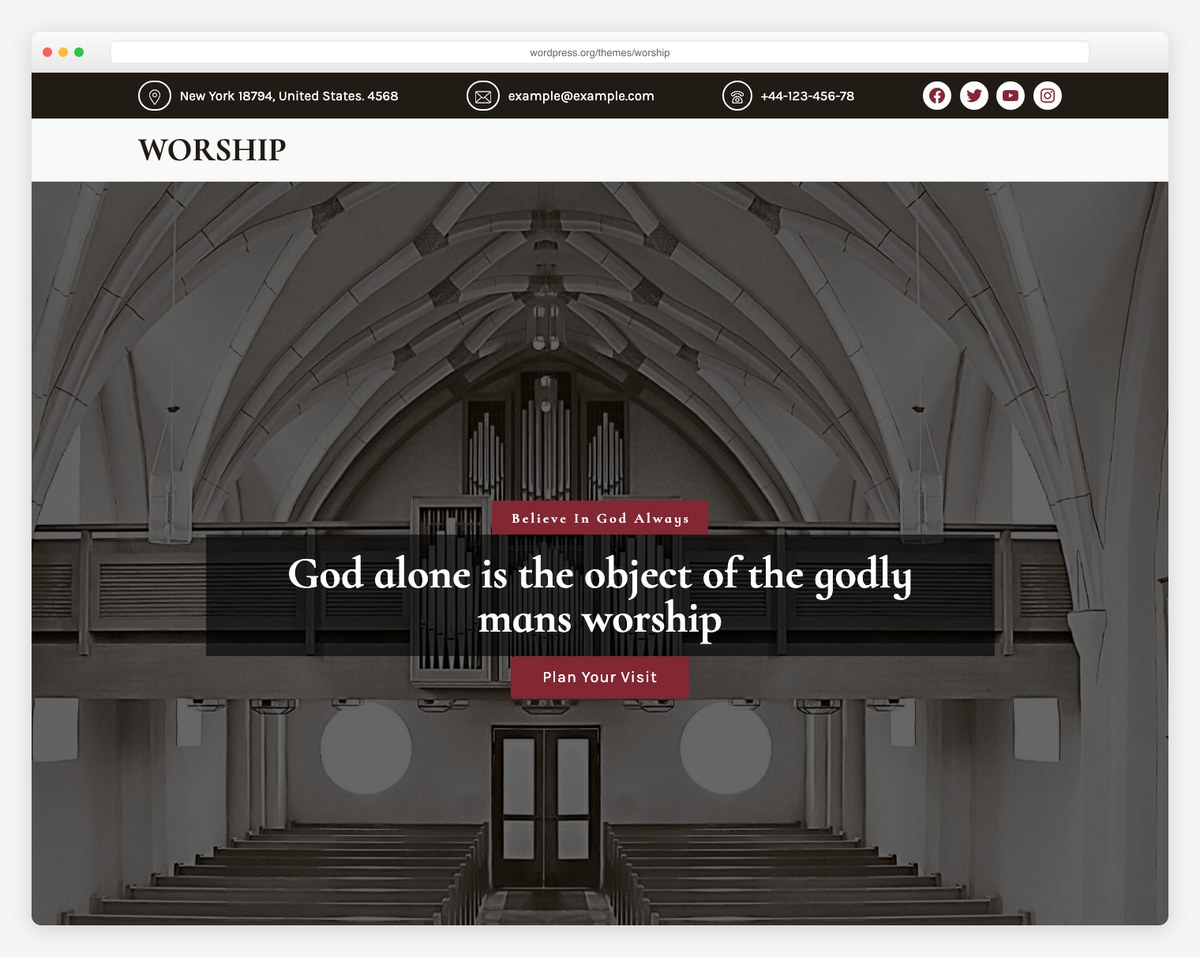
Worship pairs an elegant, classic serif design with a full-width hero, a “Plan Your Visit” call-to-action, and a contact-and-social bar across the top. It feels refined and traditional rather than trendy, which makes it ideal for established congregations that want a dignified online presence. The layout guides first-time visitors straight to the information they need most: where you are and when you meet.
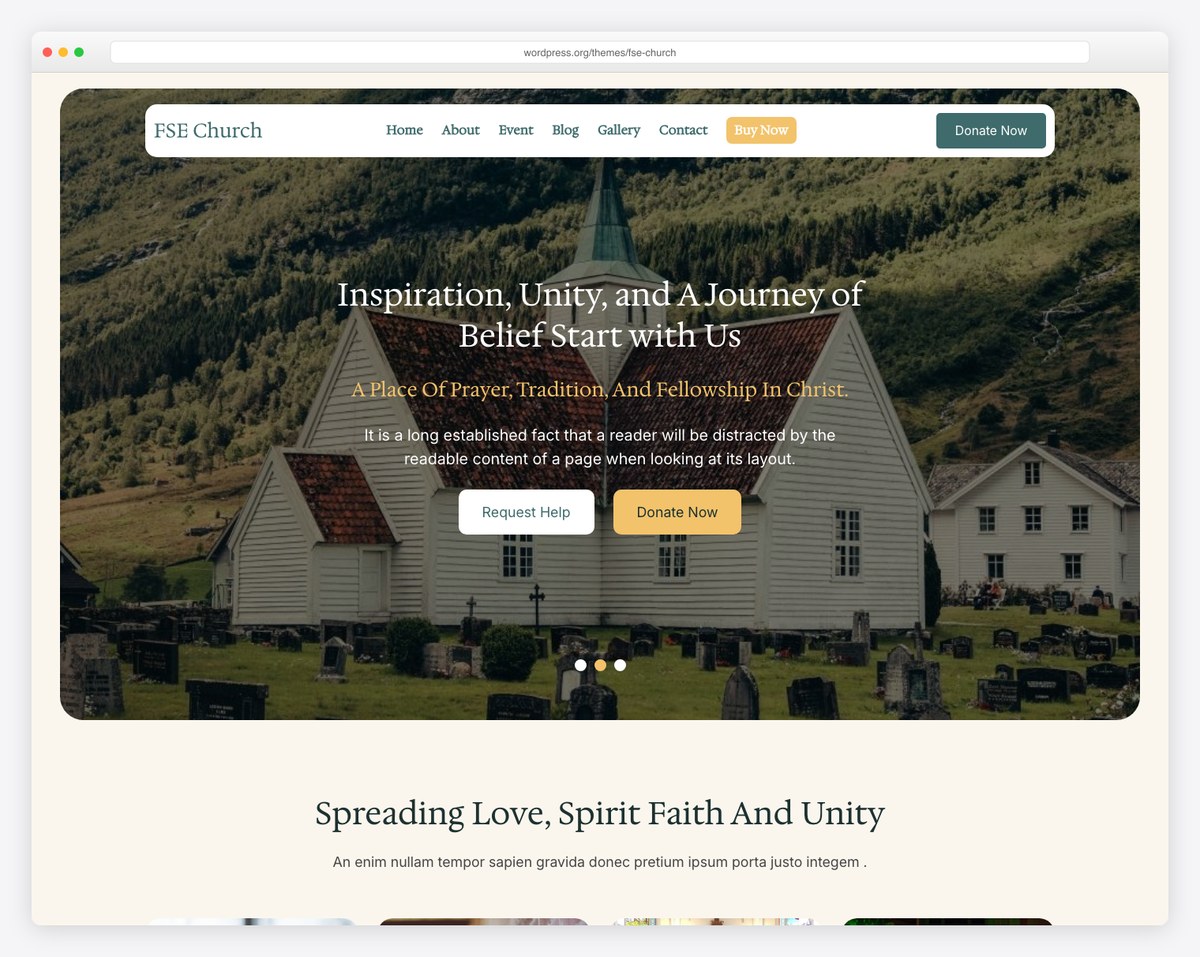
FSE Church is a feature-rich Full Site Editing theme with sections for events, a photo gallery, sermons, and donations available out of the box. It’s one of the most actively maintained free church themes, so WordPress compatibility keeps pace with new releases. Choose it if you want a complete, modern church layout you can assemble quickly with minimal setup.
Fair warning: many free WordPress church themes haven’t been updated in years. Before installing any theme, check the “Last Updated” date in the WordPress theme directory. If it hasn’t been touched in 12+ months, skip it — it likely has compatibility issues with current WordPress versions. For our curated premium-and-free picks, see the best church WordPress themes guide.
If none of our ten fits your church, Colorlib publishes one of the best free collections of church HTML templates anywhere — every one below is fully responsive, professionally designed, and free to download with no email required. They are simpler than ours and built on Bootstrap with jQuery rather than plain HTML, and none of them know anything about the church calendar, but they are polished and they cost nothing. Here are our favorites.
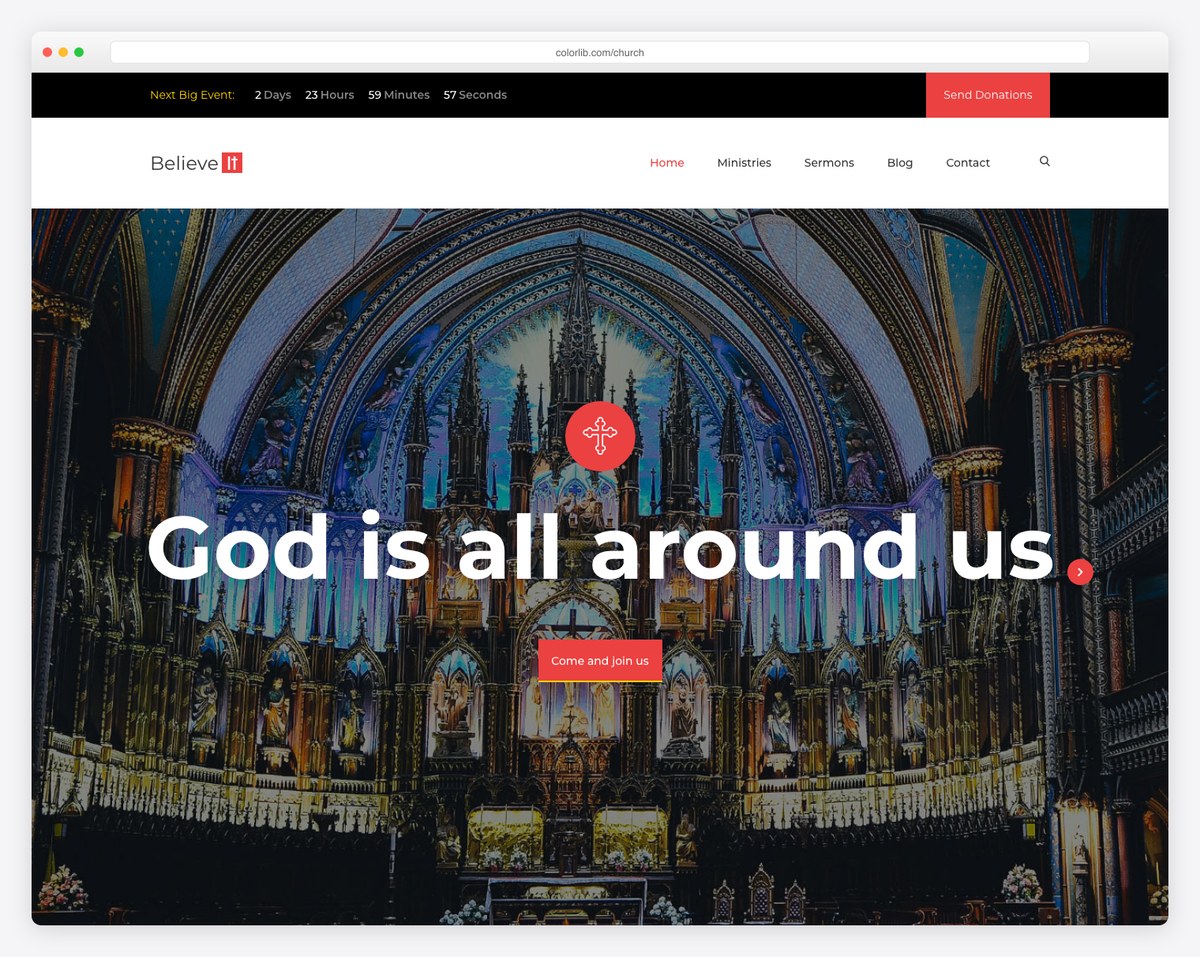
Colorlib’s free Church template is a fully-coded HTML/CSS template built on Bootstrap, with a countdown timer for your next big event, a donation call-to-action, and sections for sermons, events, and a blog. Because it’s raw HTML rather than a CMS, it’s best for churches that have someone who can edit code and arrange their own hosting — but in return you get a polished, professional design that’s 100% free with no premium upsell. It’s a strong starting point for a custom-built church site.
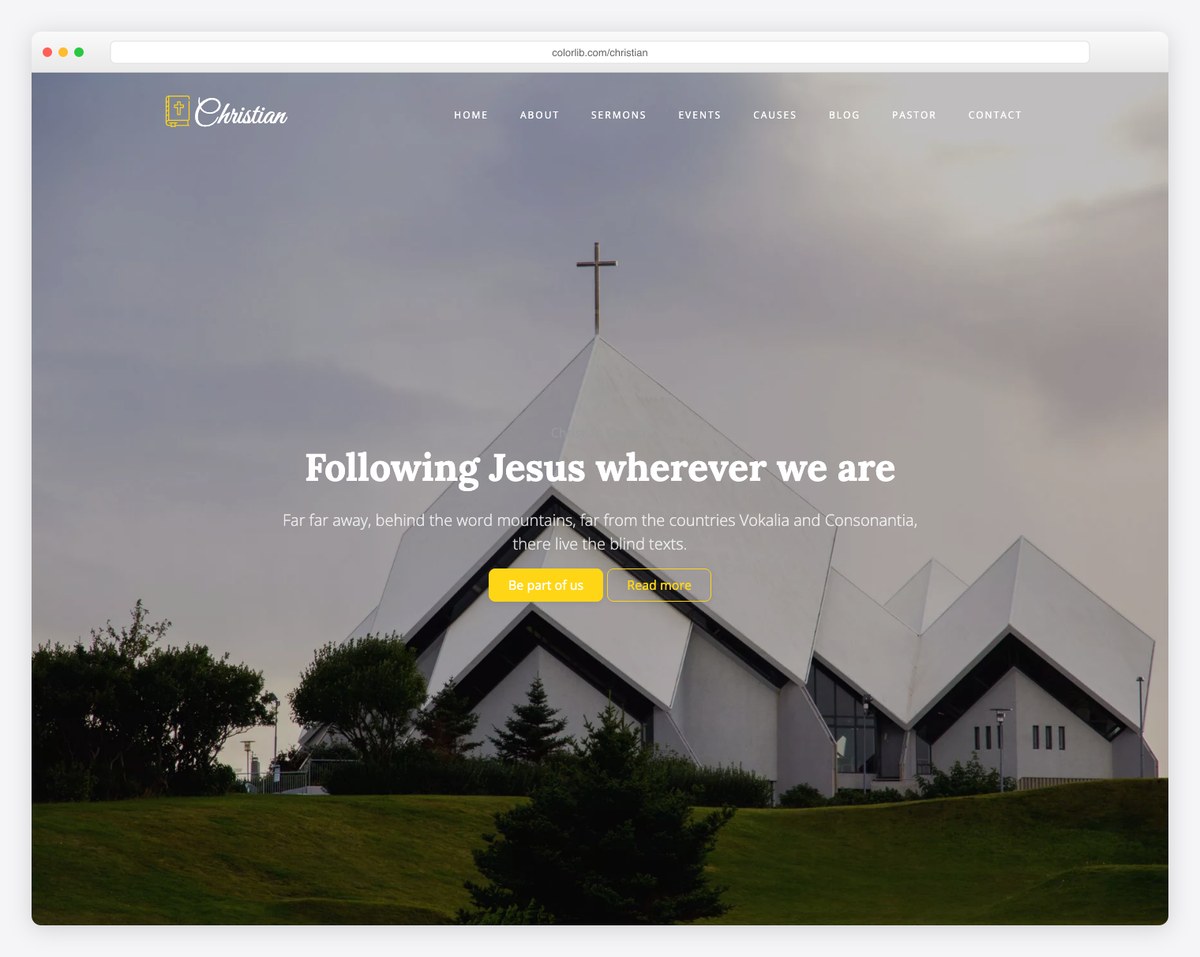
Christian is a clean, modern template with a striking church-building hero (“Following Jesus wherever we are”) and a bright, welcoming feel. It includes the sections a church homepage needs — about, sermons, events, and blog — laid out simply enough for a non-designer to fill in. A great pick for contemporary congregations that want a polished, image-led site.
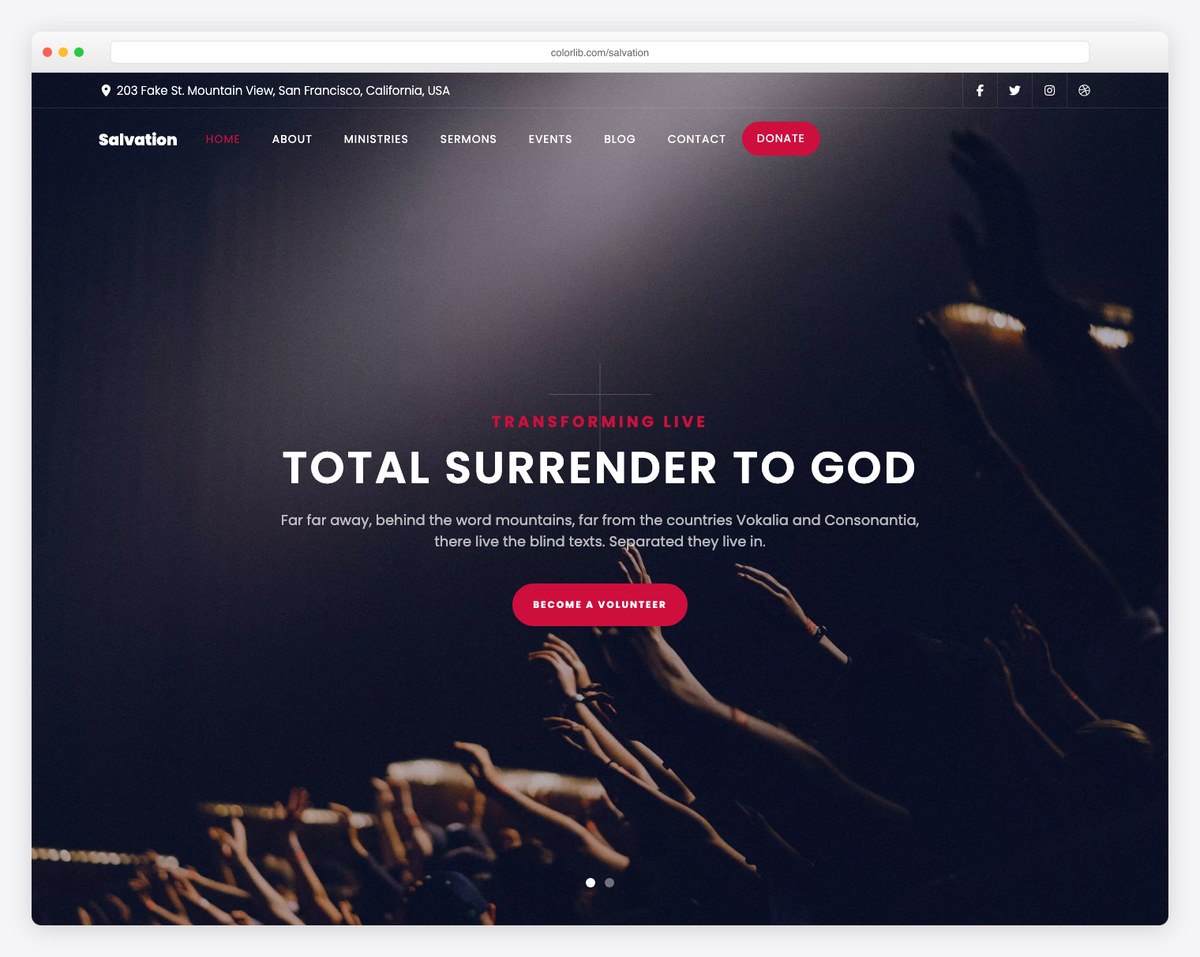
Salvation is a bold, dark-themed template with a dramatic full-screen hero and a livestream-friendly layout (“Total Surrender to God”). It ships with sermon, event, and donation sections built in. Choose it if your church wants a high-impact, contemporary look that puts video and giving front and center.
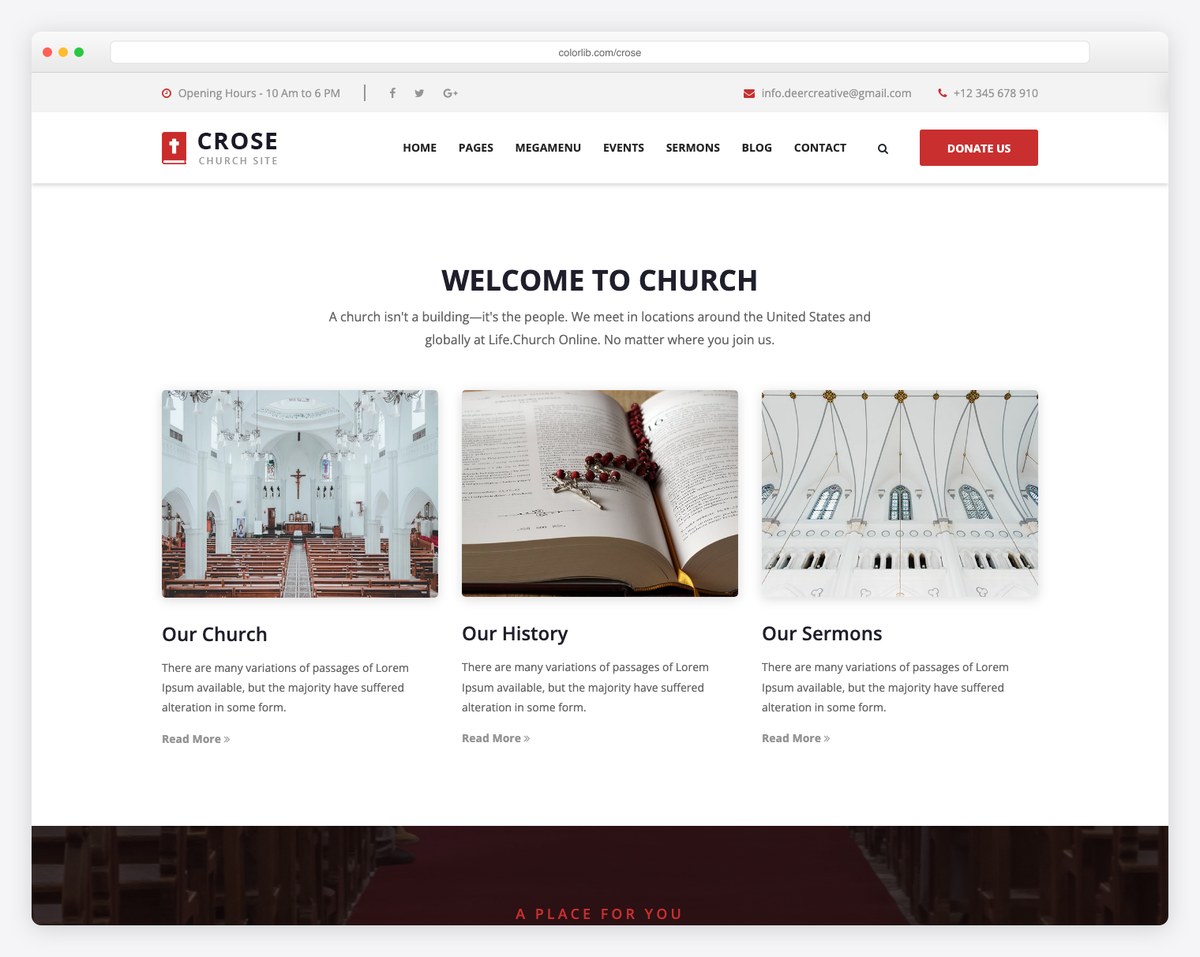
Crose is a classic, content-complete church layout with a “Welcome to Church” intro and ready-made Our Church, Our History, and Our Sermons blocks. Everything a traditional church needs is already laid out — you just swap in your own words and photos. A reliable choice if you’d rather fill in the blanks than design from scratch.
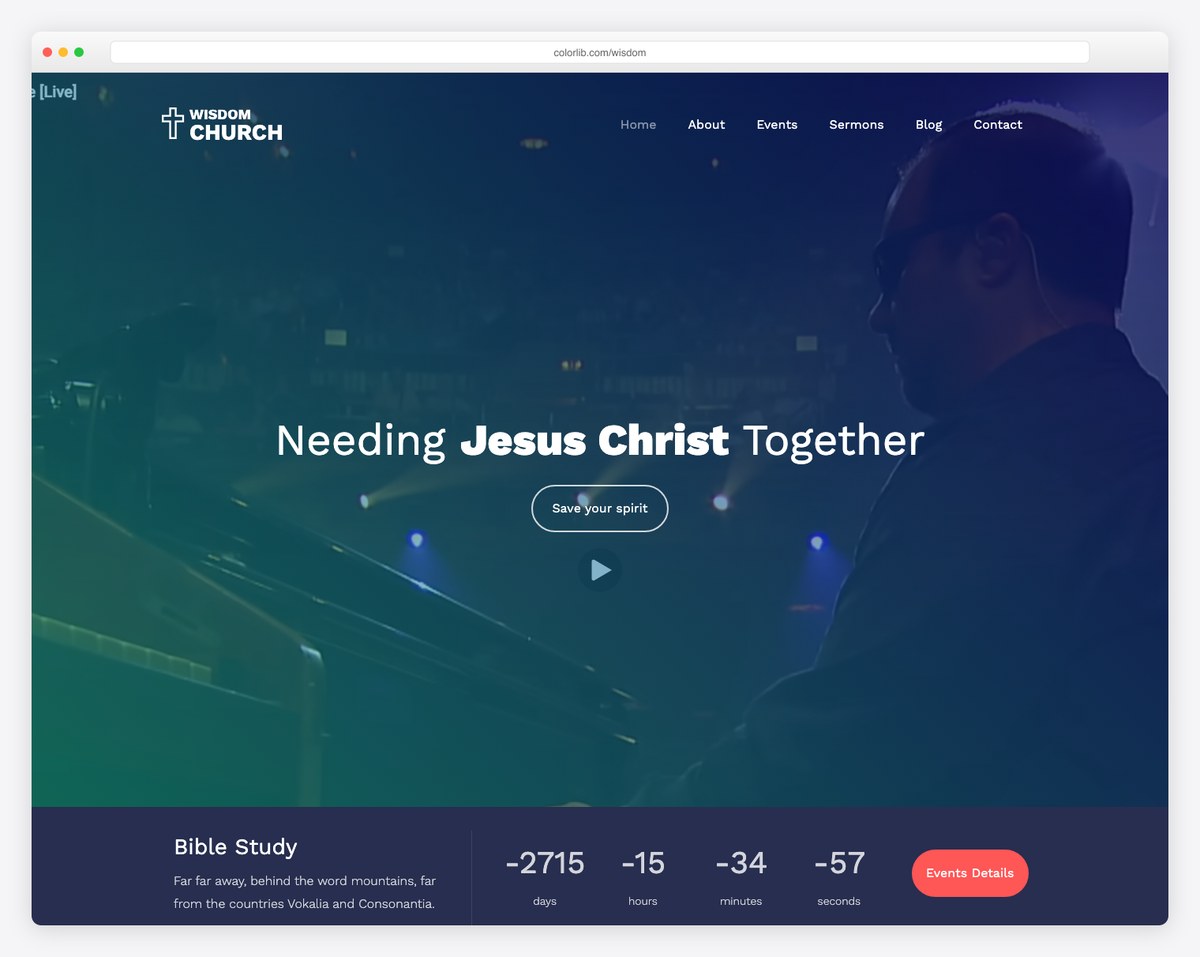
Wisdom is a modern, megachurch-style template with a congregation hero (“Needing Jesus Christ Together”), Bible-study highlights, and event counters that build anticipation for what’s next. It feels energetic and community-focused, making it a strong fit for growing or contemporary churches.
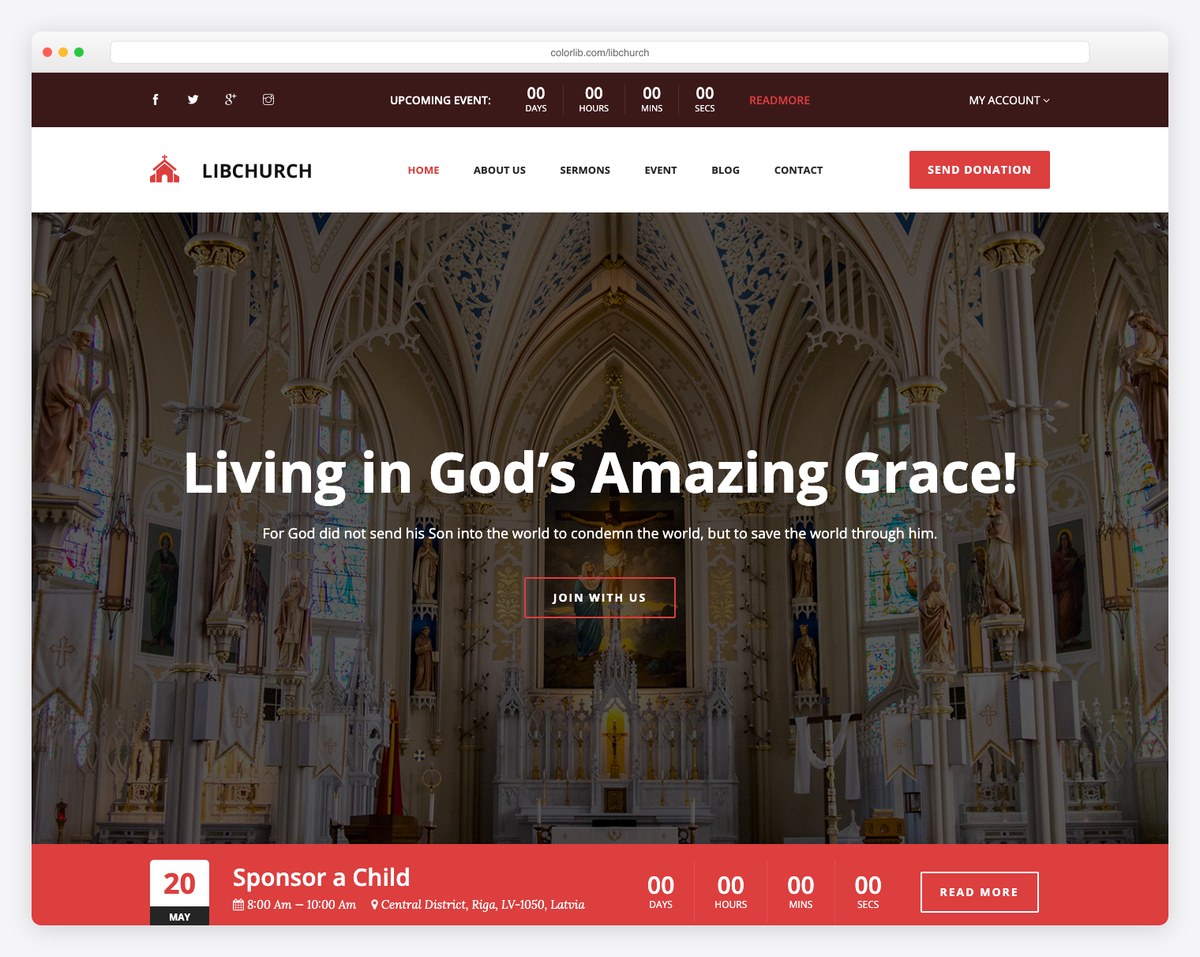
LibChurch is an elegant template with a cathedral-interior hero (“Living in God’s Amazing Grace”), plus events, sermons, and a built-in “Sponsor a Child” giving section. It’s a refined, dignified choice for established or liturgical churches that want a traditional feel without looking dated.
These are our favorites, but they’re not the only ones — browse the full free church template collection on Colorlib for more designs across modern, traditional, and minimalist styles.
Website builders handle hosting, security, and updates for you — which is why many churches prefer them over WordPress. A few are genuinely free forever, and one — the most church-specific of them — is only free to trial. Here is the honest breakdown, because “free” means very different things across these platforms.
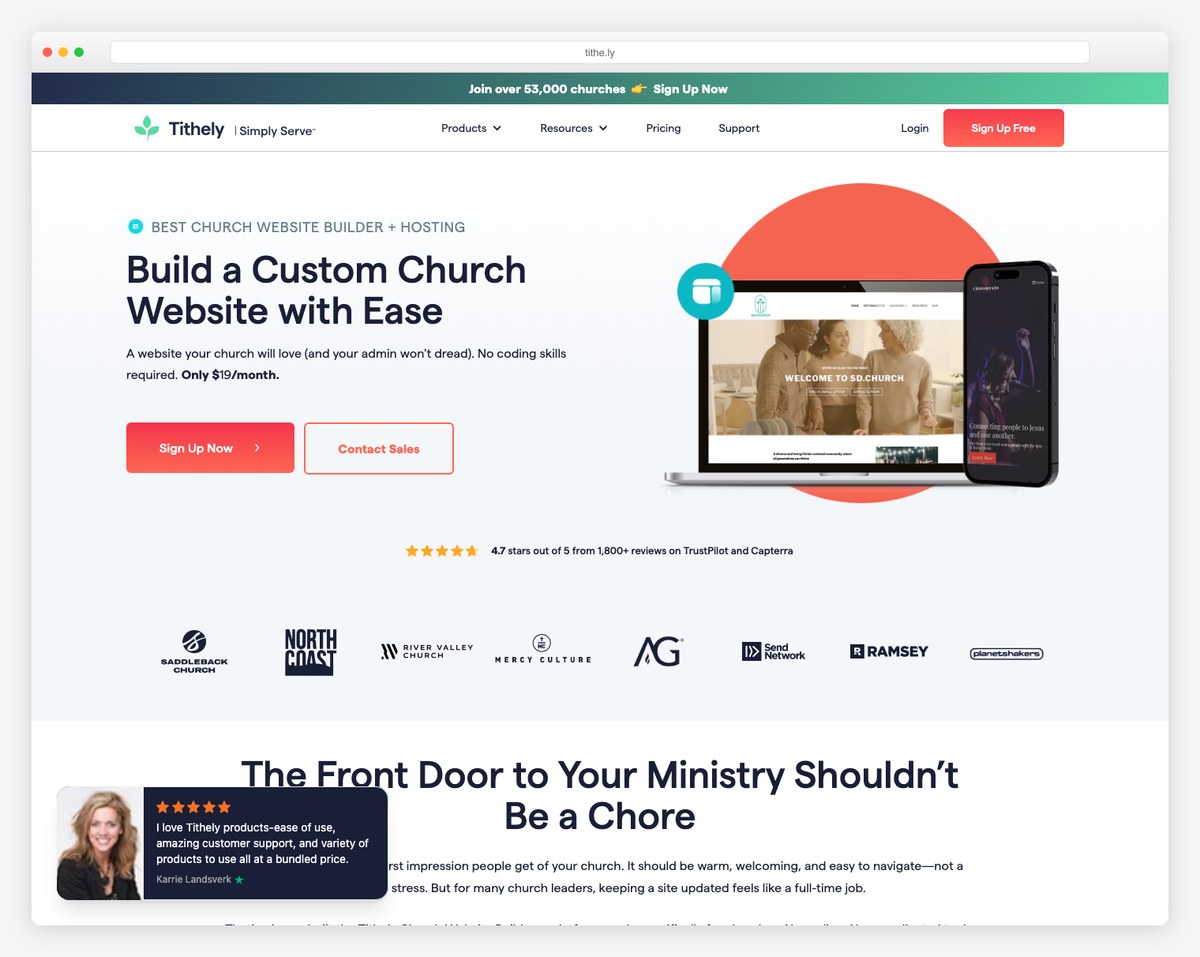
Tithe.ly is the most church-specific builder on this list, but it is not free. Tithe.ly Sites costs $19/month standalone after a 30-day free trial — the platform’s only $0 product is giving, which is free to use with per-transaction fees (2.9% + $0.30 card, 1% + $0.30 ACH) and embeds into any website, including the free options below. Tithe.ly did once offer a free branded site tier; it no longer does. What you get for the $19: a mobile-responsive site, church-designed templates rather than repurposed business ones, sermon management, and native giving. If your church has any operating budget at all, that is a reasonable price for the only builder here that ships church content sections out of the box. If your budget is genuinely zero, use the 30-day trial to test it, but plan on Google Sites or Wix below.
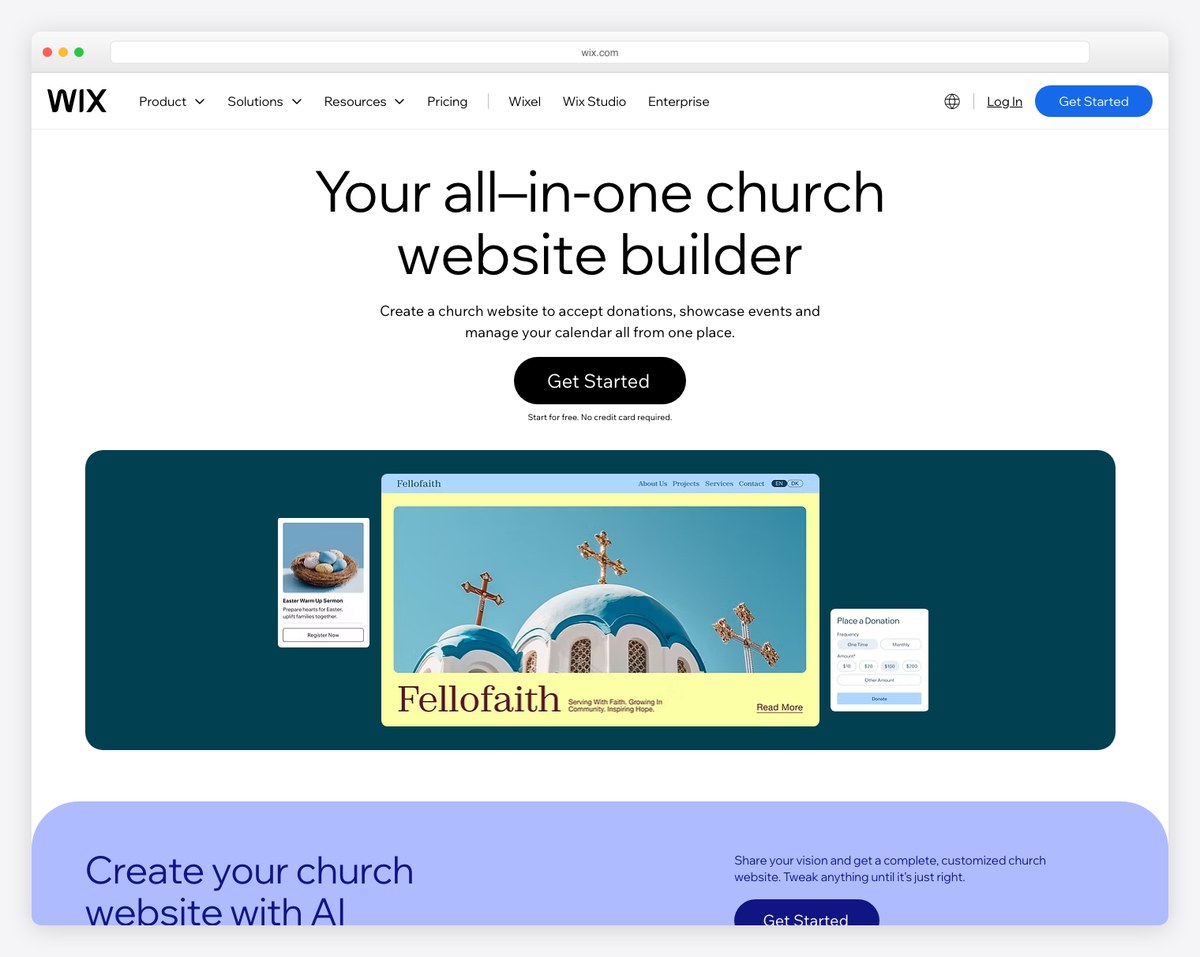
Wix offers a free plan with church-relevant templates, a drag-and-drop editor, an events app, contact forms, and a blog. The templates are polished and modern. The catch: the free plan displays Wix ads on your site, you can’t use a custom domain (your URL will be username.wixsite.com/churchname), and you’re limited on storage and bandwidth. For a small church just getting started it works; for anything you want to look fully professional, you’ll need to upgrade to a paid plan.
Google Sites is 100% free with any Google account. It’s the most limited option here — no blog, no events, basic templates, minimal customization — but it loads fast, it’s easy to update, and it works on mobile. For a tiny church that just needs service times, an address, and a welcome message online, Google Sites gets the job done. We cover this option in more detail in our free church website guide.
Squarespace isn’t free, but the 14-day trial gives you full access to build your entire site before paying anything. Squarespace templates are the best-designed of any builder — they look professional out of the box with minimal customization. If your church can dedicate a focused weekend to building the site, you can have a complete, professional website ready to go before your first payment. Plans start around $19/month (paid annually), which is very reasonable for what you get.
Not all free templates are created equal. Before committing to one, evaluate it against these criteria:
Over 60% of church website traffic comes from mobile devices. Pull up the template demo on your phone. Does the navigation work? Can you read the text without zooming? Do images resize properly? If the mobile experience is poor, the template is a non-starter — no matter how good it looks on desktop.
A good church template should include sections for:
For the complete list, see our essential church website pages guide.
Free themes — especially WordPress themes — sometimes load slowly because they include excessive scripts, large slider plugins, or bloated frameworks. Test the demo page speed using Google PageSpeed Insights. If the demo scores below 50 on mobile, the theme has performance issues that will hurt your search rankings and frustrate visitors.
Check when the template or theme was last updated. For WordPress themes, look at the changelog in the theme directory. For builder templates, check whether the builder itself is actively maintained. An abandoned theme means security vulnerabilities and compatibility breaks over time.
Most church volunteers updating the website won’t know HTML or CSS. The template should allow you to change colors, fonts, images, and content through a visual editor. If the documentation says “edit the functions.php file” for basic changes, it’s not suitable for a volunteer-maintained church site.
Here’s the truth most “free template” articles won’t tell you: for most churches, spending $19-30/month on a proper website platform is a better use of resources than going completely free.
Here’s why:
That said, free is absolutely the right choice in some situations:
For a detailed cost breakdown of every option, see our church website cost guide.
If somebody on your team can edit a text file and upload a folder, start with one of our ten templates and pick the one built for your tradition: Sanctus for a Catholic parish, Canterbury or Cornerstone for an Anglican or Episcopal one, Bethel or Plainsong for a Baptist or Reformed church, Circuit for a benefice or circuit, Threshold for a plant or a multi-site church. They cost nothing, they are yours to keep under the MIT license, they follow the church calendar, and they ship the structured data that puts your service times into search results.
If the site has to be updated by volunteers who need a login and a visual editor, go to WordPress instead and start with Church FSE or Faith — both are free, actively maintained, and built for churches, and they give you the most room to grow. Colorlib’s free church templates — like Salvation and LibChurch — are the other coded option if you want a different look and no email step. If nobody on your team has WordPress experience and your budget is genuinely zero, start with Google Sites — it is 100% free with no ads and no time limit — and embed Tithe.ly‘s free giving product for donations. Wix’s free plan is the alternative if you want more design control and can live with Wix ads and a branded URL. If you can spend $19-29/month, go with Squarespace or the paid Tithe.ly plan — the design quality and feature set justify the cost for any church with a regular operating budget.
The best church website isn’t the cheapest one — it’s the one that actually gets maintained. Choose a platform your team will stick with, whether that’s free or paid.
Free templates are a great start, but a custom-designed site removes the limitations. If you’d rather have professionals handle the design, hosting, and setup, we can build a church website tailored to your ministry.
Yes. All ten are released under the MIT license, with no attribution required, no watermark, and no premium version to upgrade to — you can use one for your own church or for a client you are billing. You can preview every page of every template without giving us anything; downloading the zip asks you to confirm an email address, which is how we tell you when a new template is ready. You still need hosting and a domain, but because these are plain HTML files they will run on any static host, which is the cheapest hosting there is.
You need to be able to open a text file and upload a folder. Your church’s name, address, service times, and giving link all live in one config file, and changing the words on a page means editing HTML between the tags. There is no build step, no framework, and nothing to install. If the person maintaining your site needs a visual editor and a login, a free WordPress theme or a website builder is genuinely the better choice — that is a real trade-off and we would rather say so than sell you the wrong thing.
The templates themselves are free, but you may still need to pay for hosting (WordPress), a custom domain, or premium features. Google Sites is genuinely free with no hidden costs, and Wix has a free forever plan, but both have real limitations. Tithe.ly Sites is not free — it is $19/month after a 30-day trial, though Tithe.ly’s giving product is free to use with transaction fees. Wix’s free plan includes ads on your site. “Free” usually means free to start, with costs appearing when you want professional features.
On most free platforms, no. Wix’s free plan doesn’t support custom domains. Tithe.ly Sites is a paid plan ($19/month), so the free-platform limitation doesn’t apply there. Google Sites now supports connecting a custom domain you already own even on a personal Google account — a Workspace subscription is only needed to purchase a new domain through Google. With WordPress, you can use a free theme with a custom domain if you have your own hosting (starting around $3-5/month). For help choosing, see our domain name tips.
WordPress.org (the software) is free. But you need hosting ($3-30/month), a domain ($10-15/year), and potentially premium plugins for church features like sermons and events. WordPress.com offers a free plan but with significant limitations (no custom domain, WordPress.com ads, limited storage). The total cost of a self-hosted WordPress church site is usually $5-15/month — affordable but not truly free.
Google Sites, if the budget is zero — you can have service times, an address, and a welcome message live within an hour using any Google account, then embed Tithe.ly‘s free giving form for donations. If you can spend $19/month, Tithe.ly Sites gets you further faster because the church sections are already built; the 30-day trial means you can have the whole site finished before you pay anything. For a step-by-step walkthrough, read our free church website guide.
If you or someone on your team is comfortable with WordPress — installing plugins, managing updates, troubleshooting occasional issues — a free WordPress theme gives you the most flexibility. If nobody on your team has WordPress experience, a website builder (Wix’s free plan, or Tithe.ly Sites at $19/month) is a better choice. The builder handles all the technical maintenance, letting your team focus on content. Read our church website builders comparison for a detailed breakdown.

Church Website Templates
10 complete church website templates, MIT licensed. Browse every demo freely; we will email you whichever folder you want.
All templates