Love them or not, megachurches have the biggest budgets, the best design teams, and the most sophisticated digital strategies in the church world. Their websites represent millions of dollars in collective investment — and you can learn from all of it for free.
This guide breaks down what the largest churches in America do right with their websites, profiles eight specific megachurches worth studying, and — most importantly — distills the lessons that small and mid-size churches can actually apply. Because you don’t need a megachurch budget to think like one.
Table of Contents
What Megachurch Websites Get Right
Across dozens of megachurch websites, five patterns emerge consistently. These aren’t accidents — they’re the result of user research, A/B testing, and professional teams optimizing for one thing: turning online visitors into in-person attenders.
Visitor-Centric Homepage Design
Megachurch websites are designed for first-time visitors, not existing members. This is a fundamental mindset shift that most smaller churches haven’t made yet. The homepage of a megachurch answers three questions within five seconds: Who are we? When do we meet? What should I do next?
You’ll notice that megachurch homepages almost never lead with a mission statement, a pastor’s welcome video, or an announcement slider. They lead with compelling imagery, service times, and a bold “Plan Your Visit” button. Everything else — sermon archives, events, giving, groups — is secondary. The homepage exists to convert visitors.
This principle is the foundation of our church homepage formula — and it works at every church size.
Netflix-Style Sermon Libraries
The days of a plain list of sermon titles and dates are over at the megachurch level. Instead, you’ll find immersive, visually rich sermon browsing experiences that feel like Netflix: custom series artwork, featured current series, horizontal scroll rows, and individual sermon pages with video, notes, and discussion guides.
This matters because the sermon library is typically the second most-visited section after the homepage. Megachurches understand that sermon content is a marketing tool — visitors preview the teaching before they visit. A compelling sermon library with polished series graphics signals quality and invites deeper engagement. Read our sermon archive guide to build your own version of this approach.
Multi-Campus Done Right
Most megachurches operate multiple campuses, and the best ones create location-specific web experiences. When you visit their site, one of the first things you’re asked is “Which location?” From there, the site customizes: campus-specific service times, directions, campus pastor photos, local events, and a tailored Plan Your Visit experience.
The worst version of multi-campus web design is a single page listing all campuses with tiny text and confusing formatting. The best version makes each campus feel like it has its own website within the larger brand. Even if you’re a single-location church today, this principle of localized, specific content applies to any church planning for growth.
Growth Pathway Visualization
Megachurches are intentional about moving people along a journey: Visit > Connect > Serve > Lead. And their websites visualize this pathway clearly. You’ll find “Next Steps” or “Get Connected” pages that lay out a clear progression from first-time visitor to active member.
This might include a welcome class, small group sign-up, serving team opportunities, leadership development, and more — presented as a visual journey, not a wall of text. It communicates: “We have a plan for your growth, and we’ll walk you through it step by step.” This intentionality is one of the biggest differences between a megachurch website and a typical church website.
Integrated Digital Ecosystems
Megachurches don’t treat their website as an isolated project. It’s the hub of a connected digital ecosystem: website, mobile app, social media, email marketing, giving platform, church management system, and live streaming — all working together.
A visitor might discover the church through a Google search, visit the website, watch a sermon on YouTube (embedded on the site), fill out a Plan Your Visit form (synced to the church management system), receive an automated welcome email, get a text reminder before their first visit, and then check in via the church app on Sunday morning. Every touchpoint is connected.
Smaller churches can’t replicate this entire ecosystem, but the principle of connecting your digital tools (rather than treating each as a silo) is applicable at any size.
8 Megachurches to Study
Each of these churches does something noteworthy with their website. Spend 10 minutes on each one, clicking around as if you were a first-time visitor, and you’ll walk away with dozens of ideas for your own site.
1. Elevation Church
URL: elevationchurch.org
Location: Charlotte, NC (25+ locations)
What’s great: Elevation’s website is a masterclass in modern church web design. Dark, bold, cinematic — it feels more like a premium media brand than a traditional church. The sermon library is stunning, with high-quality series artwork and intuitive browsing. Every page is designed with crystal-clear calls to action.
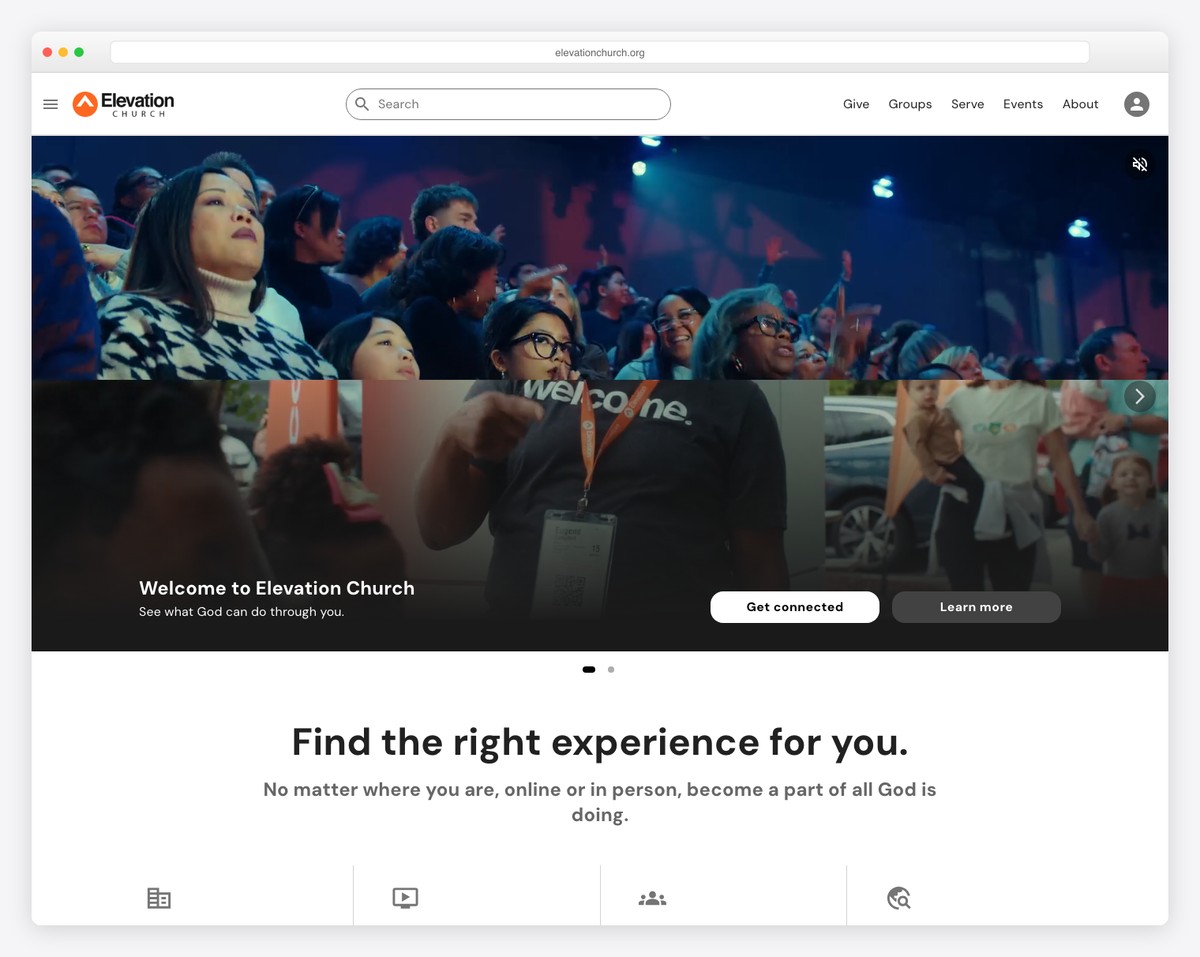
What to steal: Their approach to sermon series graphics. Elevation treats every sermon series like a brand launch — custom artwork, promotional videos, and social media assets. You don’t need their budget to adopt this mindset. Create compelling series artwork for every series (Canva is free) and feature the current series prominently on your site.
2. Life.Church
URL: life.church
Location: Edmond, OK (40+ locations)
What’s great: Life.Church is arguably the most digitally innovative church in America (they created the YouVersion Bible App). Their website balances serving 40+ campus locations without feeling overwhelming. The location selector is smooth, and each campus gets a personalized experience. Their open-source philosophy extends to sharing church resources freely.
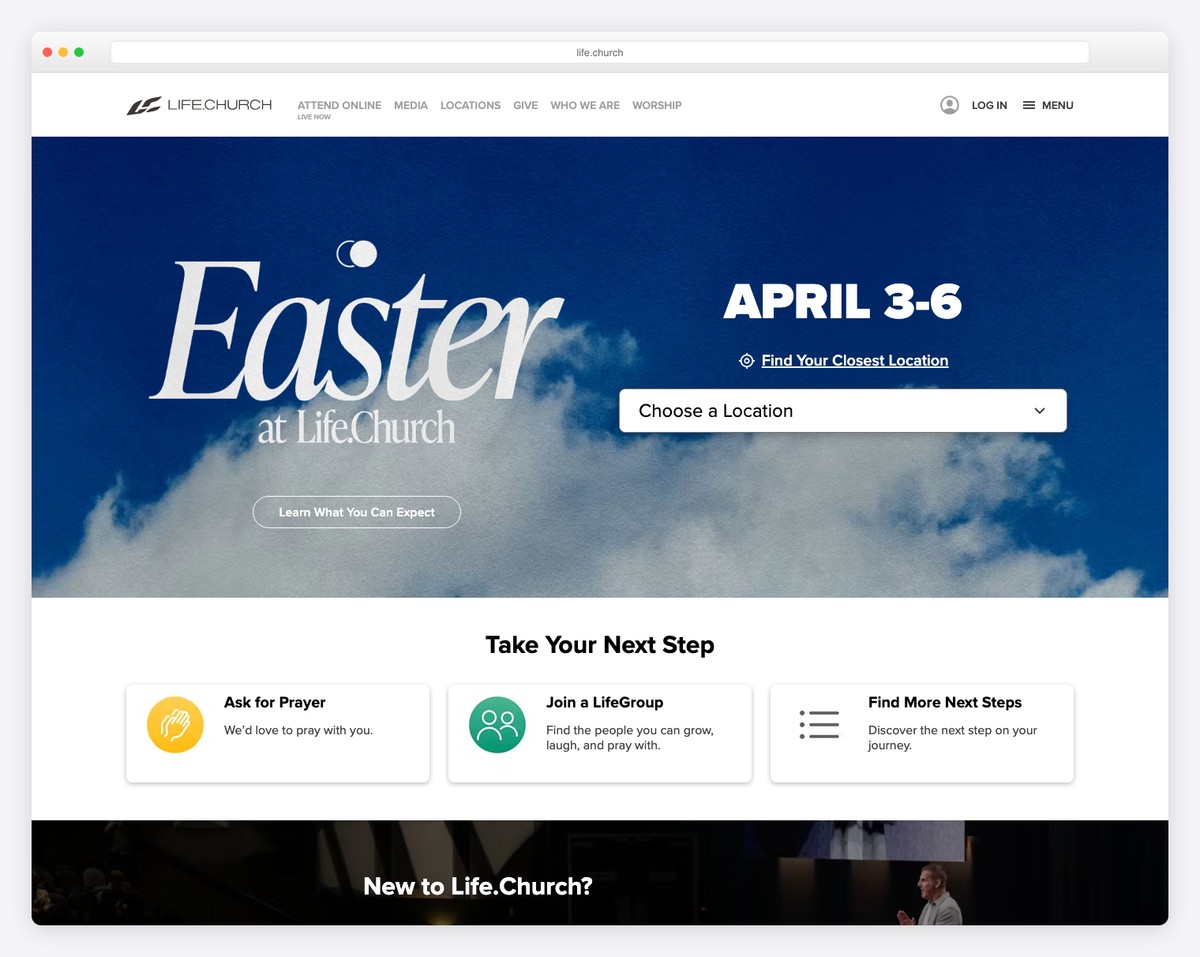
What to steal: Their “New Here” page flow. Life.Church doesn’t just tell you about the church — they walk you through the experience step by step with photos and videos. It’s like a virtual tour before you ever set foot in the building. Create a similar page for your church using real photos and honest descriptions.
3. Church of the Highlands
URL: churchofthehighlands.com
Location: Birmingham, AL (24+ campuses)
What’s great: Highlands manages one of the largest multi-campus operations in the country, and their website handles it elegantly. The campus picker is prominent and intuitive. Each campus page includes local service times, a campus pastor photo, and location-specific content. Their Growth Track (discipleship pathway) is clearly visualized.
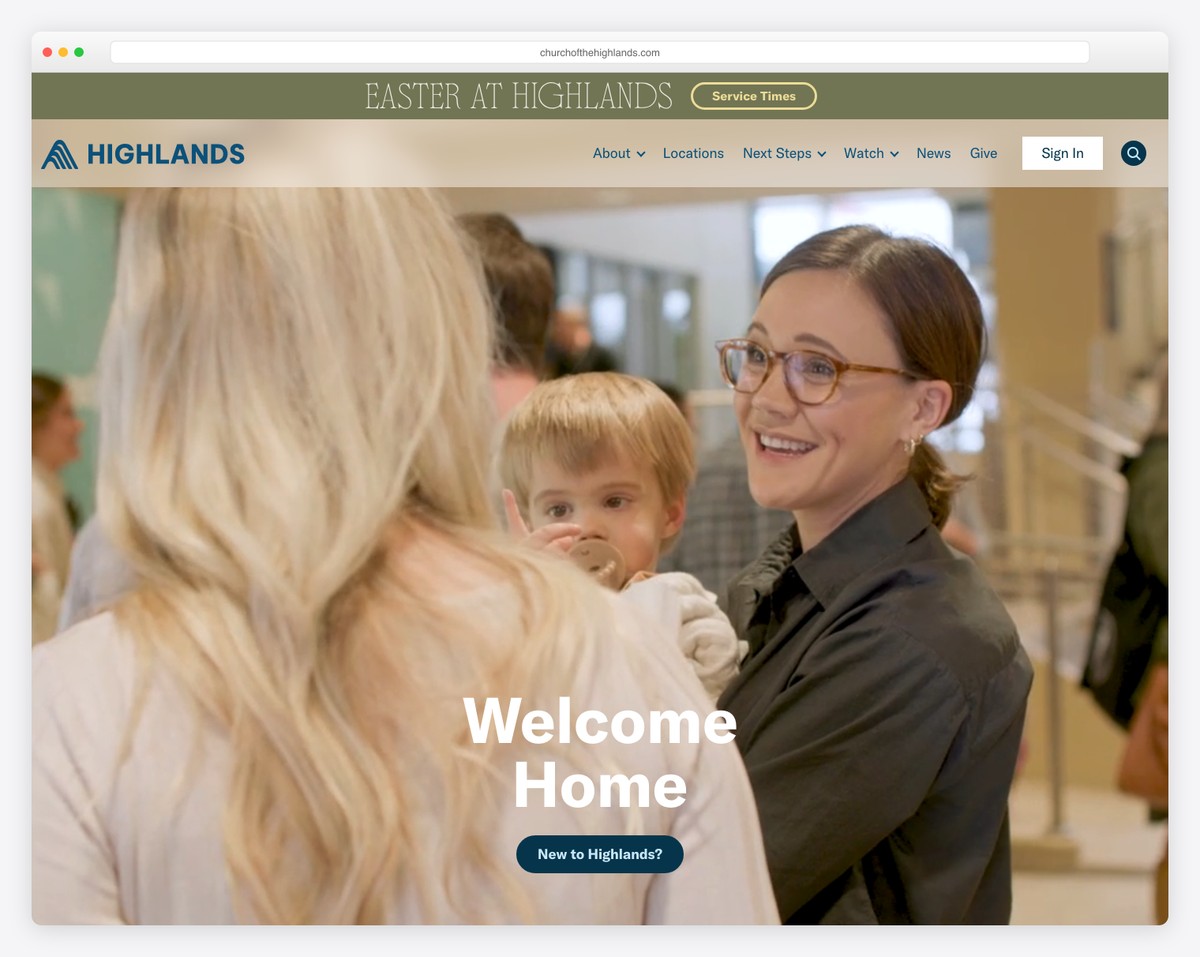
What to steal: Their growth pathway visualization. Highlands presents a clear four-step journey: Know God > Find Freedom > Discover Purpose > Make a Difference. Each step has its own page explaining what it means and how to take it. Even a small church can create a simple “Your Next Steps” page that outlines a clear path from visitor to connected member.
4. Saddleback Church
URL: saddleback.com
Location: Lake Forest, CA (multiple campuses)
What’s great: Saddleback brings decades of purpose-driven philosophy to their web presence. The site is clean, well-organized, and surprisingly restrained for a church of their size. Their small groups finder is one of the best — searchable by day, type, location, and life stage.
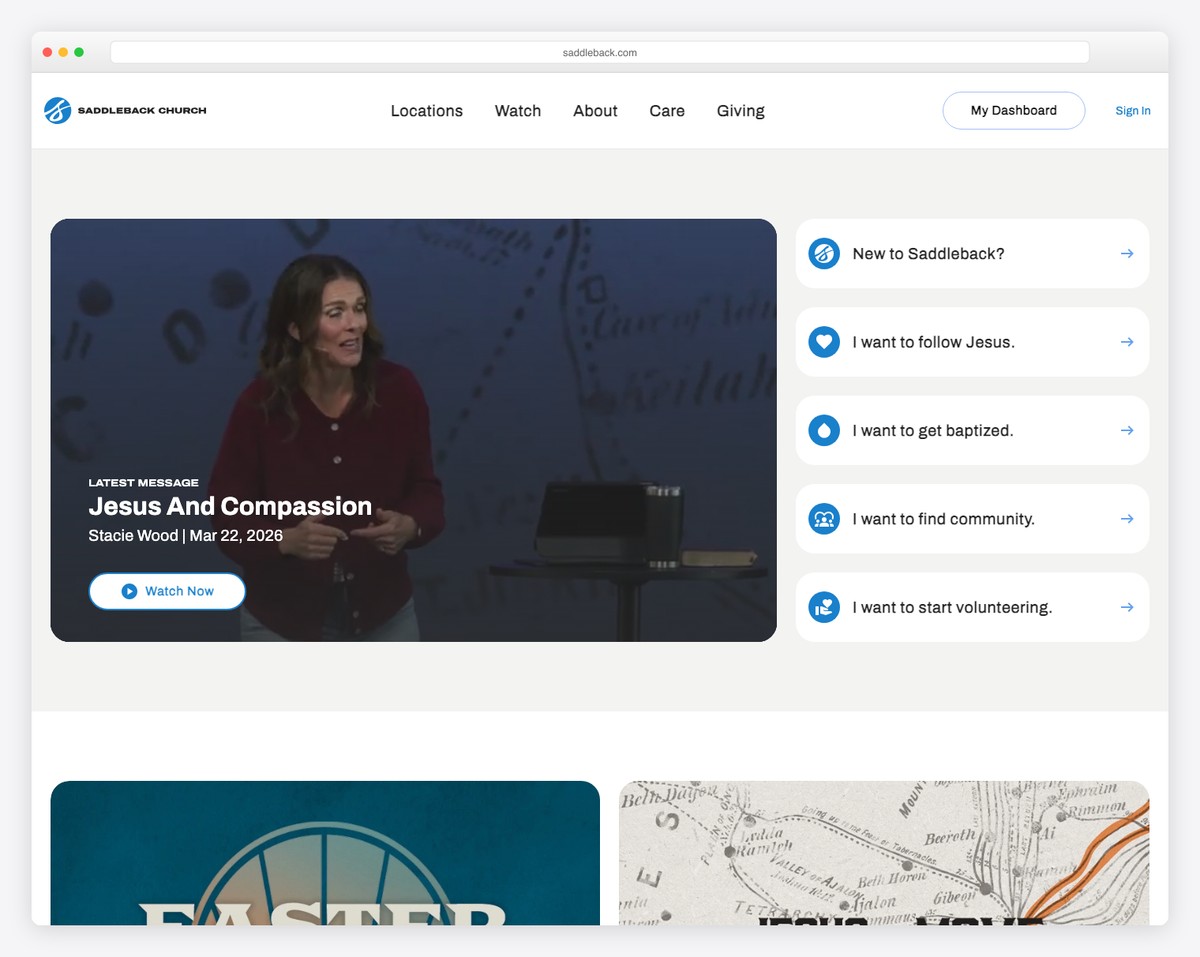
What to steal: Their small groups finder UX. If your church has small groups, look at how Saddleback makes them discoverable and easy to join. Even a simple filtered list is better than a PDF spreadsheet or a “Contact the church office” dead end.
5. North Point Ministries
URL: northpoint.org
Location: Alpharetta, GA (8 churches)
What’s great: North Point takes a unique approach — each of their churches (Buckhead Church, Browns Bridge, etc.) has significant brand independence while sharing the North Point DNA. The main site serves as a portal, while each church has its own distinct website. Their content strategy, especially around Andy Stanley’s teaching, is world-class.
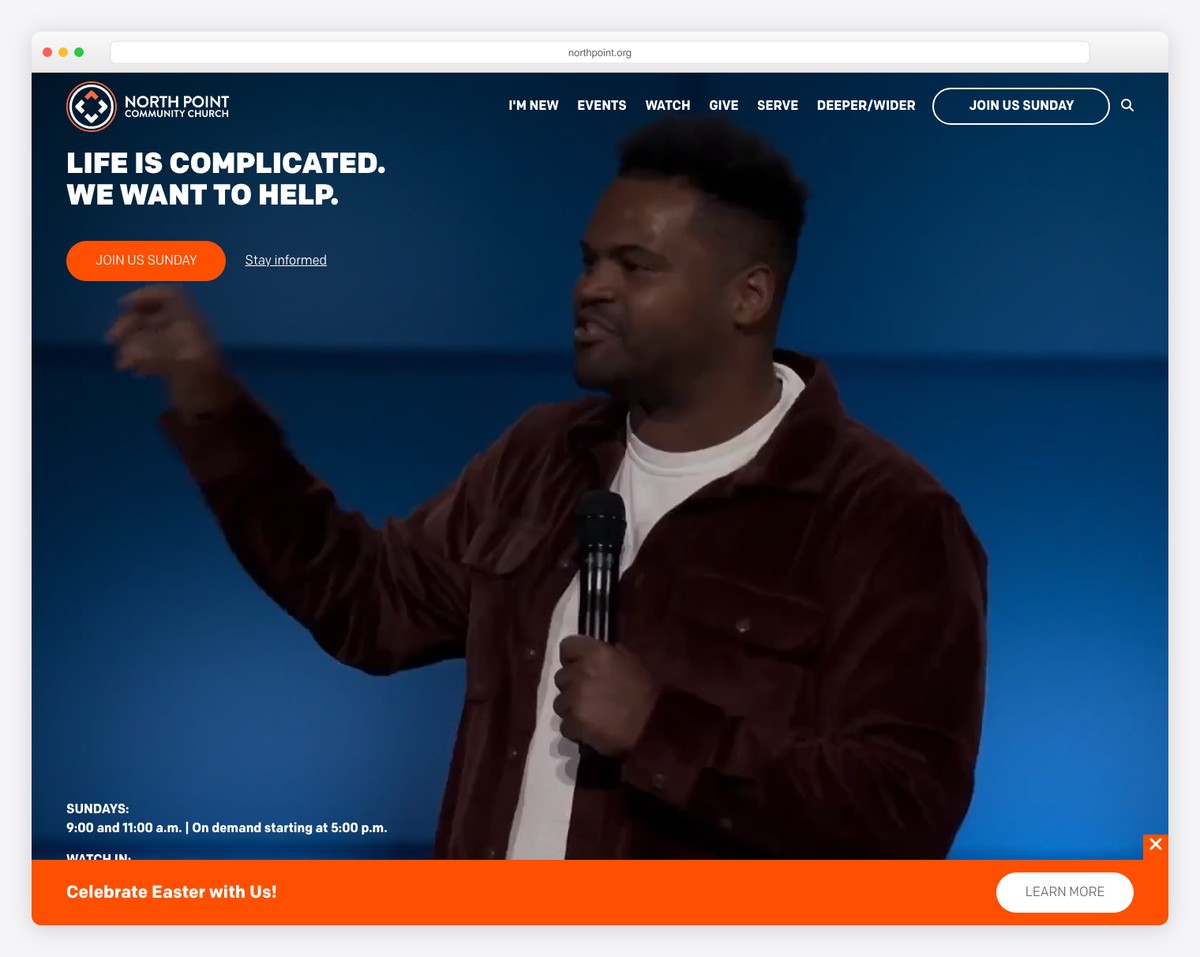
What to steal: Their content-first approach. North Point invests heavily in making sermon content accessible and shareable beyond their walls. Their messages page, the Your Move podcast, and teaching clips are all optimized for non-attenders discovering the church through content. Every church can do this on a smaller scale through sermon clips on social media and an organized archive on their website.
6. Transformation Church
URL: transformationchurch.us
Location: Tulsa, OK
What’s great: Transformation Church’s website reflects their bold, energetic brand. Dark backgrounds, vibrant colors, and a design language that feels more like a creative studio than a traditional church. Their YouTube presence (2M+ subscribers) drives massive traffic to the website, and the site does a good job converting that traffic into in-person visitors.
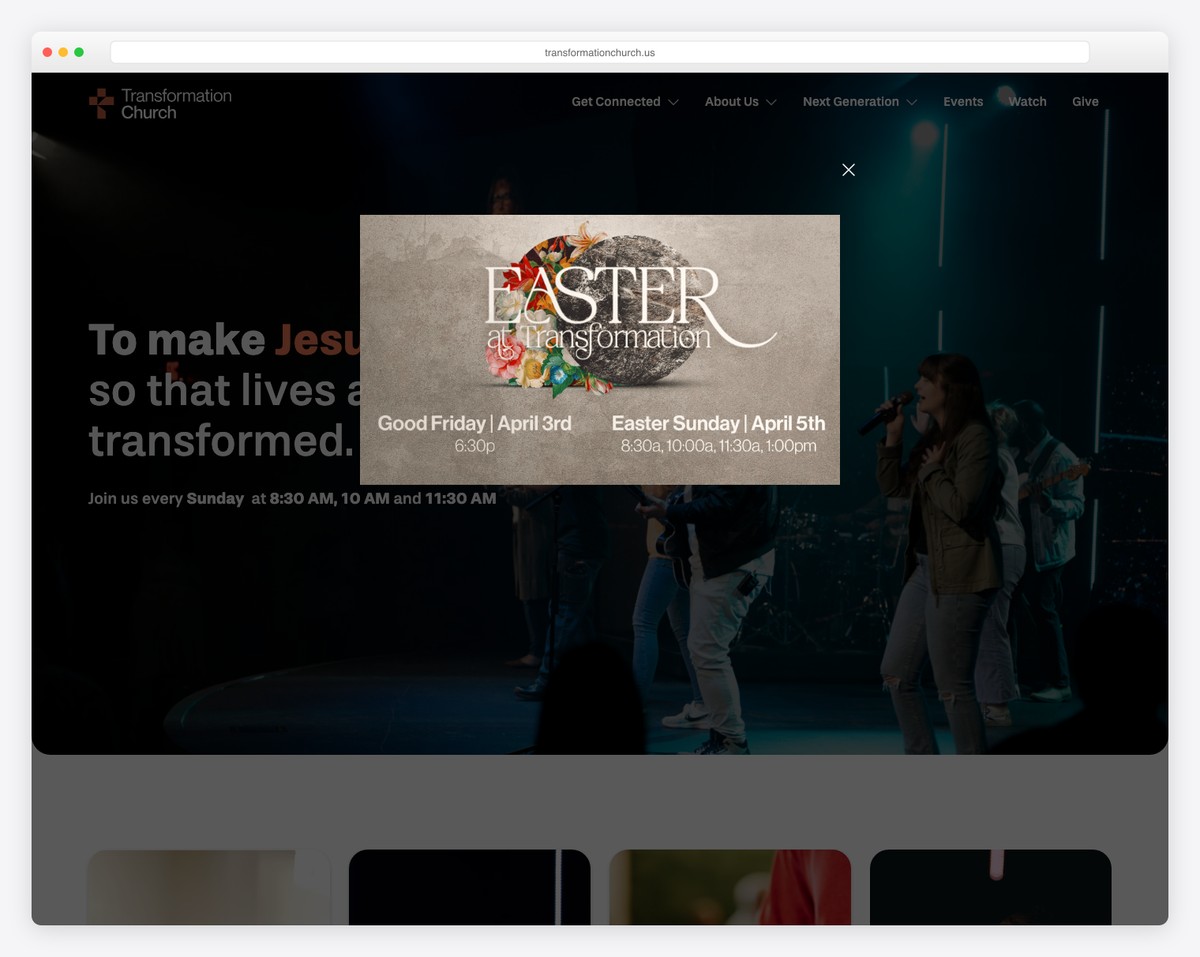
What to steal: Their social-to-website pipeline. Transformation Church creates content for social media first, then uses the website to deepen the engagement. Short sermon clips go viral on YouTube and Instagram, bringing millions of views — and the website provides the next steps for anyone who wants to go deeper. Even without viral content, the principle of social media driving website traffic (not the other way around) is powerful.
7. Gateway Church
URL: gatewaypeople.com
Location: Southlake, TX (multiple campuses)
What’s great: Gateway’s website is polished and comprehensive without being overwhelming. The site architecture is well-thought-out — clean navigation, clear CTAs, and a logical flow from discovery to engagement. Their giving integration is seamless, with multiple giving options presented clearly. The events section is well-curated, showing only public-facing events.
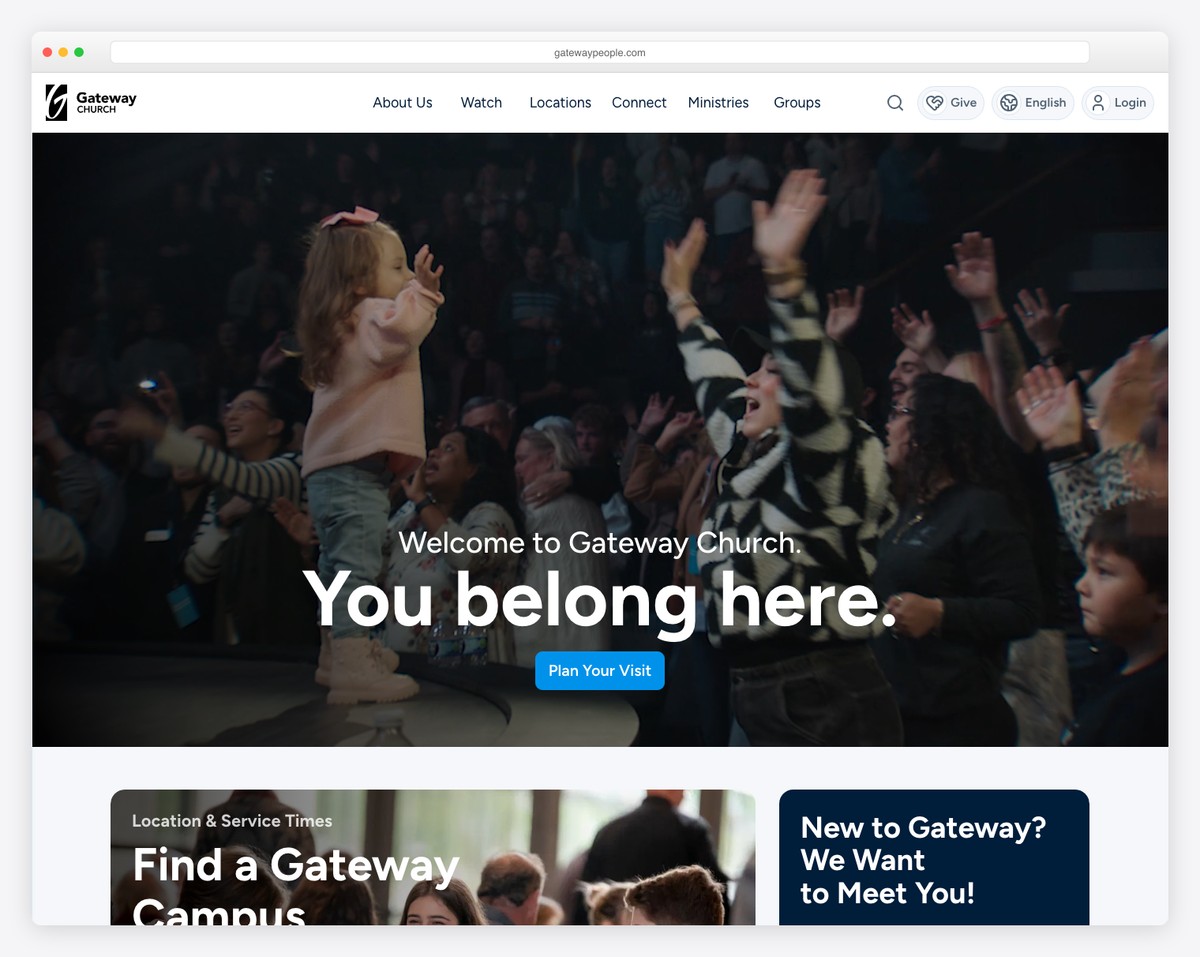
What to steal: Their giving page experience. Gateway makes it easy to give with multiple options (one-time, recurring, specific funds) presented in a clean, trustworthy interface. The page includes impact stories alongside the giving form — not as guilt tactics, but as genuine windows into what generosity accomplishes. Check our online giving guide for how to build a similarly effective giving experience.
8. Fellowship Church
URL: fellowshipchurch.com
Location: Grapevine, TX (multiple campuses)
What’s great: Fellowship Church (led by Ed Young) has always been on the creative edge of church communication. Their website reflects this with strong visual storytelling, professional photography, and a brand-forward approach. The sermon series presentations are consistently among the most creative in the church world.
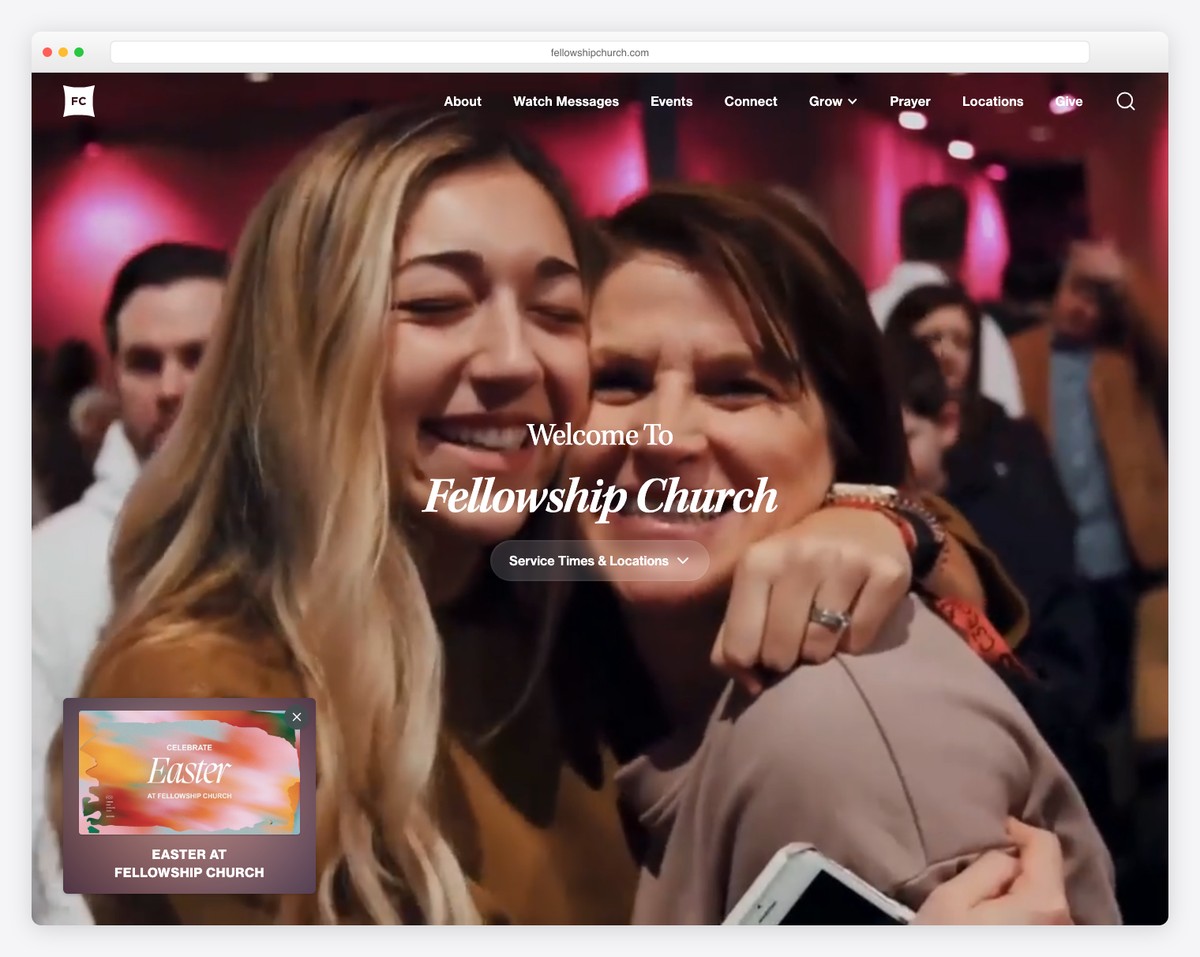
What to steal: Their commitment to creativity and branding. Fellowship Church treats their brand identity as seriously as any Fortune 500 company — consistent fonts, colors, photography style, and tone of voice across every page. You don’t need a design team to be consistent. Pick your colors, pick your fonts, and use them everywhere. Read our church branding guide for how to develop this kind of consistency.
What Small Churches Can Learn: 5 Actionable Takeaways
You can’t replicate a megachurch’s budget, but you can replicate their thinking. Here are five things any church can apply starting this week:
1. Design for Visitors, Not Members
This is the most transformative shift you can make. Look at your homepage right now — is it designed for someone who’s never been to your church, or someone who comes every Sunday? If it leads with announcements, insider language, or member resources, flip it. Service times, a compelling welcome, and “Plan Your Visit” button — front and center. See our homepage formula for a step-by-step template.
2. Invest in Series Artwork
Every megachurch creates custom graphics for every sermon series. You can do this with Canva (free) in 30 minutes per series. The artwork appears on your website, social media, and in-room screens. It transforms your sermon archive from a boring list into a visually engaging library that invites exploration. This single investment of time has an outsized impact on how professional your digital presence feels.
3. Create a Clear Next Steps Path
What do you want a first-time visitor to do after their first Sunday? Most churches have no answer. Megachurches have a detailed, visual pathway: Visit > Attend a Welcome Class > Join a Small Group > Find a Serving Team. Create your version — even if it’s simple — and put it on your website. A “Your Next Steps” page that outlines the journey from visitor to connected member is one of the most valuable pages you can create.
4. Simplify Your Navigation
Count the items in your main navigation. If it’s more than six, trim it. Megachurches with 100x the content still manage 5-6 navigation items. Everything else goes in the footer, dropdowns, or secondary menus. Fewer choices lead to more action — especially for visitors who don’t know where to start. Check our design trends guide for more on minimalist navigation.
5. Connect Your Digital Tools
Megachurches run integrated ecosystems. You can create a simpler version: your Plan Your Visit form should feed into your church management system (Planning Center, Breeze, etc.), which triggers an automated welcome email, which leads to your website’s Next Steps page. Three tools, connected, working together. Most churches have these tools but run them in silos. The connection between them is where the magic happens.
Frequently Asked Questions
Should small churches try to copy megachurch websites?
Copy the principles, not the execution. A church of 100 with a website that looks like Elevation Church will feel inauthentic. But a church of 100 that designs for visitors, invests in series artwork, creates a clear next-steps path, and simplifies their navigation? That church will stand out — not because it looks like a megachurch, but because it communicates with the same clarity and intentionality.
How much do megachurches spend on their websites?
Large megachurches typically spend $50,000-$200,000+ on a website redesign, with ongoing staff costs of $100,000-$300,000/year for a communications team. But most of what makes their websites effective isn’t about money — it’s about strategic thinking, clear priorities, and consistent execution. A small church spending $500/year on Squarespace can apply 80% of the same principles.
What platform do most megachurches use?
Most megachurches use custom-built WordPress sites or fully custom platforms. They have the budget for custom development, which gives them complete control over design and functionality. For churches without that budget, Squarespace and WordPress with premium themes can achieve similar visual results. See our builder comparison for platform options at every budget level.
Do megachurch websites actually grow their churches?
Absolutely. Megachurches track this closely. Life.Church has reported that over 60% of first-time in-person visitors interacted with their website first. The website is typically the final step in the discovery process — someone hears about the church through a friend, social media, or a Google search, checks the website to see if it “feels right,” and then decides to visit. A bad website breaks this chain. A great one completes it.
What’s the one thing we should steal from megachurches?
The visitor-first mindset. If you redesign your website with the assumption that every visitor is seeing your church for the first time, every other design decision falls into place. Service times up front. Plan Your Visit prominent. Clear, jargon-free language. Real photos. Simple navigation. That mindset costs nothing to adopt and it changes everything. Start with our church website checklist to evaluate where you stand today.
Leave a Reply