Church Website Examples
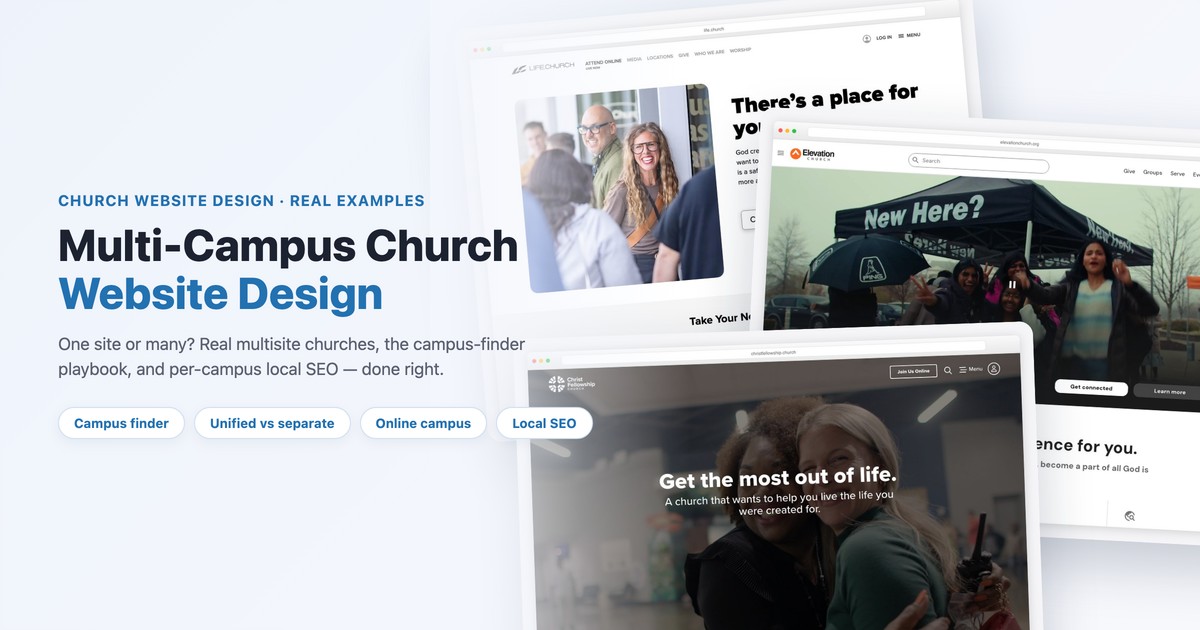
Your church added a second campus. Maybe a third. Now you face a question no church-website tutorial prepares you for: do you build one website for the whole church, or a separate site for each location? Get it right and a first-time guest in a new neighborhood finds your nearest campus, service time, and directions in about ten seconds. Get it wrong and your locations compete with each other in search, your brand fragments, and your web volunteer drowns trying to keep five sites in sync.
This guide answers the multi-campus question the way the best churches actually solve it. We’ll lay out the three real approaches — one unified site, separate sites, or a hybrid — with the trade-offs of each; tear down how leading churches build their campus finder (the signature multisite feature); show real examples from Life.Church, Elevation, Church of the Highlands, NewSpring, and North Point; and walk through the per-campus local SEO that decides whether each location shows up in “church near me.” There’s a free decision worksheet at the end.
Every multi-campus church lands on one of three models. There’s no universally “correct” one — the right choice depends on how your campuses teach, how distinct their local identity is, and how much web help you actually have.
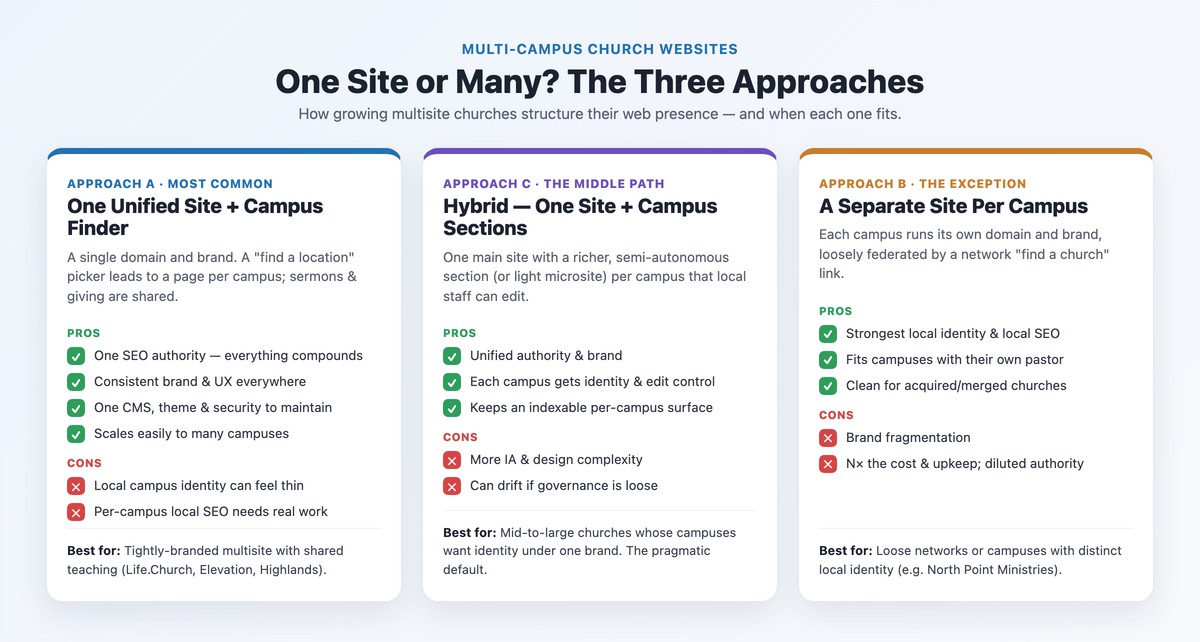
One domain, one brand, one website. A “find a location” picker leads visitors to a dedicated page for each campus with its own service times, address, and map, while sermons and giving live in shared, church-wide sections. This is how the large, tightly-branded multisite churches operate — Life.Church, Elevation, Church of the Highlands, Saddleback, NewSpring — and it’s the right default for most growing churches.
Why it wins: every link, sermon, and blog post compounds the authority of a single domain instead of being split five ways. The brand and user experience stay consistent across campuses, and your team maintains one site, one theme, and one security stack instead of many. It scales: adding campus number eight is a new page, not a new website. The catch: a campus can feel like a faceless room in a big machine unless you give it a real local page, and per-campus local SEO takes deliberate work (more on that below) or your newest location stays invisible in its own town.
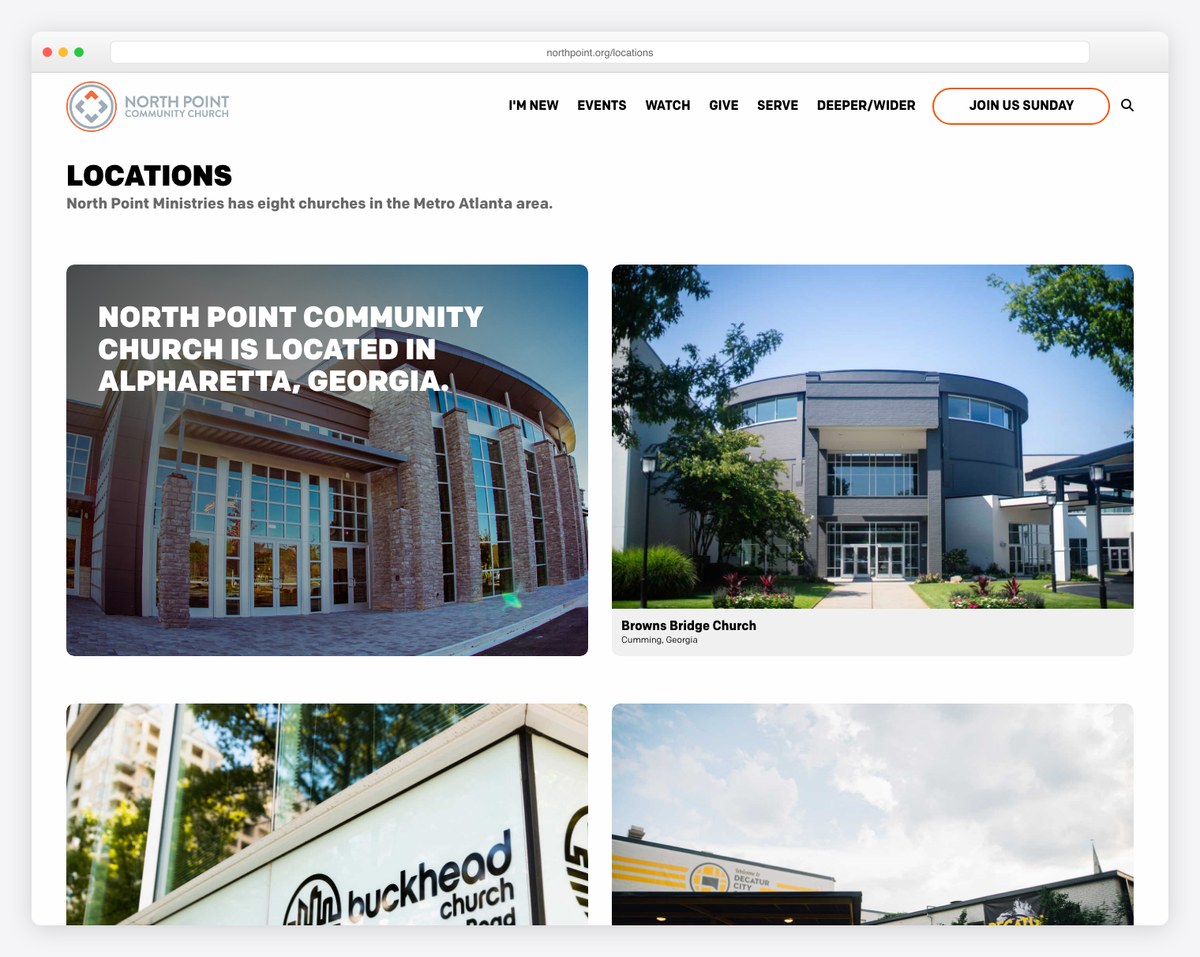
Each campus runs its own domain and brand, loosely tied together by a network “find a church” page. The textbook example is North Point Ministries in Atlanta: eight churches — North Point Community Church, Buckhead Church, Browns Bridge, Gwinnett, Woodstock City, and more — each with its own name and website, federated under one ministry.
When it fits: campuses with genuinely distinct local identities, their own preaching pastor, or that joined by merger and kept their name. Separate sites give the strongest local identity and the cleanest local SEO per location. The cost is real: you fragment the brand, pay for and maintain N hosting plans, SSL certificates, plugins, and designs, and dilute the domain authority you could have concentrated in one place. For most churches this is more pain than payoff — reserve it for true independence.
One main website, but each campus gets a richer, semi-autonomous section — sometimes a lightweight microsite — that local staff can edit. You keep the unified domain authority and brand while giving each campus room for its own staff, photos, events, and story. For mid-to-large churches whose campuses want identity without breaking off, this is often the smartest path. The trade-off is complexity: it takes a more thoughtful information architecture and a CMS with reusable templates so campus sections don’t drift into five different-looking sites.
| Unified site | Hybrid | Separate sites | |
|---|---|---|---|
| SEO authority | One strong domain | One domain + sections | Split across N domains |
| Local identity | Lower | Medium | Highest |
| Maintenance cost | Lowest | Medium | Highest (N×) |
| Brand consistency | Highest | High | Lowest |
| Scales to many campuses | Easily | Moderately | Poorly |
| Best-fit church | Shared-teaching multisite | Campuses wanting identity | Independent local brands |
You don’t need a consultant to choose. Answer these five questions honestly about your church. The more you lean to the left, the more a single unified site makes sense; the more you lean right, the more separate sites are justified; a genuine mix points to hybrid.
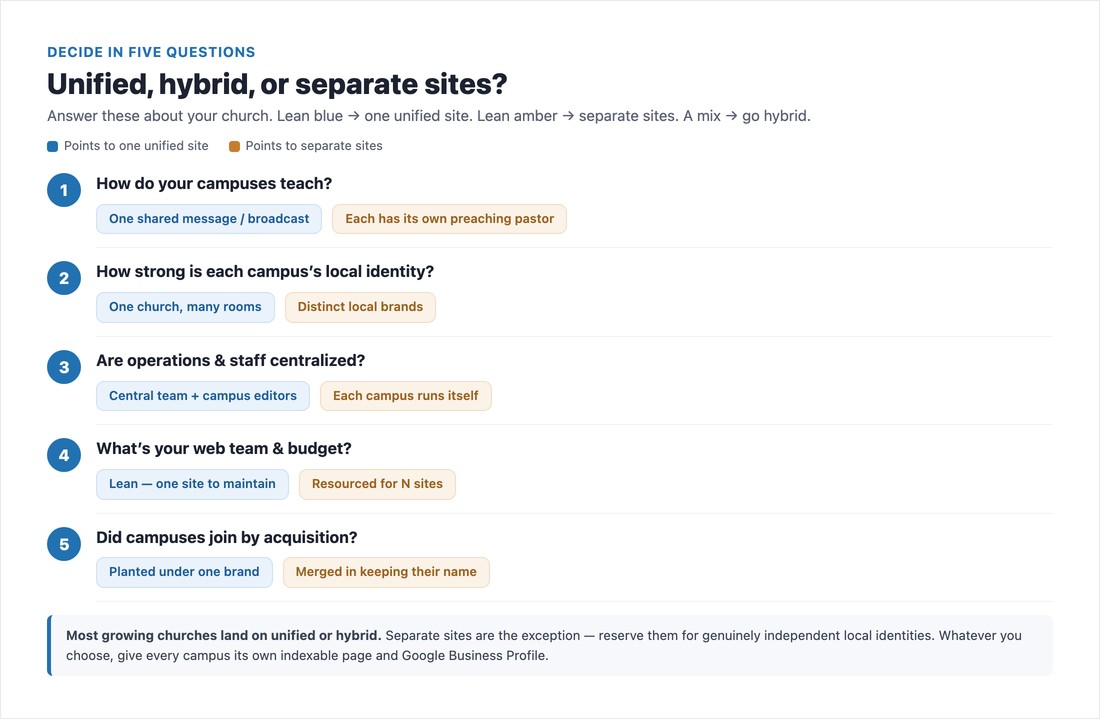
Most growing churches land on unified or hybrid. Separate sites are the exception, not the rule — and whichever you choose, the non-negotiable is that every campus gets its own indexable page and its own Google Business Profile. That single rule is what keeps each location findable in its own city.
📄 Free download: The Multi-Campus Decision Worksheet (PDF) — score the five questions, compare the three approaches side by side, and work the per-campus local-SEO checklist for every location.
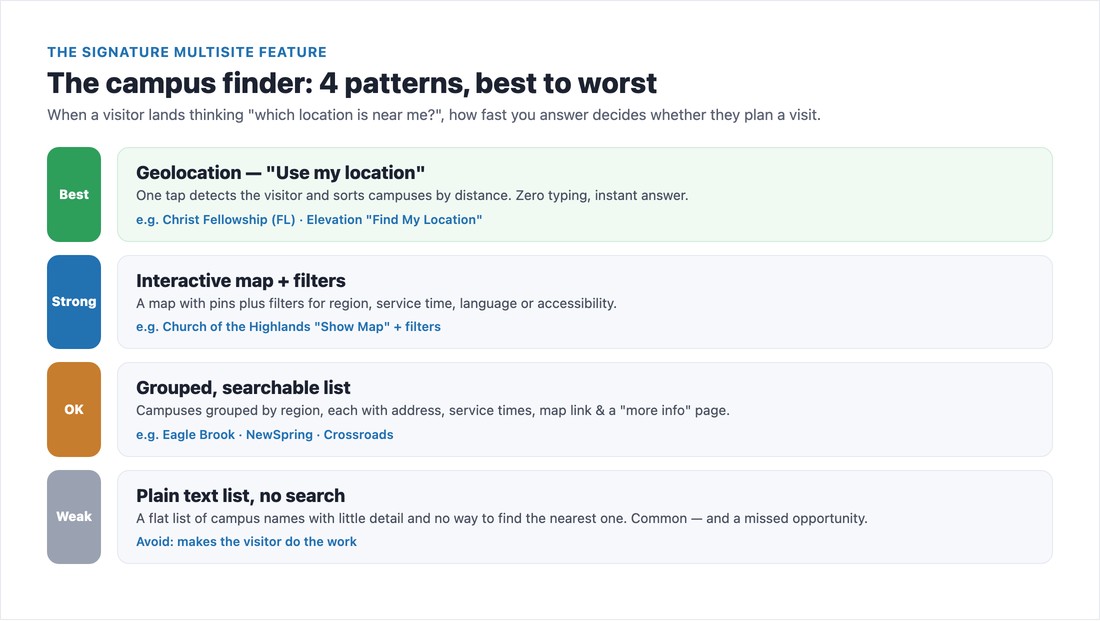
On a multi-campus site, the “locations” page does more work than the homepage. A visitor arrives asking one question — which location is near me, and when does it meet? — and how fast you answer decides whether they plan a visit or close the tab. Here are the four campus-finder patterns, ranked from best to worst.
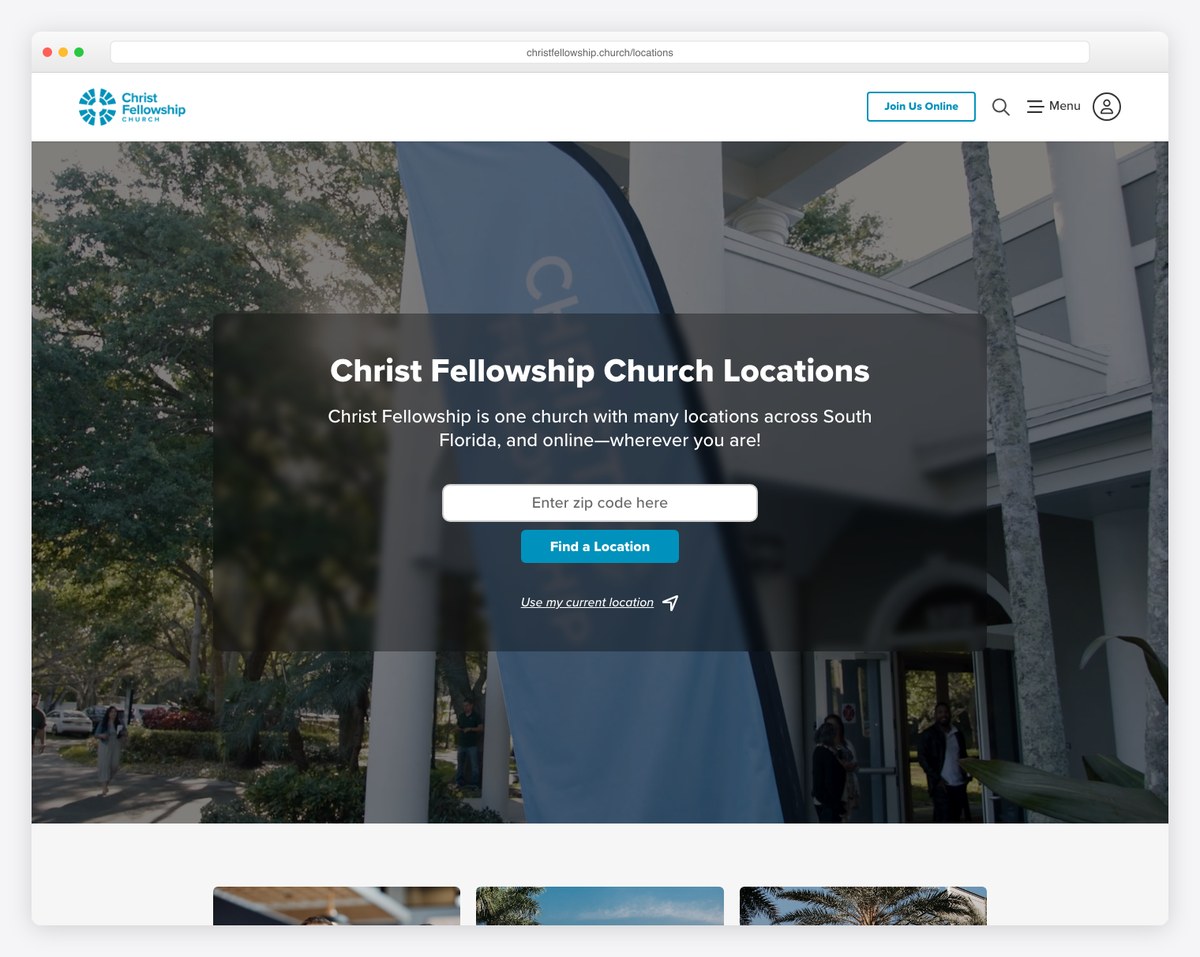
The gold standard. One tap detects where the visitor is and sorts campuses by distance — zero typing, instant answer. Christ Fellowship in South Florida does this cleanly: its locations page opens with “Christ Fellowship is one church with many locations across South Florida, and online — wherever you are!”, a zip-code search, and a “use my current location” link right beneath it. Elevation Church’s finder works the same way with a “Find My Location” option.
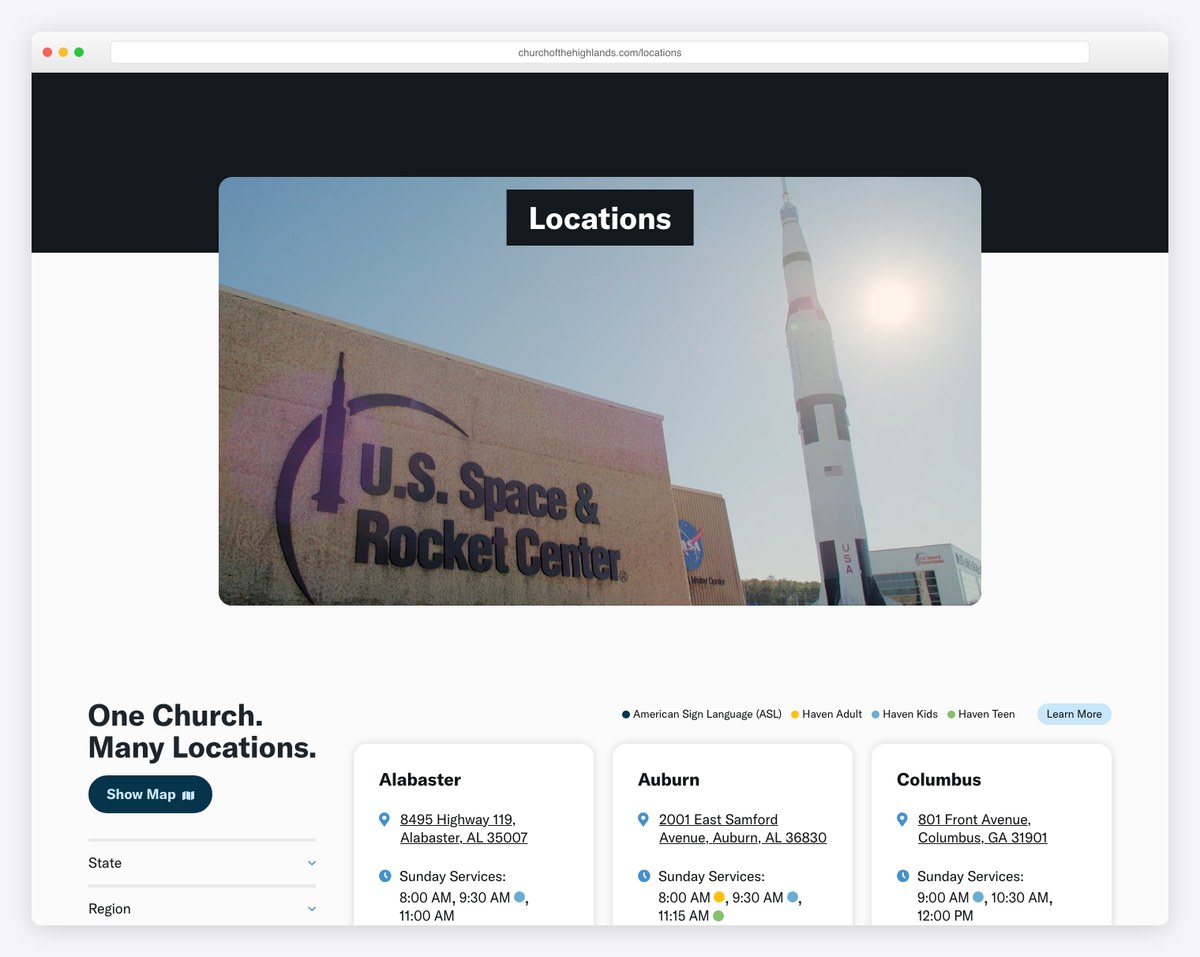
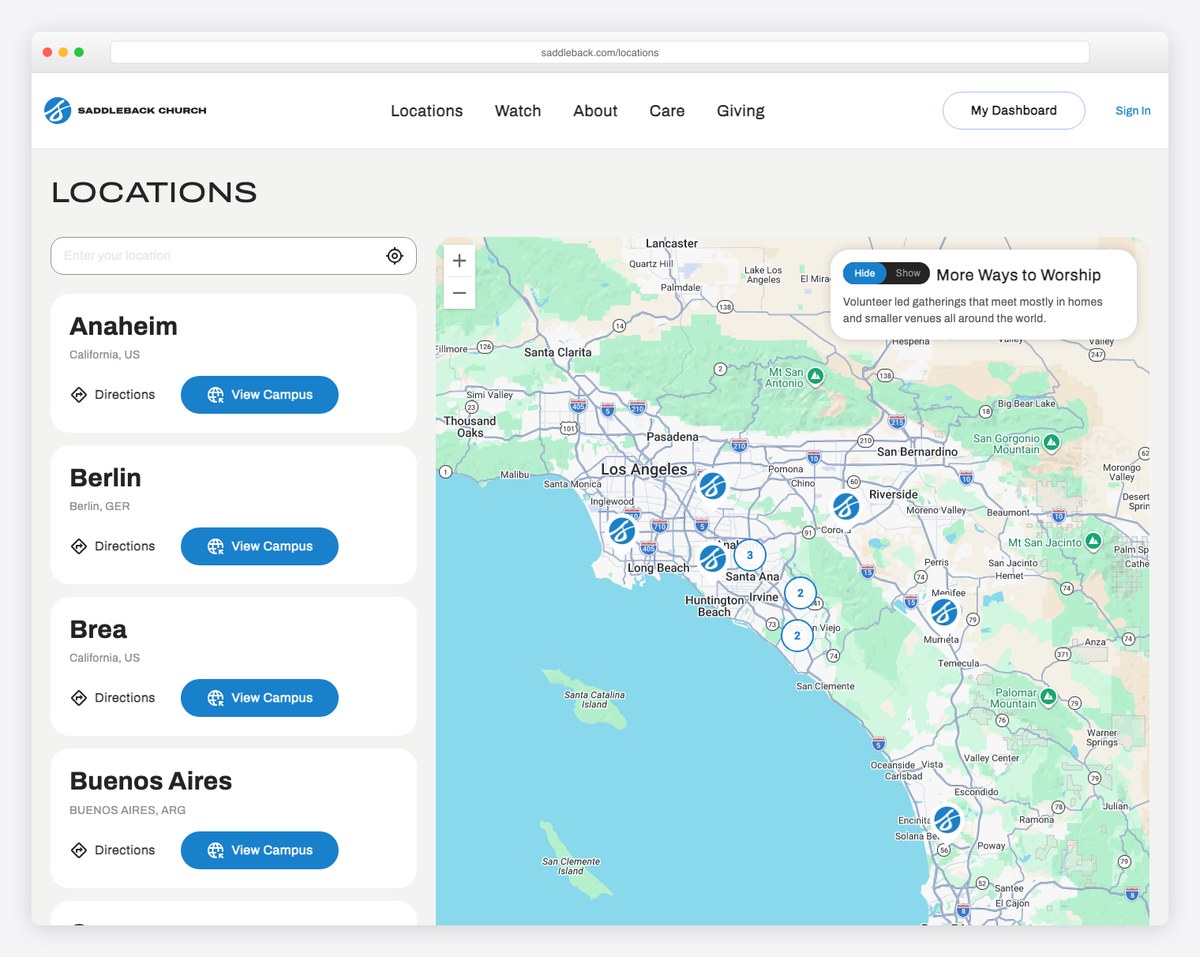
A map with pins plus filters for region, service time, language, or accessibility. Church of the Highlands runs one of the best: its locations page is headed “One Church. Many Locations,” with a “Show Map” toggle, State and Region filters, and per-campus cards listing each address and every Sunday service time — even color-coded markers for ASL interpretation and age-specific programming. That’s a visitor instantly self-selecting by what matters to them.
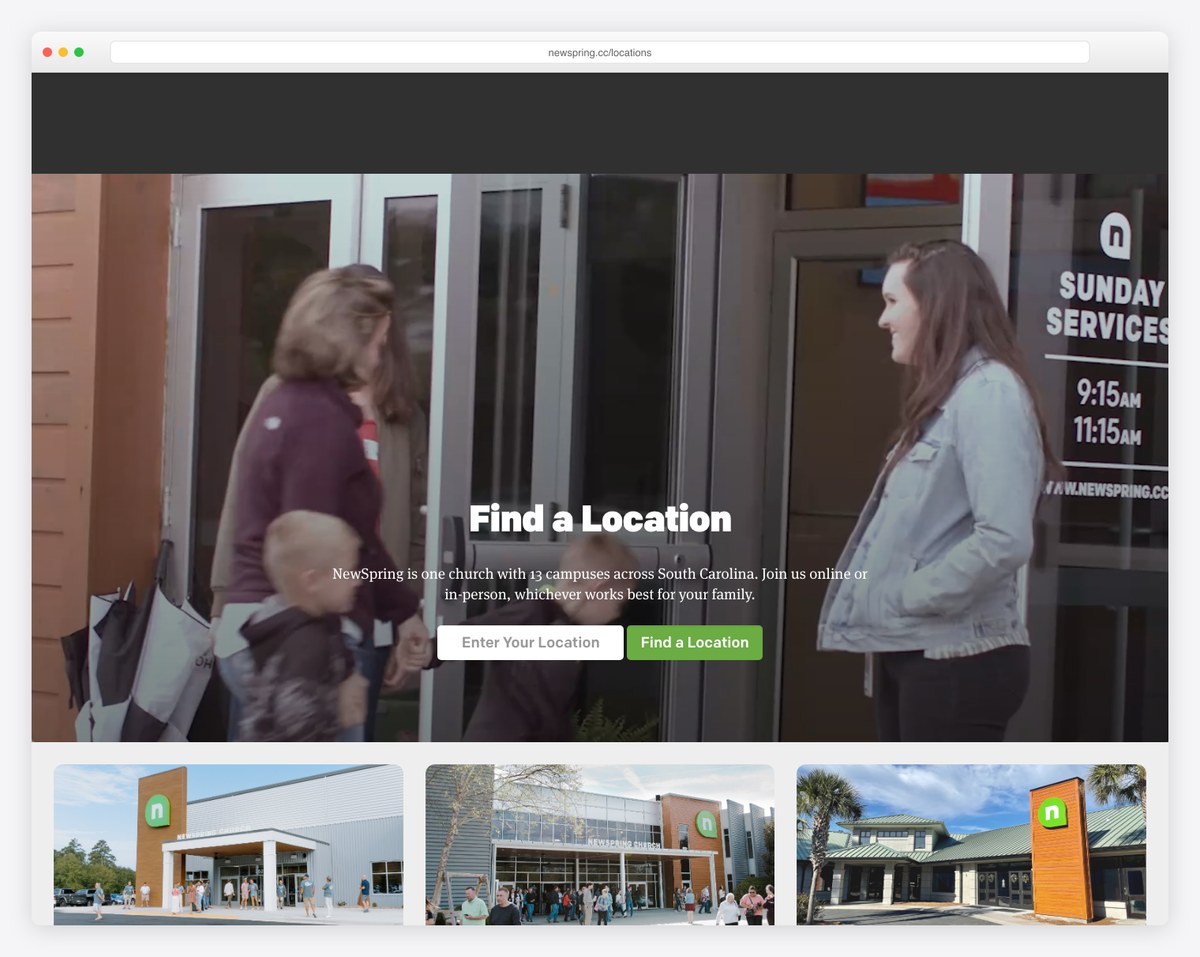
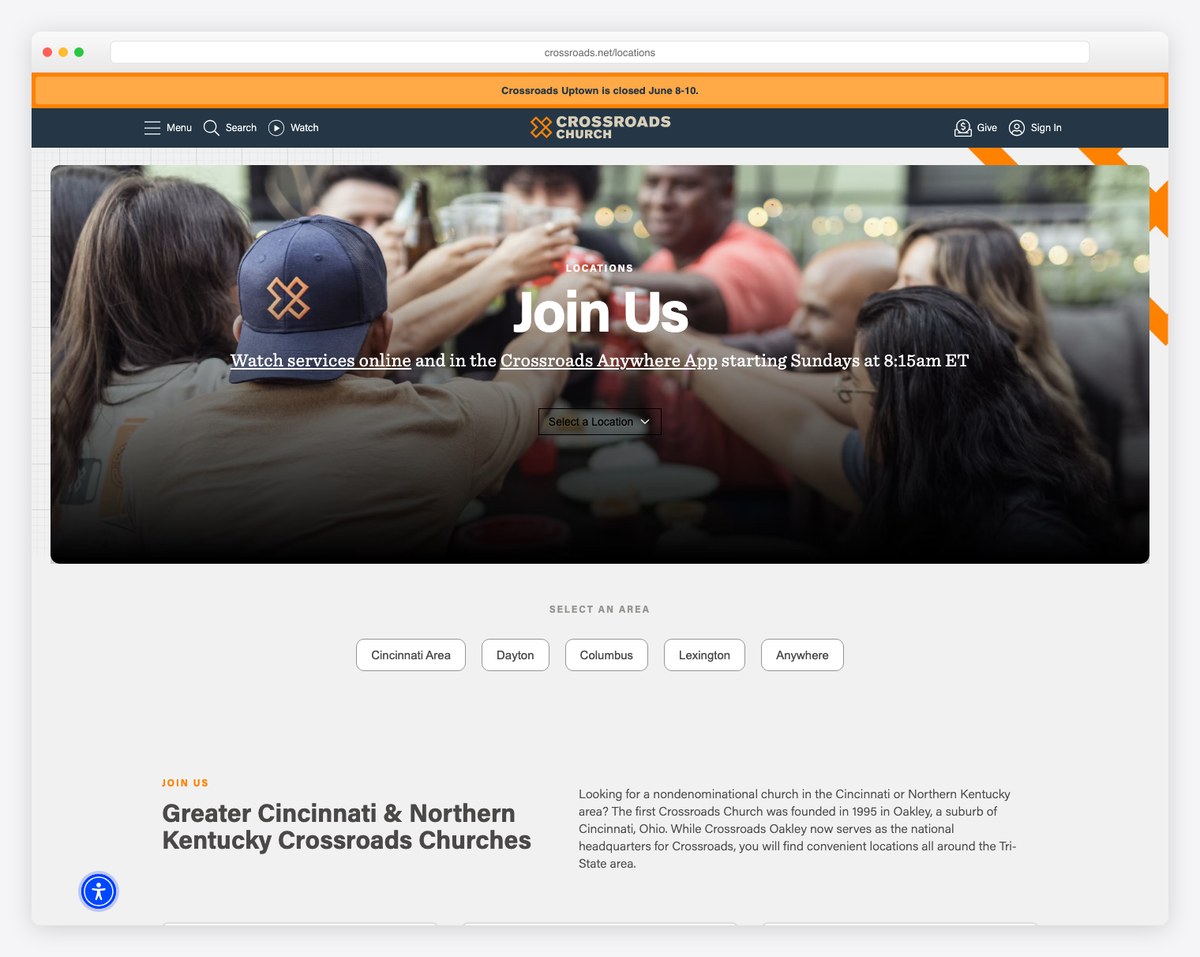
Campuses grouped by region, each with an address, service times, a map link, and a “more info” page — with a search box on top. NewSpring’s finder leads with “Find a Location” and the line “NewSpring is one church with 13 campuses across South Carolina. Join us online or in-person, whichever works best for your family,” followed by a clean grid of campus photos. Eagle Brook and Crossroads use the same approach well. It’s not flashy, but it answers the question.
A flat list of campus names with little detail and no way to find the nearest one. It’s still common — and it’s a missed opportunity, because it makes the visitor do the work your website should do for them. If your locations page is just a bulleted list of city names, that’s the single highest-leverage fix on your whole site.
The fastest way to design your own approach is to study churches a step ahead of you. Here’s how several well-known multi-campus churches structure their web presence — and which of the three approaches each represents.
Notice the pattern: nearly every fast-growing church with shared teaching chooses one unified site, and reserves separate sites for genuinely independent congregations. There’s a practical reason beyond SEO — maintenance. A single team can keep one site’s sermons, events, and giving current; asking volunteers to mirror every update across eight separate sites is how locations end up with last spring’s service times still posted. Unified and hybrid both keep that workload sane. Saddleback and Crossroads round out the unified examples below — Saddleback with campus pages across Southern California and overseas, Crossroads with region-grouped campuses plus its “Anywhere” digital campus.
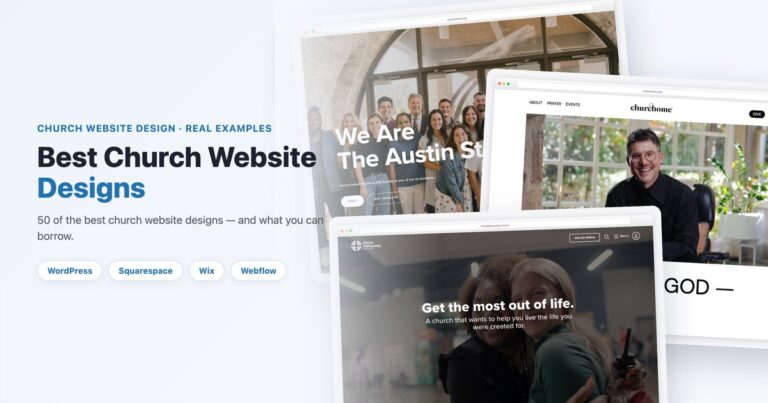
For more on what strong church homepages look like — multi-campus or not — see our roundup of the best church website designs.
Your largest “campus” might not have an address. Life.Church Church Online, NewSpring’s online option, Crossroads “Anywhere” — every serious multisite treats the internet campus as a real campus, not a footnote. The mistake is burying the watch-live link in a menu. Instead, list your online campus inside the campus finder itself, with its own “service times” and a clear watch-live call to action, so the person searching from their couch self-selects just like the person searching from their car. If live streaming is new to you, our plan-your-visit guide and giving setup walkthrough cover the adjacent pieces.
Here’s the trap of a unified site: if you pour every campus into one homepage and a single Google listing, you’ll rank in one city and stay invisible in all the others. Someone searching “church near me” in your newest campus’s town needs to find that campus — and Google can only show it if it exists as its own findable place. This is true no matter which of the three approaches you chose.
Two things make each campus findable:
/southside/) with its name, address, phone, and service times rendered in the actual HTML — not hidden inside a JavaScript-only pop-up that Google can’t read. Write a unique title and meta description aimed at “[your church] in [city].” This page is the home base for that campus’s local ranking.Two more things separate campuses that rank from campuses that don’t. First, make each campus page genuinely unique — not the same boilerplate paragraph with the city name swapped in. Write real copy about that neighborhood, its campus pastor, its parking, what a first visit looks like there. Near-identical pages across locations read as thin, duplicated content and undercut all of them. Second, earn reviews and local mentions per campus: encourage regulars to review the campus they actually attend, and make sure each location is cited consistently (same name, address, phone) anywhere it appears online. Local reviews and consistent citations are two of the strongest signals Google uses to rank a location in its own city.
This is the highest-ROI work on a multi-campus site and the piece most churches skip. We cover it end to end in Google Business Profile for Churches and the broader church website SEO guide — start there once your campus pages exist.
Whatever approach you choose, the best multi-campus church websites share the same building blocks. Use this as your checklist.
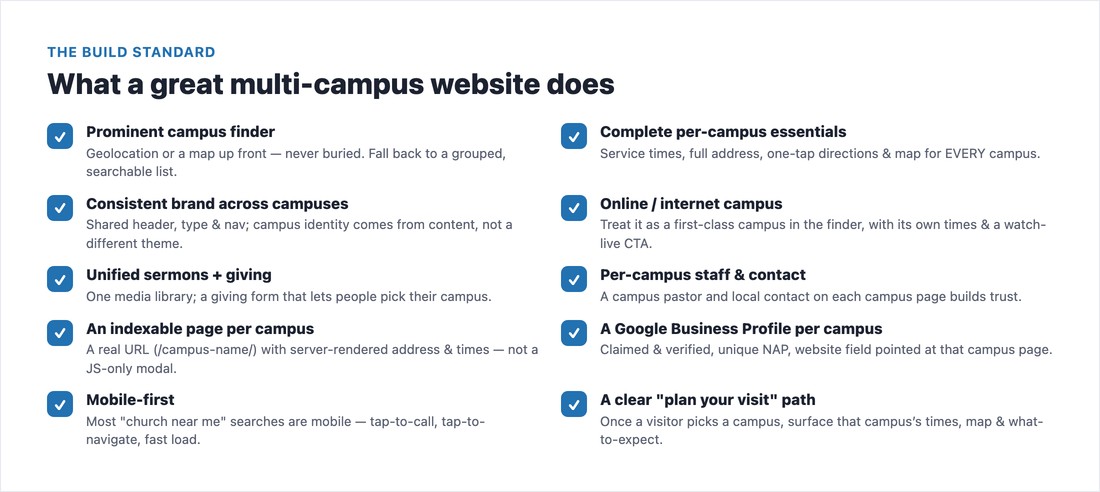
Before you launch a new campus page or redesign your locations section, walk the full pre-launch list in our church website checklist — it catches the easy-to-miss essentials for every page, not just the campus finder.
If your campuses share teaching and a brand, build one unified site with a great campus finder and a real page plus Google Business Profile for every location — that’s where the overwhelming majority of growing churches should land. Choose hybrid when campuses need room for their own identity under one roof, and reserve separate sites for the rare campus that’s genuinely its own church. Whatever you choose, make the locations page effortless, treat the online campus as a real campus, and never let a location go invisible in its own town. Do that, and every neighbor who searches for a church near them finds the right door — the first time.
For a starting point rather than a blank page, Threshold is a free multi-site template with locations built in as a real page, not a paragraph on the contact form.
Most should have one unified website with a campus finder and a dedicated page per location. It concentrates your SEO authority on a single domain, keeps the brand consistent, and is far easier to maintain than several separate sites. Reserve separate sites for campuses with genuinely distinct local identities or that joined by merger and kept their own name.
Yes. Each physical campus needs its own claimed and verified Google Business Profile with a unique, consistent name, address, and phone, and the profile’s website field pointed at that campus’s own page. A single shared profile only ranks in one area and leaves your other campuses invisible in “church near me” searches.
The best pattern is geolocation — a “use my location” option that sorts campuses by distance instantly. An interactive map with filters (region, service time, accessibility) is a strong second. At minimum, use a grouped, searchable list where each campus shows its address, service times, and a map link. Avoid a plain text list of city names with no way to find the nearest location.
Treat the online or internet campus as a first-class campus, not a hidden menu link. List it inside the campus finder alongside physical locations, with its own service times and a clear watch-live call to action, so people searching from home self-select just like in-person guests.
A hybrid keeps one main website and one domain but gives each campus a richer, semi-autonomous section — sometimes a lightweight microsite — that local staff can edit. You keep unified SEO authority and a consistent brand while letting each campus show its own staff, photos, and story. It’s the pragmatic middle ground for mid-to-large churches whose campuses want identity without breaking off into separate sites.

Church Website Examples
Church Website Examples
Church Website Examples
10 complete church website templates, MIT licensed. Browse every demo freely; we will email you whichever folder you want.
All templates