Church Website Features
Here’s a pattern we see constantly: a church holds a vibrant bilingual service on Sunday — and runs an English-only website the other six days. The neighbors most likely to be searching “iglesia cerca de mí” never find a word in their language. If your church is reaching (or wants to reach) Spanish-speaking neighbors, adding a Spanish version of your website is one of the highest-impact things you can do. This guide covers both the how (the tools, by platform) and the how to do it well (so it actually helps).
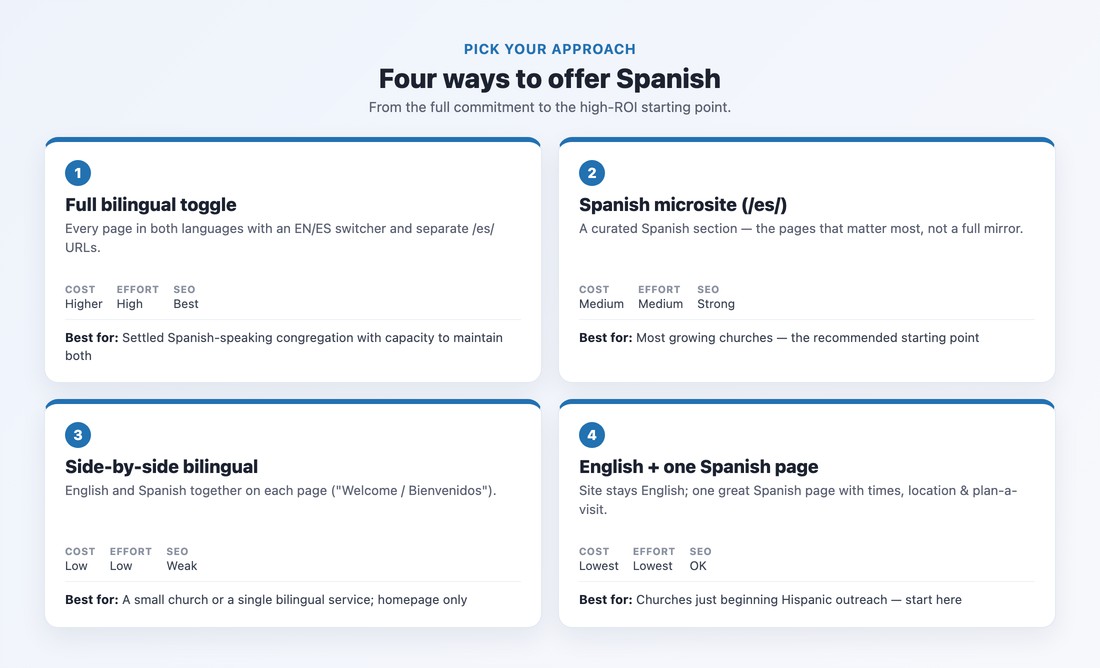
You don’t have to translate your entire site on day one. There are four approaches, and the right one depends on your congregation and capacity:
/es/ URLs. Best UX and SEO — and the most work. Right for a settled Spanish-speaking congregation with someone to maintain both./es/ section). A curated Spanish area covering the pages that matter most — welcome, service times, ministries, contact — reachable from an “Español” nav link. Lower effort, still indexable. The recommended starting point for most churches.How you build it depends on your platform:
/es/ section, or adding Weglot — but note Weglot on Squarespace is a JavaScript overlay, so the translated text often isn’t crawlable and your Spanish pages may not get indexed. For SEO-serious bilingual sites, the manual route indexes better.A language switcher alone isn’t enough for search. You need hreflang tags — small signals that tell Google “this page has a Spanish version, serve it to Spanish searchers.” Pair them with separate per-language URLs (your English homepage at /, Spanish at /es/) and clean language codes (es, or es-US / es-MX if you want to target a region). Polylang and Wix Multilingual add hreflang automatically; manual Squarespace duplicates and JavaScript-overlay tools often don’t — which is exactly why those approaches can leave your Spanish pages invisible in search. Our church website SEO guide covers the fundamentals.
Machine translation is fine as a first draft, but raw, unedited output quietly undermines trust — and church vocabulary is exactly where it breaks. “Fellowship” can machine-translate to beca (a scholarship) rather than the ministry sense of comunión; words like “worship,” “small group,” “outreach,” and “saved” all carry meanings a translator misses. Run the draft through a tool if you like, then have a native Spanish speaker review every word.
Translation isn’t the whole job, either — cultural awareness matters. The Hispanic community is a spectrum (Spanish-dominant, fully bilingual, English-dominant second and third generation) and not monolithic; word choices that fit a Mexican community in South Texas may read differently to a Caribbean or Central American congregation. And a translated page that routes everyone to an English-only phone line breaks its own promise: name a real Spanish-speaking contact.
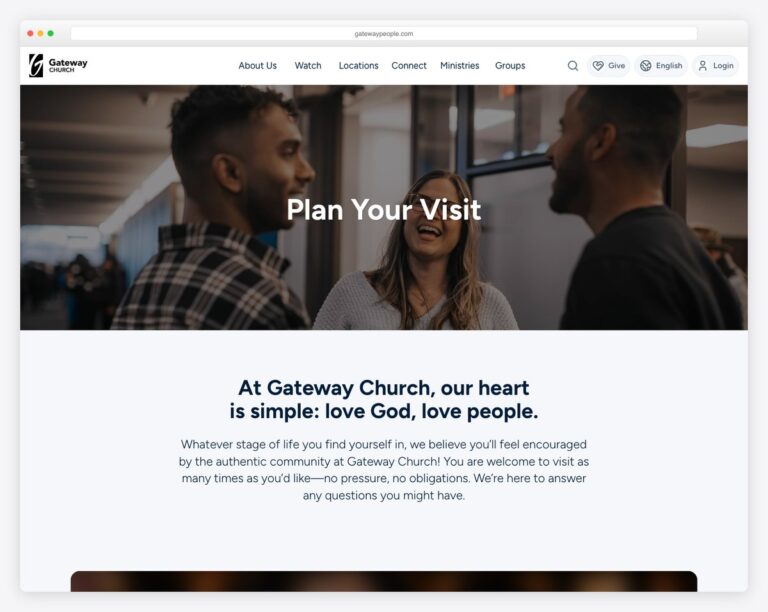
If you only do a little, do this — in order: (1) service times and location; (2) plan your visit / what to expect (see our plan-your-visit guide); (3) a short welcome — “Quiénes somos”; (4) how to reach a Spanish-speaking person; (5) kids and family ministries. Save the about/history pages and the blog for last. A Spanish-speaking visitor needs to know when you meet, where to park, and that they’ll be welcomed — everything else can wait.
Please don’t slap a “Translate” button on your site and call it bilingual. Google discontinued its free Website Translator widget, the auto-translation quality is poor (see the beca problem above), and because the translated text isn’t real, indexable pages, it does nothing for your search visibility. Modern browsers already offer to auto-translate pages for users who want that — so a widget adds nothing but risk. Build a real Spanish version instead, even if it’s just one excellent page to start.
Once your Spanish pages are live, see how other congregations present themselves in our gallery of Hispanic and Spanish-language church website examples, and make sure the bilingual experience is on your list of essential website features.
📄 Free download: The Bilingual Church Website Checklist (PDF) — the four approaches, the platform tools and costs, the “translate these first” priority list, and the hreflang and translation must-dos.
Don’t be the bilingual church with the monolingual website. Start small — one excellent Spanish page with your service times and a warm welcome — choose the right tool for your platform, get the hreflang right so Google can find it, and have a native speaker make it genuinely good. You can grow from one page to a full bilingual site over time. What matters is that a Spanish-speaking neighbor searching tonight finds a door that’s open to them.
No. Google discontinued its website translation widget, the auto-translation quality is poor for church vocabulary, and it doesn’t create real, indexable Spanish pages, so it does nothing for SEO. Build a genuine Spanish version instead — even one well-translated page is far better than a translate button.
It can be free. On WordPress, Polylang’s free version handles manual translation; on Wix, Multilingual is native with free translation credits. Tools that automate translation cost more — Polylang Pro is around €99/year, and Weglot runs about $17/month and up. Your real investment is the time of a native Spanish speaker to translate and review the content well.
No — and you shouldn’t start there. Translate the essentials first: service times and location, plan your visit, a short welcome, how to reach a Spanish-speaking contact, and kids’ ministry. A curated Spanish section that covers what a visitor actually needs beats a rushed, machine-translated mirror of your entire site.
Hreflang is a tag that tells Google which language version of a page to show which users. Yes, you want it if you’d like Spanish searchers to be served your Spanish pages. Use separate per-language URLs (like /es/) and add hreflang — Polylang and Wix do this automatically, while manual Squarespace duplicates and JavaScript-overlay tools often don’t.
Only as a first draft. Machine translation routinely mistranslates church terms — “fellowship” can come out as “beca” (scholarship) instead of “comunión.” Use it to get started if you want, but always have a native Spanish speaker review and correct the result before it goes live.

Church Website Features
Church Website Features
Church Website Features
10 complete church website templates, MIT licensed. Browse every demo freely; we will email you whichever folder you want.
All templates