Church website design has changed more in the last two years than in the previous decade. The pandemic forced churches online, and visitors’ expectations jumped to match the rest of the internet. A church website that looked fine in 2021 now feels dated — and “dated” means “untrustworthy” to the 83% of potential visitors who check your website before ever walking through your doors.
But here’s the good news: you don’t need to chase every design trend. Most trends are fluff. This guide covers only the 10 that are actually shaping how effective church websites look and function in 2026 — the ones that make a measurable difference in visitor engagement and conversions.
In This Guide
- 1. The Digital Front Door Is the Only Front Door
- 2. Minimalist Navigation (5 Links or Fewer)
- 3. Netflix-Style Sermon Browsing
- 4. Authentic Photography Over Stock
- 5. Dark Mode and Bold Colors
- 6. Integrated Giving Throughout the Site
- 7. Location-Specific Experiences for Multi-Site Churches
- 8. Sticky CTAs and Smart Banners
- 9. Fewer Pages, More Depth
- 10. Squarespace Everywhere
- Applying These Trends: Your Action List
1. The Digital Front Door Is the Only Front Door
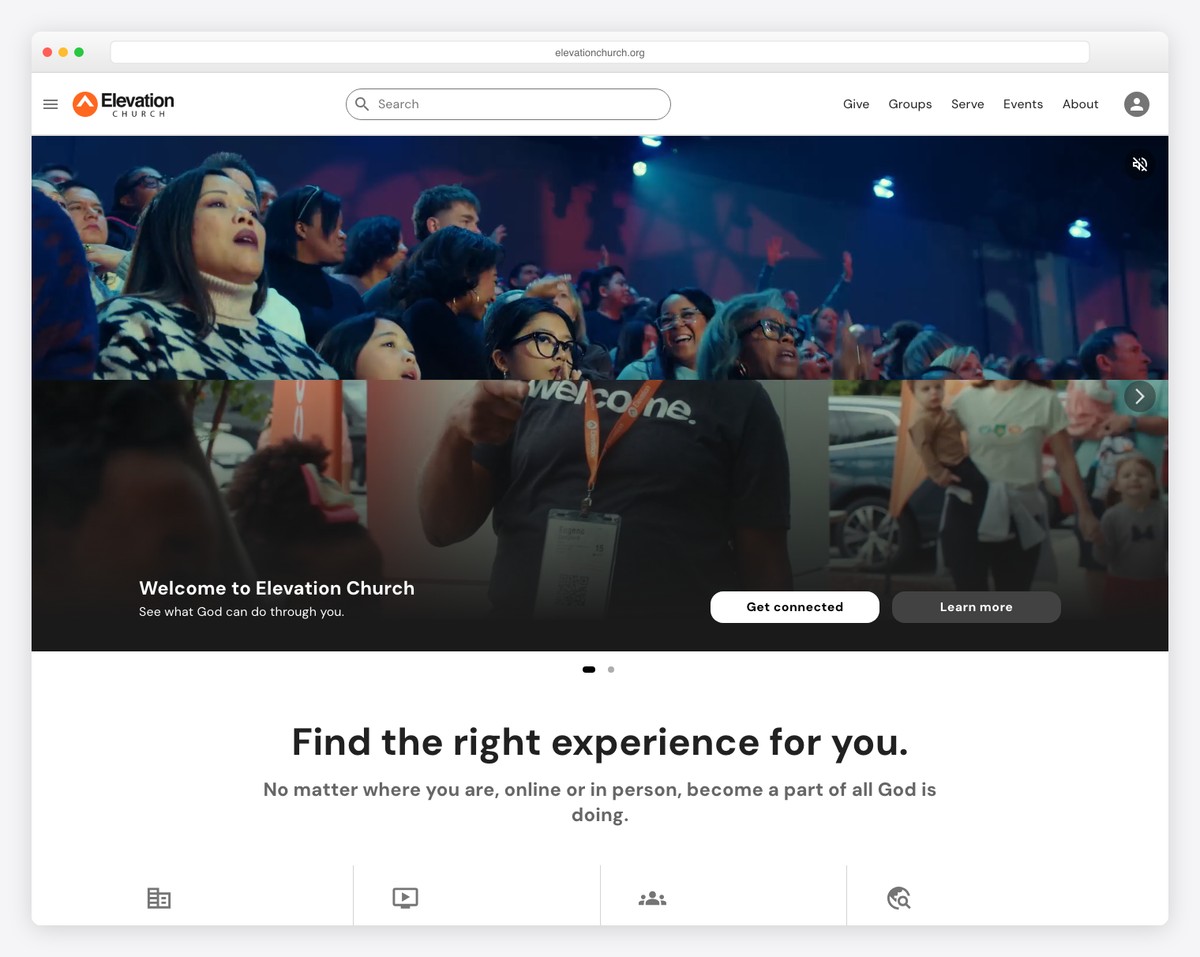
This isn’t really a design trend — it’s the reality that drives all the other trends. Eighty-three percent of first-time church visitors check the website before showing up in person. For many people, your website is their first visit.
That changes everything about how you should design your site. Your homepage isn’t a brochure for existing members. It’s a welcome mat for strangers. Every design decision should answer the question: “If this is someone’s first impression of our church, does it make them want to come on Sunday?”
The practical implication: your homepage hero section needs to communicate three things within five seconds — who you are, when you meet, and what to do next. If your homepage leads with a mission statement instead of service times, you’re designing for insiders. Flip it. Service times and location first, vision statement second.
Look at the best church websites in 2026 and you’ll see this pattern everywhere: visitor-first design on every page.
2. Minimalist Navigation (5 Links or Fewer)
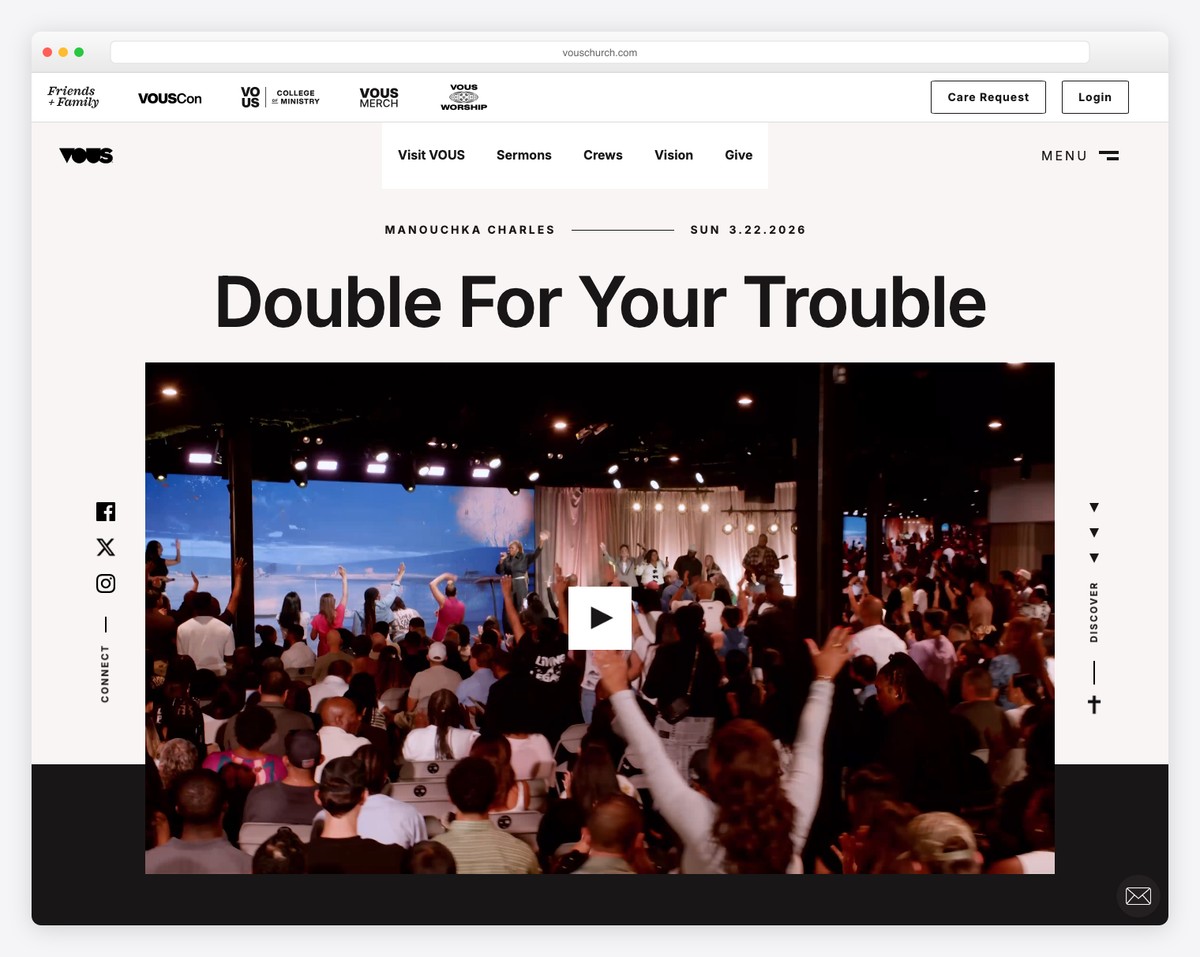
The era of mega-menus with 30+ links is over. The best church websites in 2026 have five navigation items or fewer. Typically: About, Visit, Sermons, Give, and a catch-all like “Connect” or “Next Steps.”
Why? Because more choices lead to fewer decisions. This is Hick’s Law — the more options you present, the longer it takes someone to choose, and the more likely they are to choose nothing. When a visitor lands on your site, you want them to click “Plan Your Visit.” A navigation bar with 12 items makes that click less likely, not more.
What about all those other pages — staff directory, small groups, events, prayer requests, member login? Put them in a secondary menu, the footer, or under a dropdown. They’re important for regular members, but they shouldn’t compete for attention with visitor-facing navigation.
Look at churches like Elevation Church or Life.Church — massive organizations with dozens of programs, yet their main navigation has five or six items. If they can simplify, so can you.
3. Netflix-Style Sermon Browsing
The old approach to sermon archives — a chronological list with dates and titles — is dying. In its place: visual, series-based browsing that looks and feels like Netflix.
That means:
- Series artwork that’s visually compelling (custom graphics for each sermon series)
- Featured current series prominently at the top
- Horizontal scrolling rows for past series — literally the Netflix layout
- Filtering by speaker, topic, and scripture
- Individual sermon pages with video, audio, notes, and discussion questions
This matters because sermon content is typically the second most-visited section of a church website. If your archive is an ugly list, you’re underserving both members (who want to re-watch) and visitors (who want to preview your teaching). We cover the full approach in our sermon archive guide.
4. Authentic Photography Over Stock
Nothing kills trust faster than stock photos on a church website. That perfectly diverse group of twenty-somethings laughing in a field? Every visitor knows it’s fake. And if your photos are fake, they’ll wonder what else is.
In 2026, the churches with the best websites invest in authentic photography:
- Sunday morning photos — worship, community, real people in your actual space
- Event documentation — community outreach, potlucks, youth events
- Candid moments — conversations in the lobby, kids laughing, volunteers serving
- Building exterior shots — so visitors recognize your church when they pull up
You don’t need a professional photographer (though hiring one for a Sunday morning shoot once a year is a great investment). A volunteer with a decent phone camera and good natural light can produce photos that are 10x more effective than any stock image. The key is showing your people in your space.
Check out the small church website examples in our gallery — the ones that feel most inviting all use real photography, even if the production quality is modest.
5. Dark Mode and Bold Colors
For years, church websites defaulted to light, airy designs — white backgrounds, soft blues, gentle gradients. That’s still fine, but a significant shift toward dark-mode designs and bold color palettes is happening in 2026.
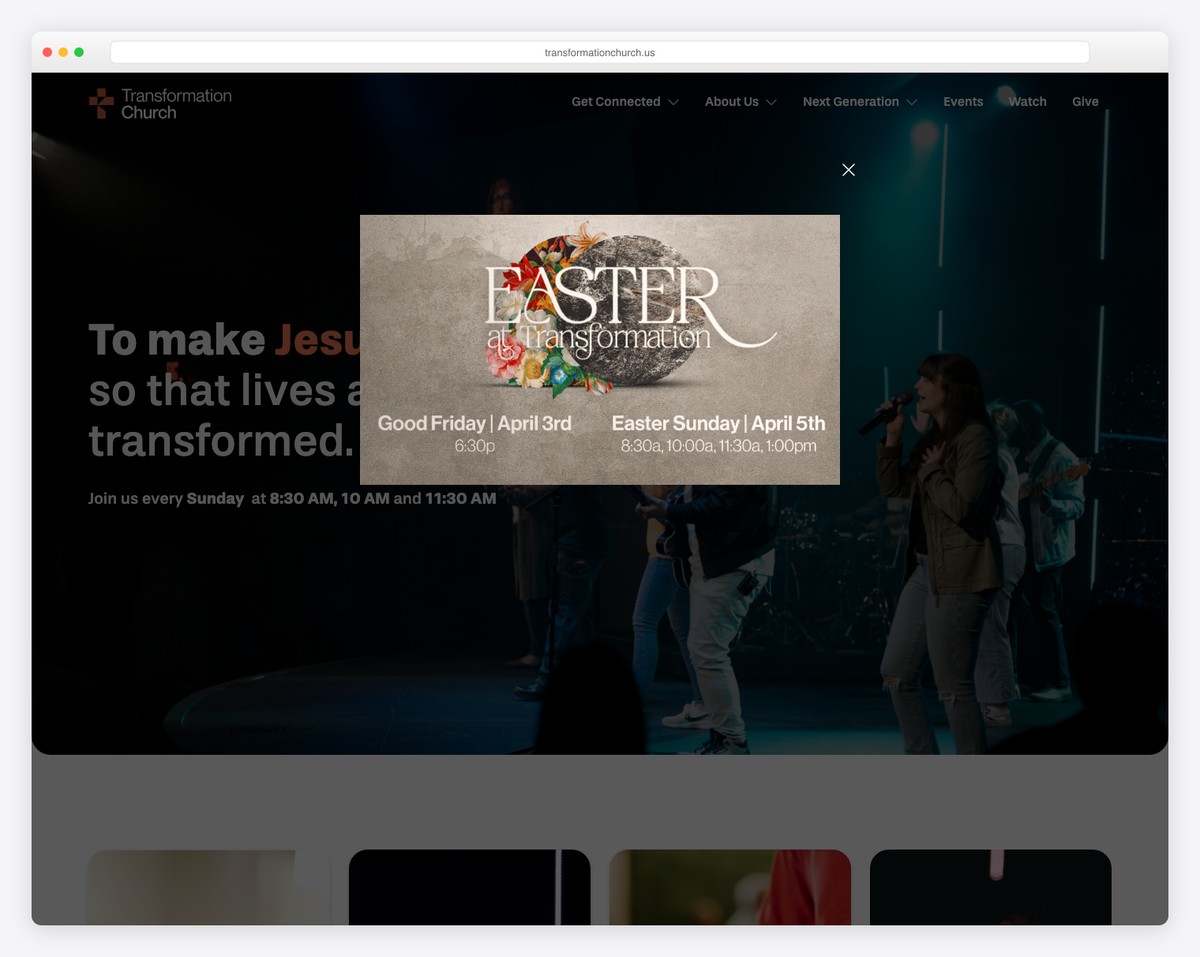
Dark backgrounds with high-contrast text and vibrant accent colors create a modern, premium feel. Churches like Elevation Church, Transformation Church, and Vous Church have popularized this aesthetic — and it works because it looks intentional and confident.
If you go dark, keep these principles in mind:
- Use off-black (#1a1a1a or #111111) rather than pure black (#000000) — it’s easier on the eyes
- Ensure text contrast meets accessibility standards (white or light gray text)
- Use bold accent colors sparingly for CTAs and highlights
- Make sure photos look good on dark backgrounds (they usually do)
This trend isn’t for every church. If your congregation skews older and traditional, a clean light design may feel more appropriate. But if you’re trying to reach a younger demographic, dark mode signals “we’re current.”
6. Integrated Giving Throughout the Site
The old approach: one “Give” page buried in the navigation. The new approach: giving is woven into the entire website experience.
In 2026, the most effective church websites include giving prompts in contextually relevant places:
- A “Give” button in the main navigation (always visible)
- A giving callout at the bottom of sermon pages (“This message impacted you? Support our ministry.”)
- A giving prompt on the homepage (tasteful, not pushy)
- Impact statistics near giving CTAs (“Your generosity funded 200 meals last month”)
This isn’t about being aggressive with donation requests. It’s about making generosity easy and showing people the impact of their giving. When someone feels moved by a sermon and wants to give, they shouldn’t have to hunt for the page. For setup guidance, see our online giving guide.
7. Location-Specific Experiences for Multi-Site Churches
Multi-site churches used to cram all their campuses onto one website with a generic experience. That’s changing. The trend in 2026 is location-specific landing pages that feel like individual church websites within a unified brand.
Each campus page includes:
- Campus-specific service times and directions
- Photos of that specific location and campus pastor
- Local events and groups
- A campus-specific Plan Your Visit experience
Some churches even use geolocation to automatically suggest the nearest campus when someone first visits the site. Church of the Highlands and North Point Ministries do this well — you pick your location, and the entire site personalizes around it.
Even if you’re not multi-site yet, this is worth noting: if you have plans to expand, choose a website platform that supports multi-location content management. Retrofitting it later is painful.
8. Sticky CTAs and Smart Banners
A sticky CTA is a call-to-action button that stays visible as visitors scroll — usually pinned to the bottom of the screen on mobile. In 2026, more churches are using these for their highest-priority actions:
- A persistent “Plan Your Visit” button on mobile
- A top banner promoting the current sermon series or upcoming event
- Seasonal banners for Easter and Christmas services
- A “Watch Live” button that appears only during service times
Smart banners — announcements that appear at the top of the site and can be updated easily — are replacing the old homepage slider (which nobody clicks). They’re simple, text-based, and immediately communicate what’s most important right now.
The key is restraint. One sticky CTA, one banner at a time. Multiple competing pop-ups and banners create chaos and drive visitors away. Pick your single most important action and make that the sticky CTA.
9. Fewer Pages, More Depth
In 2025, many churches maintained websites with 30, 40, even 50+ pages — most of them outdated or barely visited. The 2026 trend is aggressive simplification: fewer pages, but each one doing more work.
Instead of separate pages for every ministry, group, and program, leading churches are consolidating. A single “Get Connected” page with sections for small groups, serving teams, classes, and events replaces five separate pages that each had thin content.
The benefits are huge:
- Easier to maintain. Fewer pages means fewer pages to keep updated.
- Better SEO. One comprehensive page outranks five thin pages.
- Clearer navigation. Visitors can find what they need faster.
- Stronger content. When you consolidate, you’re forced to keep only what matters.
For a practical guide to what pages your church actually needs, see our essential church website pages guide.
10. Squarespace Everywhere
This is less a design trend and more a platform trend — but it’s shaping church website design in a big way. Squarespace has become the dominant platform for well-designed church websites, especially among church plants, creative churches, and congregations under 500.
Why? Because Squarespace makes good design the default. Its templates are modern, its typography is polished, and it’s nearly impossible to make an ugly site on the platform. Compare that to WordPress, where design quality depends entirely on the theme and builder you choose — and many churches choose poorly.
The result is a generation of church websites that all share certain Squarespace DNA: clean sans-serif fonts, generous white space, full-bleed images, and that distinctive Squarespace “feel.” Churches like Anchor Church, Reality LA, and hundreds of others are all on Squarespace — and they all look great.
The trade-off is flexibility. Squarespace is opinionated about design, which means you get fewer customization options than WordPress. For most churches, that’s a feature, not a bug. But if you need advanced functionality (custom member portals, complex integrations), WordPress or a church-specific platform like Tithe.ly or Subsplash may be a better fit. We compare the options in our Squarespace vs. WordPress for churches article.
Applying These Trends: Your Action List
You don’t need to redesign your entire website to apply these trends. Here’s a prioritized action list you can work through over the next few months:
- Audit your homepage. Does it pass the 5-second test? Can a stranger immediately see when you meet, where you are, and what to do next? If not, redesign your hero section this week.
- Simplify your navigation. Can you get to 5-6 main menu items? Move everything else to the footer or a secondary menu.
- Replace stock photos. Schedule a Sunday morning photo shoot. Even phone photos of real people in your real space are better than stock.
- Add a sticky “Plan Your Visit” button on mobile. Most platforms make this easy with a floating button or sticky footer bar.
- Upgrade your sermon archive. Create series artwork, organize by series, and feature the current series. Follow our sermon archive guide.
- Consolidate pages. Identify pages with fewer than 100 views per month and consider merging them into more comprehensive pages.
- Review giving integration. Is giving accessible from every page? Is the giving experience fast on mobile? See our online giving guide.
- Consider a platform switch. If your current website can’t achieve these design goals, it might be time to evaluate a new platform. Our builder comparison can help.
Design trends come and go, but the principle behind all 10 of these is timeless: design for visitors first, make the next step obvious, and keep it simple. Do that, and your church website will serve your ministry well regardless of what’s trending next year.
Frequently Asked Questions
How often should we redesign our church website?
A full redesign every 3-4 years is reasonable. But you should be making incremental updates constantly — new photos quarterly, content refreshes monthly, and small design improvements as you identify issues. A website that gets regular updates never feels “old.”
Should we follow secular design trends?
Selectively, yes. Your visitors spend their day on well-designed websites and apps. They expect a certain baseline of quality and usability. You don’t need to look like Apple, but you shouldn’t look like a website from 2015, either. The trends in this guide are specifically the ones that translate well to church contexts.
Dark mode feels too edgy for our traditional congregation. Should we use it?
Not necessarily. Design should reflect your church’s personality. If your congregation values warmth and tradition, a clean light design with classic fonts might be more appropriate. Dark mode works best for contemporary churches targeting younger demographics. There’s no one-size-fits-all.
We can’t afford a professional designer. Can we still apply these trends?
Absolutely. Most of these trends are about decisions, not design skills. Simplifying your navigation, replacing stock photos, and adding a sticky CTA are things anyone can do on Squarespace or Tithe.ly in a weekend. The platform does the heavy design lifting — you just need to make smart content and layout decisions.
Leave a Reply