Church Website Builders
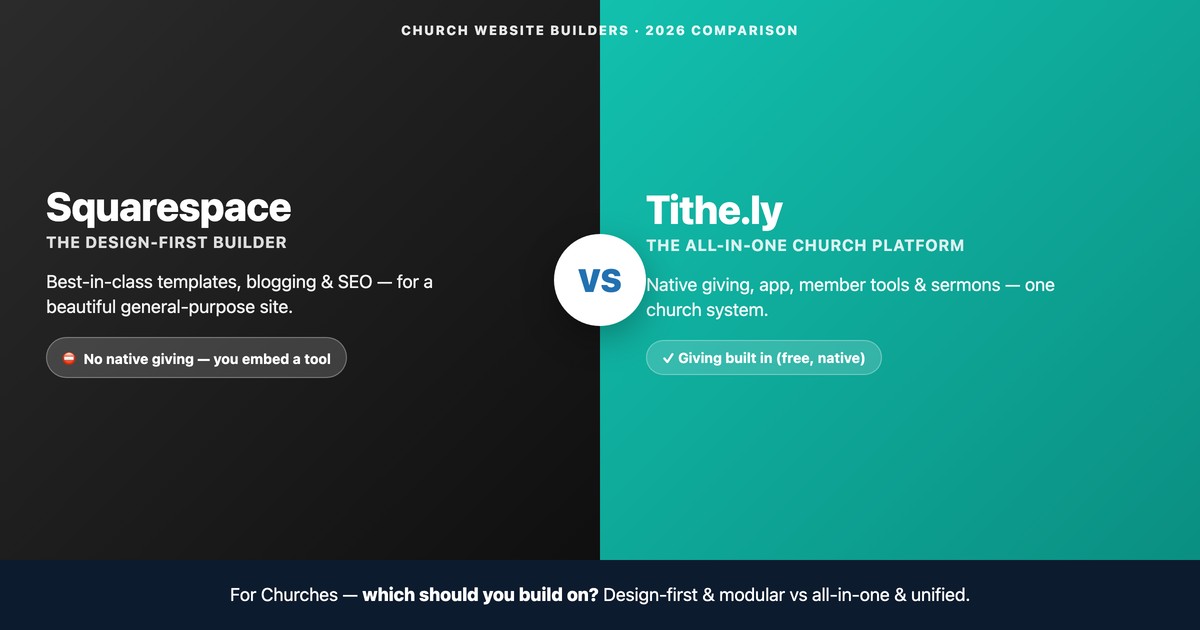
You’re choosing what to build your church website on, and two names keep coming up: Squarespace, the polished, design-first website builder everyone knows, and Tithe.ly, the church-specific platform that bundles your website with giving, an app, and member tools. They sound like competitors — but they’re really two different philosophies, and the right pick depends entirely on what your church needs most.
This is an honest, platform-neutral comparison — we sell neither. We’ll put the two side by side on features, 2026 pricing, and the one thing that decides it for most churches (giving), then tell you plainly who should pick which. And we’ll cover the option almost no one mentions: you might not have to choose at all.
⏱️ The 30-second verdict: Choose Squarespace if a beautiful, design-first website is your top priority and you’re happy to embed a giving tool. Choose Tithe.ly if you want giving, a church app, and member management built into one system and design polish is secondary. And remember the hybrid: because Tithe.ly Giving is free and embeds anywhere, plenty of churches run Squarespace’s design with Tithe.ly’s giving — together.
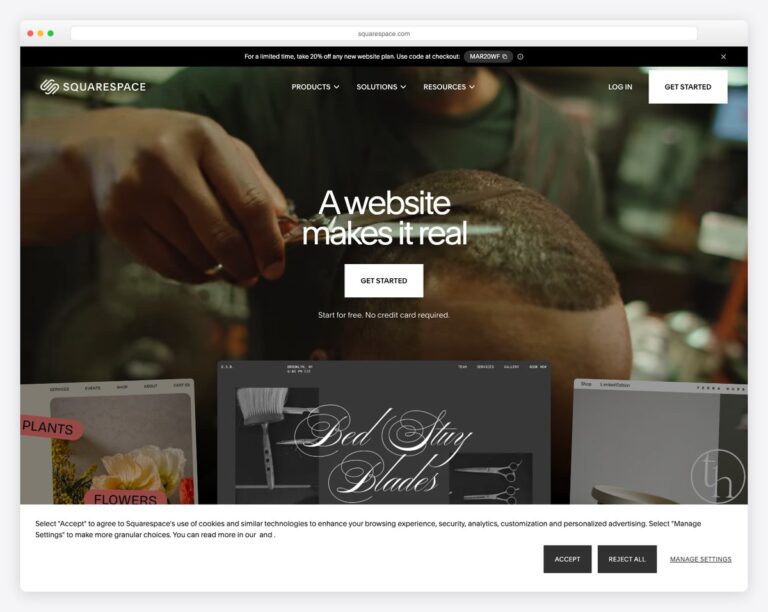
Squarespace is a general-purpose website builder. It makes some of the best-looking templates on the internet, has excellent blogging and SEO tools, and is used by photographers, restaurants, and churches alike. What it doesn’t have is anything church-specific — no donation tool, no member database, no sermon archive, no app. For those, you connect outside tools.
Tithe.ly is a church platform. The website builder, Tithe.ly Sites, is one piece of a suite that also includes Tithe.ly Giving, a church management system (ChMS), a branded mobile app, events, and messaging — all designed to talk to each other. Its templates are clean and church-ready rather than design-award material, but giving, the app, and member tools are native, not bolt-ons. That single distinction drives almost every difference below.
On design, Squarespace is in a different league — and that’s not a knock on Tithe.ly, it’s Squarespace’s entire reason for existing. Its templates are art-directed: large, edge-to-edge imagery, carefully paired fonts, and generous spacing that make even a small church look established. The editor is a polished drag-and-drop experience with a mild learning curve; a motivated volunteer can build something genuinely impressive in a weekend, though achieving that magazine look does take an eye for design.
Tithe.ly Sites trades a bit of that ceiling for a lower floor. Its templates come pre-built with the blocks a church actually needs — service times, plan-a-visit, sermons, give — so a non-designer reaches a complete, functional church website faster, with fewer decisions to get wrong. You won’t win a design award, but you also can’t easily end up with an empty, awkward layout. For a volunteer with no design background and a Sunday deadline, that guardrail is worth a lot.
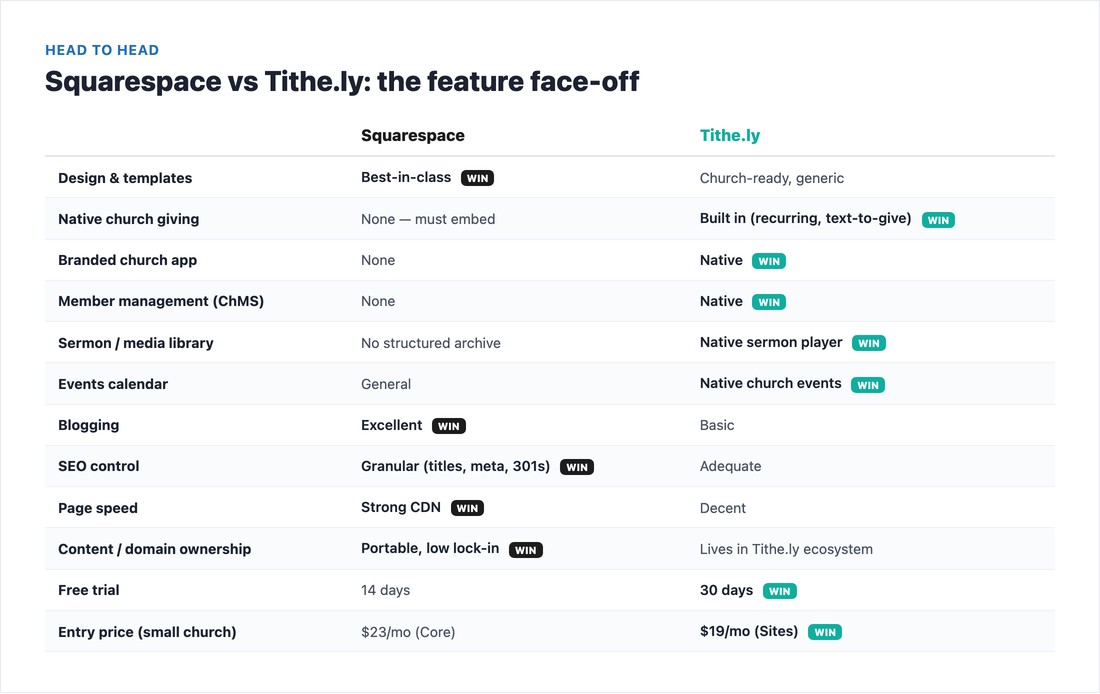
The pattern is clear once you see it side by side. Squarespace wins on the “website” fundamentals — design and templates, blogging, granular SEO control (custom titles, meta descriptions, clean URLs, 301 redirects), page speed, and content ownership. If your site is your front door and first impression, that polish matters.
Tithe.ly wins on everything church-specific — native giving, a branded app, member management, a structured sermon library, and a church events calendar. On Squarespace each of those is either impossible or requires a separate subscription you stitch in. If you want your website, donations, and people all in one dashboard, Tithe.ly is built for exactly that.
For a church, “being found” usually means a neighbor searching “church near me” or your church by name — and a clean, fast, well-structured site helps Google answer that. Here Squarespace has a real edge: granular control over page titles and meta descriptions, clean URLs, built-in 301 redirects, automatic sitemaps, and fast page loads on its global CDN. If organic search and a content-rich blog are part of your outreach strategy, that control compounds over time.
Tithe.ly Sites covers the SEO basics competently — you can set titles and descriptions and the templates are mobile-friendly — but it gives you less fine-grained control and a lighter blogging engine. For most small churches whose visibility comes mainly from their Google Business Profile and word of mouth, that’s perfectly adequate. The gap only matters if SEO and blogging are central to how you plan to grow. Either way, the bigger local-search lever is your Google Business Profile — and our church website SEO guide walks through the rest.
For most churches, online giving is the feature that settles the decision — so look closely at how differently the two handle it.
On Tithe.ly, giving is native. Donations live inside your website and your app, with recurring gifts, text-to-give, and even kiosk/giving-station support, and every gift syncs to the member’s record in the ChMS. One login, one dashboard, one payout. This is the whole reason Tithe.ly exists, and it shows.
On Squarespace, there is no native giving at all. Squarespace has general e-commerce, but no recurring tithe, text-to-give, or fund designation. To collect donations you embed a third-party giving tool — Tithe.ly, Givebutter, Donorbox, or Planning Center Giving — by pasting a code block onto a page. It works well, but recurring gifts and donor records then live in that tool, not in Squarespace. If you want to go deeper on options here, see our guide to setting up online giving on a church website.
Giving is the headline, but it’s the surrounding suite that makes Tithe.ly an apples-to-oranges comparison with Squarespace. A branded mobile app puts your sermons, giving, and events in the app stores under your church’s name — something Squarespace simply doesn’t offer. The church management system keeps member profiles, groups, attendance, and follow-up in one database that’s already wired to giving, so a first-time gift and a new visitor’s contact card live in the same place. Native sermons organize messages by series, speaker, and date with a proper media player, and the events calendar understands recurring services and registrations rather than treating them as generic listings.
On Squarespace you can replicate pieces of this — embed a sermon player, connect Planning Center for people, link an events tool — but each is a separate login, a separate bill, and a separate thing to keep in sync. Whether that modular approach is a feature or a burden is exactly the decision in front of you. If your church is small and your needs are mostly “a great website plus a giving button,” the suite is overkill. If you’re juggling members, groups, an app, and giving, having them speak the same language saves real staff hours.
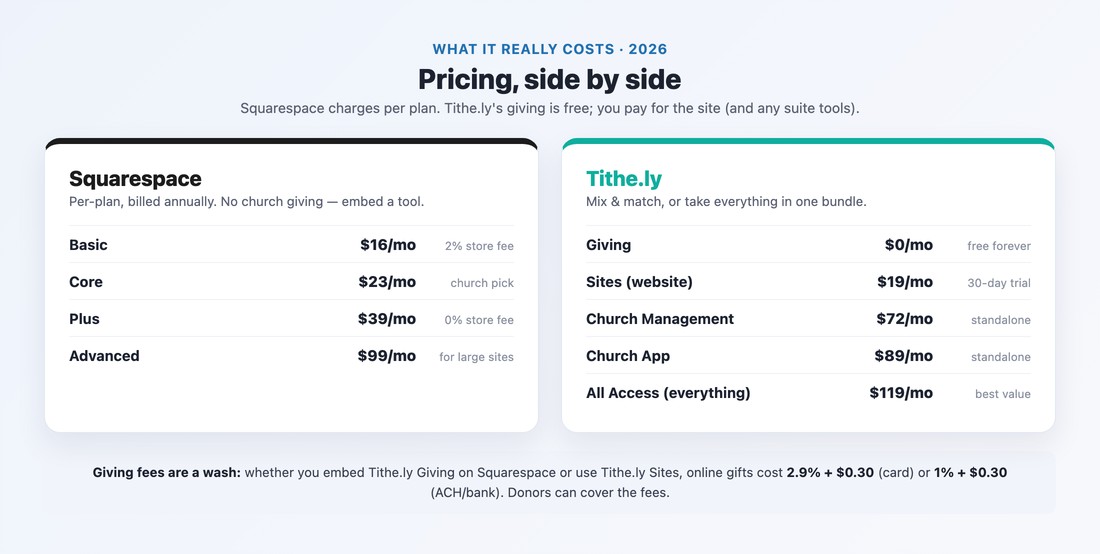
Squarespace charges a flat monthly fee per plan (billed annually): Basic at $19, Core at $29, Plus at $49, and Advanced at $99. Most churches land on Core ($29), which removes the 2% store transaction fee and adds fuller analytics and unlimited contributors. There’s no church-giving add-on to buy from Squarespace — giving cost comes from whichever tool you embed.
Tithe.ly works differently — you mix and match. Tithe.ly Giving is free (you only pay processing fees), Tithe.ly Sites is $19/month with a 30-day free trial, and the broader tools are priced separately (Church Management ~$72, Church App ~$89) or bundled in the All Access plan at $119/month, which includes essentially everything. One myth worth killing: older articles still cite a “$149 Tithe.ly setup fee.” That’s outdated — Sites is $19/month with a free trial, no setup fee.
Here’s the part that surprises people: giving fees are a wash. Whether you embed Tithe.ly Giving on a Squarespace site or use Tithe.ly Sites directly, online gifts cost the same — about 2.9% + $0.30 per card transaction and 1% + $0.30 for ACH/bank gifts, and donors can opt to cover those fees. So the giving processor cost doesn’t push you toward either platform; the difference is whether giving is built in or embedded.
Put it together and here’s what a small church actually pays per month for the website-plus-giving layer (processing fees apply on top of all three, equally):
| Setup | Monthly | What you get |
|---|---|---|
| Squarespace + embedded Tithe.ly Giving | ~$29 | Top-tier design + native-feeling giving; no app or member tools |
| Tithe.ly Sites + Giving | ~$19 | Church-ready site + native giving in one system |
| Tithe.ly All Access | $119 | Site, giving, app, ChMS, events & messaging — everything unified |
For a website and giving alone, the two single-platform options land within a few dollars of each other — so cost rarely decides it at the low end. The jump to $119 only makes sense when you genuinely want the app and member-management tools; if you don’t, paying for them “just in case” is wasted budget.
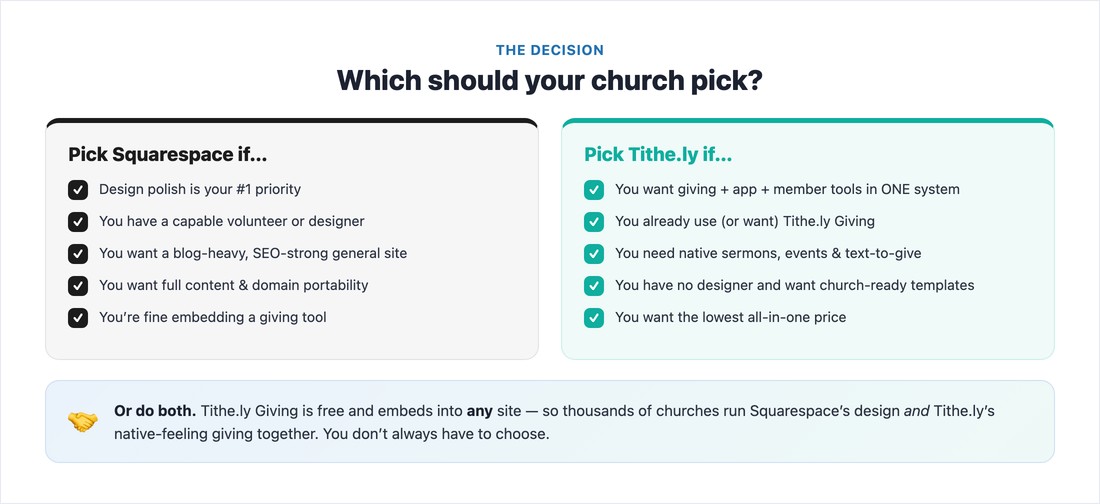
“Squarespace vs Tithe.ly” is often a false choice. Because Tithe.ly Giving is free and embeds into any website — Squarespace, Wix, or WordPress — thousands of churches build a beautiful Squarespace site and run Tithe.ly’s native-feeling giving inside it. You get Squarespace’s design and Tithe.ly’s recurring gifts and text-to-give, with the same processing fees either way.
So the real decision usually isn’t “which one tool,” it’s which approach: design-first and modular (Squarespace for the site, plus the best-of-breed giving tool embedded) versus all-in-one and unified (Tithe.ly Sites with giving, app, and people management in a single system). Both are valid — the question is whether you’d rather assemble the best individual pieces or run everything from one church-shaped platform.
Pick Squarespace if: design polish is your top priority; you have a capable volunteer or designer; you want a blog-heavy, SEO-strong general-purpose site; you value full content and domain portability with minimal lock-in; and you’re happy to embed a giving tool. It’s the better choice when the website itself is the centerpiece. For a deeper look, read our full Squarespace for churches guide.
Pick Tithe.ly if: you want giving, an app, and member tools in one system; you already use (or plan to use) Tithe.ly Giving; you need native sermons, events, and text-to-give without bolting on plugins; you have no designer and want church-ready templates out of the box; or you simply want the lowest-cost all-in-one. It shines for small-to-mid churches that value a unified system over design perfection. Our full Tithe.ly Sites review goes deeper on the builder itself.
There’s a longer-term consideration that’s easy to overlook on day one: how hard is it to leave? Squarespace is a general platform with a standard custom domain, exportable content, and a huge ecosystem of freelance designers who know it — so if you outgrow it or want to switch, your content and audience are reasonably portable. Tithe.ly’s strength — everything connected in one system — is also its trade-off: your site, giving history, and member data live inside the Tithe.ly ecosystem, which is convenient day to day but a bigger entanglement to unwind later.
That’s not a reason to avoid Tithe.ly — plenty of churches happily stay for years — but it’s worth weighing. As a rule of thumb: if you expect your needs to grow in unpredictable directions, lean toward the more portable, modular setup; if you want one vendor to own the whole stack so your team doesn’t have to, the unified system is the point. Either way, keep your domain registered in the church’s own name so you’re never locked out of your most important asset.
The best way to judge a platform is to see real churches using it — not stock templates. Here are live examples of each, captured as they actually appear (we verified the platform from each site’s source code).
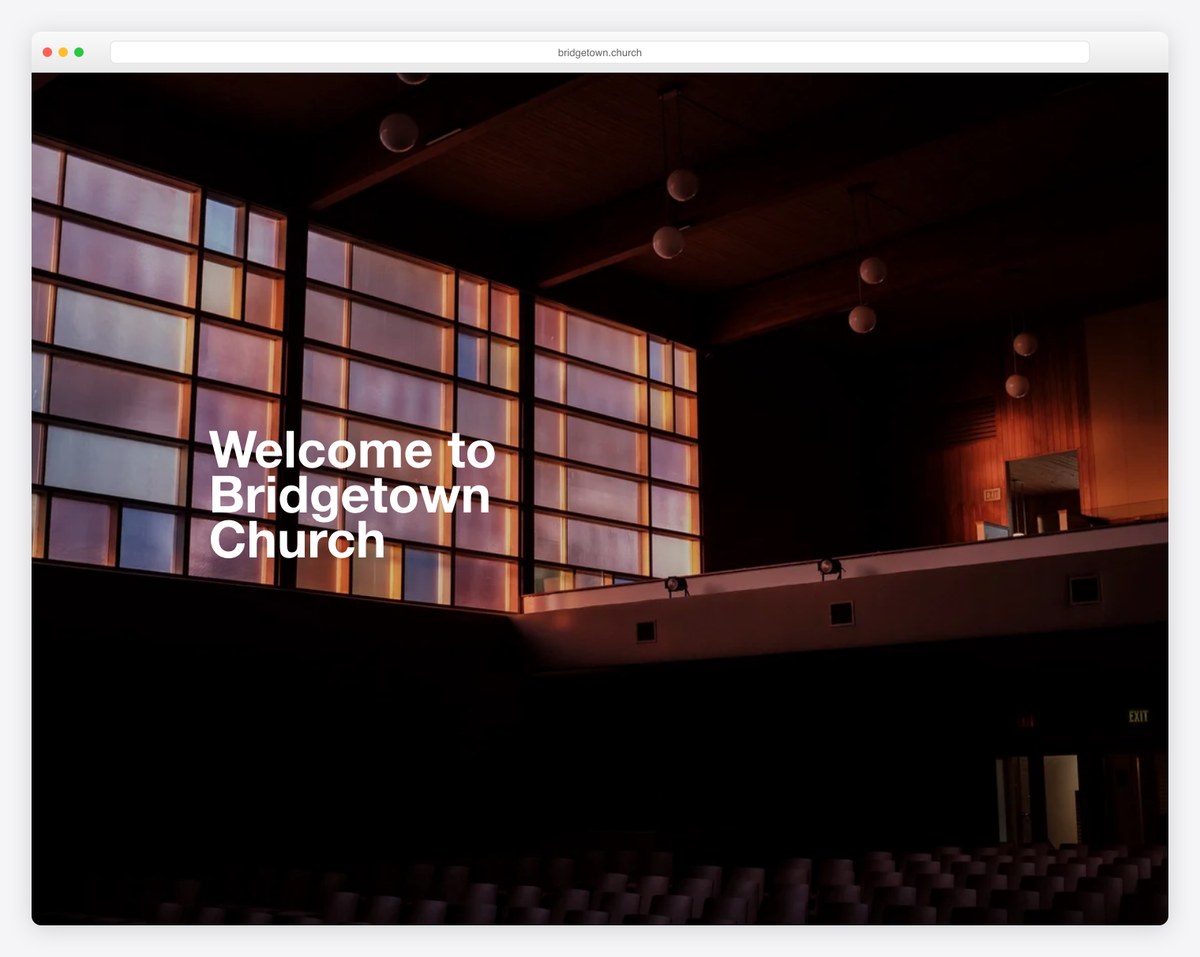
Squarespace’s design strength shows immediately — full-bleed imagery, confident typography, and a magazine-like feel. Bridgetown Church, The Cause, and Mosaic are good examples of that polished, design-first look.


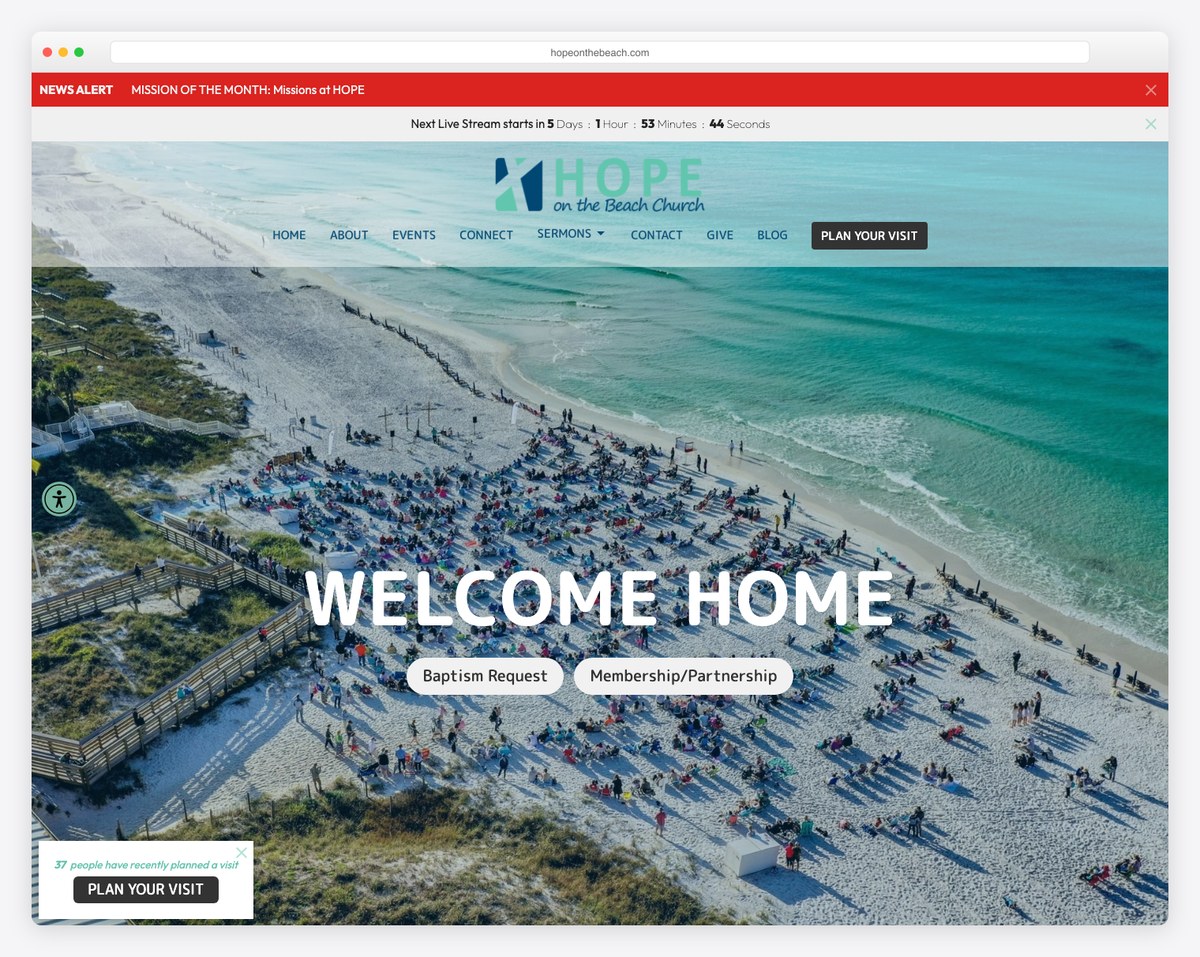
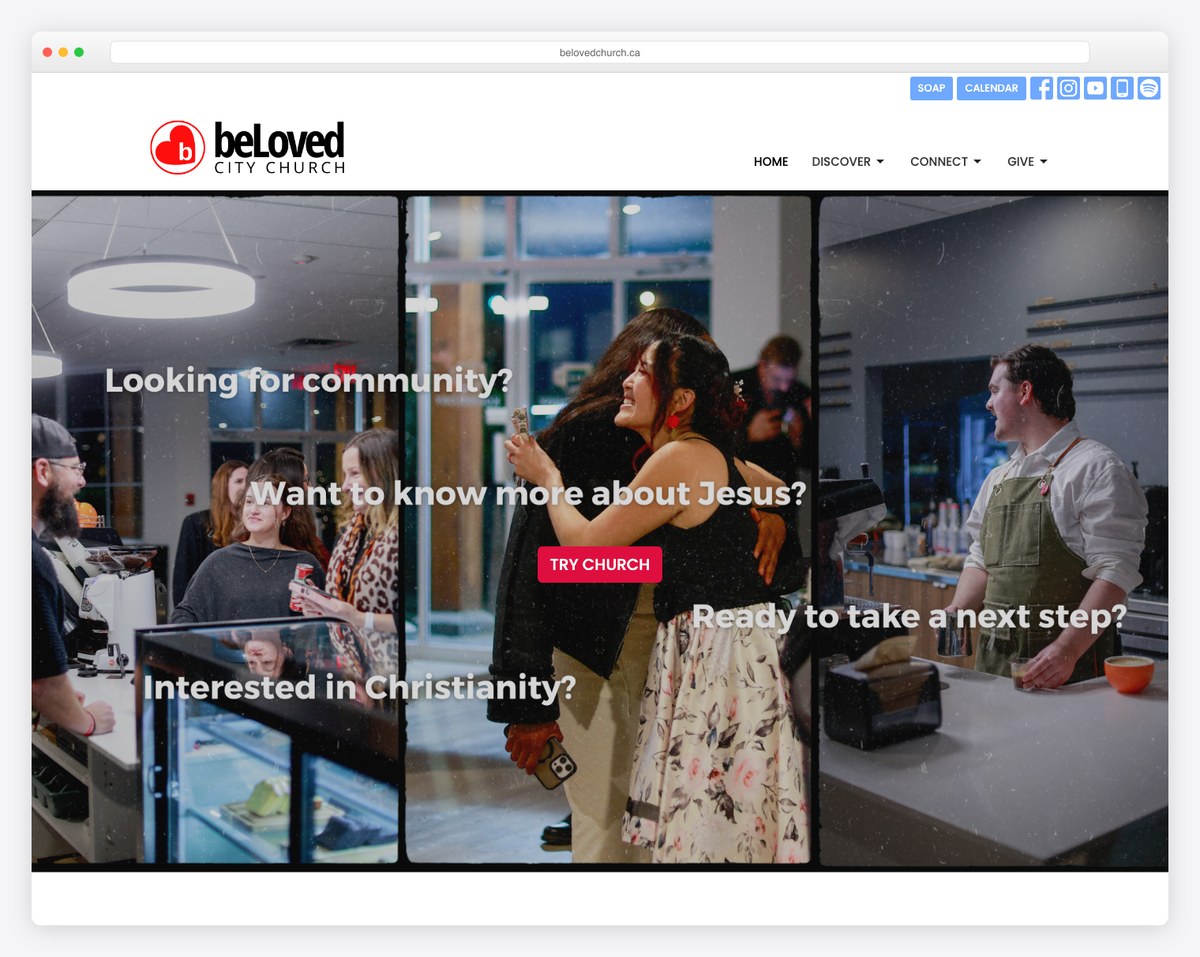
Tithe.ly Sites churches lead with the church essentials right in the navigation — Plan Your Visit, Give, Sermons, a live-stream countdown — because those tools are native. Hope on the Beach, Centralia Bible Baptist, and beLoved City Church show how clean and complete a Tithe.ly site can look.

Still weighing other builders? Compare these two against the field in our roundup of the best church website builders, or see how Squarespace stacks up against Wix in Wix vs Squarespace for churches.
📄 Free download: The Squarespace vs Tithe.ly Comparison Sheet (PDF) — the full feature face-off, 2026 pricing, and the who-should-pick-what decision on two printable pages for your team or board.
Squarespace and Tithe.ly aren’t really competing for the same job. Squarespace builds a more beautiful website; Tithe.ly builds a more complete church system. If your website is the priority and you’ll embed a giving tool, Squarespace’s design, blogging, and SEO are worth it. If you want giving, an app, and member management unified in one place at the lowest cost, Tithe.ly is purpose-built for that. And if you can’t decide, the honest answer is often “both” — build on Squarespace and embed free Tithe.ly Giving. Start from what your church needs most, not from which name you’ve heard more, and either path can serve you well.
It depends on your priority. Tithe.ly Sites is better if you want giving, a church app, sermons, and member management built into one system, since those are native. Squarespace is better if design polish, blogging, and SEO matter most and you’re happy to embed a giving tool. Neither is universally “better” — they’re built for different goals.
No. Squarespace has general e-commerce but no church giving — no recurring tithes, text-to-give, or fund designation. To collect donations on a Squarespace site you embed a third-party giving tool such as Tithe.ly, Givebutter, or Donorbox using a code block.
You create your giving form in Tithe.ly (Giving is free), copy the embed/code snippet, and paste it into a Squarespace Code Block on your giving page. Because Tithe.ly Giving embeds into any website, many churches run Squarespace’s design with Tithe.ly’s recurring giving and text-to-give together.
Tithe.ly Sites is $19/month with a 30-day free trial. Tithe.ly Giving is free (you only pay processing fees), and broader tools are priced separately or bundled in the All Access plan at $119/month. The older “$149 setup fee” sometimes quoted online is outdated.
Yes. Tithe.ly Giving is free and works independently of Tithe.ly Sites — it embeds into Squarespace, Wix, WordPress, or any website. So you can keep your existing site on another platform and still use Tithe.ly for donations, recurring gifts, and text-to-give.

Church Website Builders
Church Website Builders
Church Website Builders
10 complete church website templates, MIT licensed. Browse every demo freely; we will email you whichever folder you want.
All templates